
Avid Contributor II
December 8, 2020
Answered

Diagnostic number 511485704

  • December 8, 2020
  • 14 replies
  • 211 views

Hi

My Alexa is still not working properly. It will turn the TV on and off etc but on asking to play any music source  it responds that it is doing so without any sound. If I ask it to play a specific playlist, skip, rewind, pause etc it just turns the volume up. This is on all my voice controlled Sonos products and seems to have started with the latest issue of IOS. I have submitted another diagnostic report no. 511485704 for you after asking it to play Spotify and Amazon. 
I am disabled and invested a heck of a lot to have voice controlled systems to let me cope and thus I find this totally unacceptable I’m afraid. 
This topic has been closed for further comments. You can use the search bar to find a similar topic, or create a new one by clicking Create Topic at the top of the page.
Best answer by jpandwool

Hi Ken

its working (with a few oddities I can live with!). I’m not sure how but yesterday it point blank refused to search for any speakers insisting there weren’t any at all. Then the lounge beam, sub and ones started obeying but not the Move or the spare room etc. I de-registered everything once again this morning and hey presto it worked, I’ll take that. 
Thank you for all your help, I’ve learnt a lot  and should something go wrong again I feel I’m in a much better position to correct it. I’m still at a loss as to why it stopped working after a year of faultless performance but let’s put it down to another 2020 oddity! 
Thanks again and if you’re ever at Appleby Golf Club the beers are on me!

John  


14 replies

Ken_Griffiths
December 8, 2020

In my case, just as an example, I have a Sonos Beam called "Dining Room” its Alexa component is called ”Sonos Dining Room Alexa” so just ensure they are named differently and that you have a total of 6 devices for your three speakers (that’s assuming you have Alexa on all three). You will see all these devices too in the Amazon Alexa App device list, so can view them there too, save you keep logging into your online Amazon account.

Ken_Griffiths
December 8, 2020

I should have perhaps mentioned that in the Amazon Alexa App, an Alexa component device (when Alexa VA is installed onto a Speaker) is sometimes shown embedded inside its associated speaker device, so you may have to select (click/double click) the Sonos speaker in the Amazon device list to see its Alexa component device.

On the Amazon website however the two are always listed as separate entities.  
 

Hope that also helps.

jpandwoolAuthorAnswer
Avid Contributor II
December 9, 2020

Hi Ken

its working (with a few oddities I can live with!). I’m not sure how but yesterday it point blank refused to search for any speakers insisting there weren’t any at all. Then the lounge beam, sub and ones started obeying but not the Move or the spare room etc. I de-registered everything once again this morning and hey presto it worked, I’ll take that. 
Thank you for all your help, I’ve learnt a lot  and should something go wrong again I feel I’m in a much better position to correct it. I’m still at a loss as to why it stopped working after a year of faultless performance but let’s put it down to another 2020 oddity! 
Thanks again and if you’re ever at Appleby Golf Club the beers are on me!

John  


Ken_Griffiths
December 9, 2020

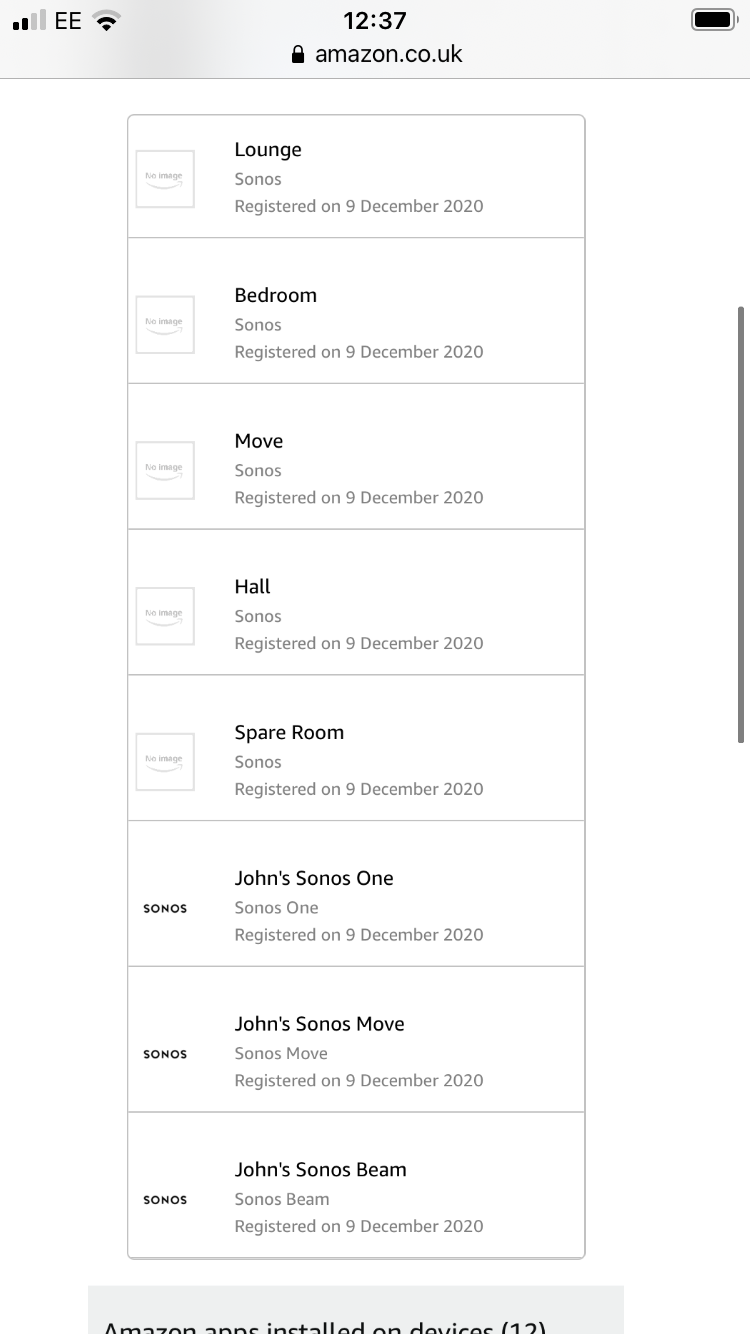
Ah that’s great news John - I can see from your screenshot that all your devices are now showing in your Amazon Account. Glad you sorted it. Thanks for the beer offer too ha ha 🍻

Have a good Christmas & New Year. 👍🎄