
Contributor I
November 16, 2021
Answered

Control Sonos volume with Android hardware buttons

  • November 16, 2021
  • 15 replies
  • 1766 views

Greetings, 

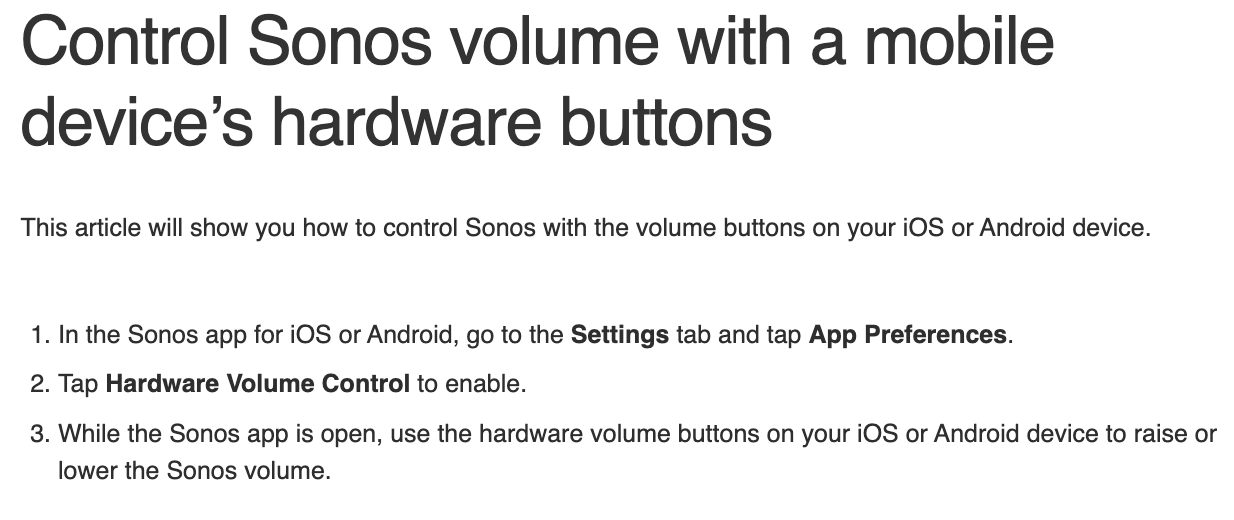
I’m able to control the volume with hardware buttons on my Android device ONLY when I’m in the Sonos app or the Spotify app. I have no control over volume when outside the apps or from the lock screen. This Sonos support page (pic below) looks to be related, but the information might need updating. Within my own ‘App Preferences,’ there’s no option for ‘Hardware Volume Control.’ 

All the options that I do have inside ‘App Preferences” are currently switched ‘on.’ 

Any idea how I might fix this? 

M


    This topic has been closed for further comments. You can use the search bar to find a similar topic, or create a new one by clicking Create Topic at the top of the page.
    Best answer by Ken_Griffiths

    Thanks, Ken. I have no problems when the app’s open and showing. It’s when I’m on the home screen or the device is locked that I lose control over volume from the hardware button. A bit frustrating. 

    The only support information I can find, is what you have probably read already - this information pasted below perhaps being the most pertinent (I have bolded some words for you to consider) …

    In some circumstances, the volume buttons will control Sonos even if the app isn’t active, as long as music is playing and lock screen controls are enabled. However, the controls will not be available when:

    • Viewing the Home Screen
    • Another app on the device is playing music or video
    • Connected to a Bluetooth audio device
    • A screen reader is enabled
    • Headphones are connected

    So is it not working when you have the lock-screen controls displayed?.. note Sonos do say ‘in sone circumstances’ so it’s not guaranteed and presumably it may depend on the mobile device. 

    15 replies

    Ken_Griffiths
    November 16, 2021

    See if this link assists (note the points in the additional details about the disconnection of the controller from the WiFi network etc.)…

    https://support.sonos.com/s/article/3062

    mstavrosAuthor
    Contributor I
    November 16, 2021

    Thanks, but that’s not doing the trick. 

    Ken_Griffiths
    November 16, 2021

    Sorry I linked the wrong article for some reason I was thinking of the lock-screen controls (my mistake)… this was the article which explains when the controller hardware buttons may sometimes not work… see the exceptions on the page.

    https://support.sonos.com/s/article/3690

    Maybe try a reboot of your mobile device to see if that fixes the issue and ensure the controller App is up-to-date too.

    mstavrosAuthor
    Contributor I
    November 16, 2021

    The suggestion to turn off Bluetooth gave me hope. Alas, it didn't fix the problem.


    In your last message you mention the controller app. Do you mean the Sonos app or could there be something else?

    Ken_Griffiths
    November 16, 2021

    The suggestion to turn off Bluetooth gave me hope. Alas, it didn't fix the problem.


    In your last message you mention the controller app. Do you mean the Sonos app or could there be something else?

    It’s the same thing, just the Sonos App - try and ensure the Sonos Apps ‘now playing’ screen is showing on your screen, whilst playing the music and that it’s not on a different Sonos room (if you have more than one Sonos Room)…  and then try the hardware volume buttons. It’s working here for me on an Android tablet. Don’t forget to reboot the mobile too as that may help and perhaps close any other running Apps in the background.

    mstavrosAuthor
    Contributor I
    November 16, 2021

    Thanks, Ken. I have no problems when the app’s open and showing. It’s when I’m on the home screen or the device is locked that I lose control over volume from the hardware button. A bit frustrating. 

    Ken_Griffiths
    November 16, 2021

    Thanks, Ken. I have no problems when the app’s open and showing. It’s when I’m on the home screen or the device is locked that I lose control over volume from the hardware button. A bit frustrating. 

    The only support information I can find, is what you have probably read already - this information pasted below perhaps being the most pertinent (I have bolded some words for you to consider) …

    In some circumstances, the volume buttons will control Sonos even if the app isn’t active, as long as music is playing and lock screen controls are enabled. However, the controls will not be available when:

    • Viewing the Home Screen
    • Another app on the device is playing music or video
    • Connected to a Bluetooth audio device
    • A screen reader is enabled
    • Headphones are connected

    So is it not working when you have the lock-screen controls displayed?.. note Sonos do say ‘in sone circumstances’ so it’s not guaranteed and presumably it may depend on the mobile device. 

    mstavrosAuthor
    Contributor I
    November 16, 2021

    Well, Ken, I think you should get a prize for the most effort! Thanks very much. It looks like this might be an inconvenience I’ll have to live with. It’s just a little frustrated that turning the volume up or down requires so many steps: unlocking the phone, opening the app, then adjusting. But I shall carry on bravely! 


    I’m much obliged for your careful suggestions. 

    Matthew


    Ken_Griffiths
    November 16, 2021

    I haven’t tried them, but another Sonos user recently suggested to me to take a look at ‘flic twists’ for Sonos/volume control. Don’t know too much about them, but they might provide you with a solution for controlling the Sonos volume. Personally speaking I prefer to use an echo dot with Alexa voice assistant. However I thought these seemed a good idea for use with Sonos.

    Here’s a couple of links I found to explain the ‘flic twist’ devices:

    https://youtu.be/S99-M-SnHYc

    https://flic.io

    Lyricist I
    December 28, 2021

    Hi Matthew

    Did you find a solution on this one?

    After switching from Samsung S20 to S21 I have the same issues - not being able to control the volume from ex. the homescreen, but only when being in the app ;-(

    The app is set to “Volume control at lockscreen” (or what it’s named in English).

    Thanks in advance...

    /Casper