Contributor I
April 23, 2021
Answered

Apple "Home" app not recognizing Roam

  • April 23, 2021
  • 7 replies
  • 2690 views

Just set up my Roam. Works great with Airplay 2 from my Apple devices. No problem selecting the Roam speaker to play from the Airplay2 icon. However, the Home app cannot find the Roam. I just get a never ending spinning icon. (I have iOS 14.4.2 on my phone, which is the latest version as of today).

I tried powering on/off the Roam, then went full nuclear are reset it. I’m not sure what the next step would be...or maybe I missed a step in the setup. 
This topic has been closed for further comments. You can use the search bar to find a similar topic, or create a new one by clicking Create Topic at the top of the page.
Best answer by AjTrek1

Community and @James L. 

Here’s the best answer I can give regarding the Roam and any other Sonos speaker not being fully supported in the Apple HomeKit. 

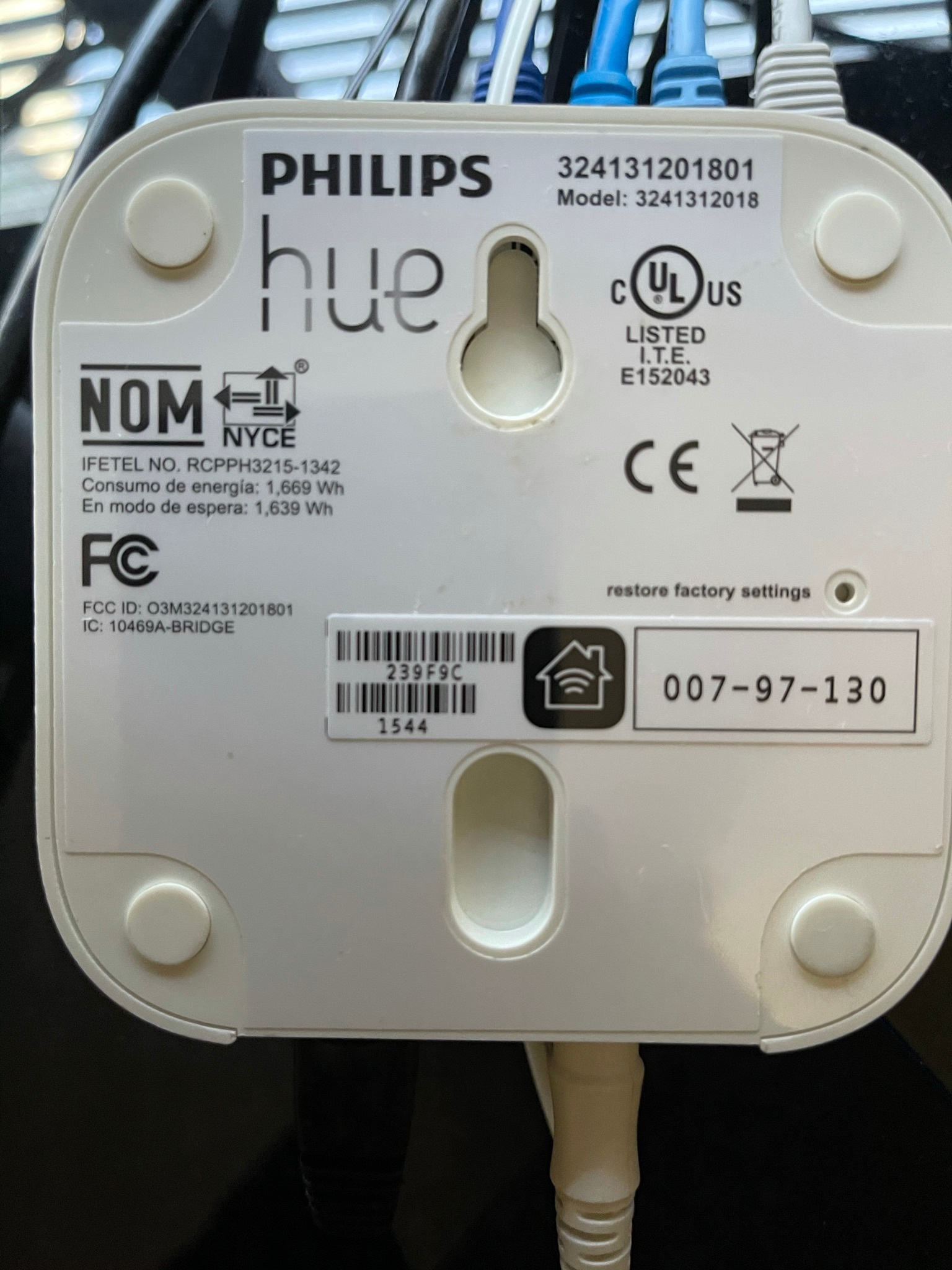
Sonos products appear not to be Apple HomeKit certified as there is no HomeKit Identifier (little house) QR code to scan or number to enter as can be seen in photo below which is a Philips Hue Bridge:

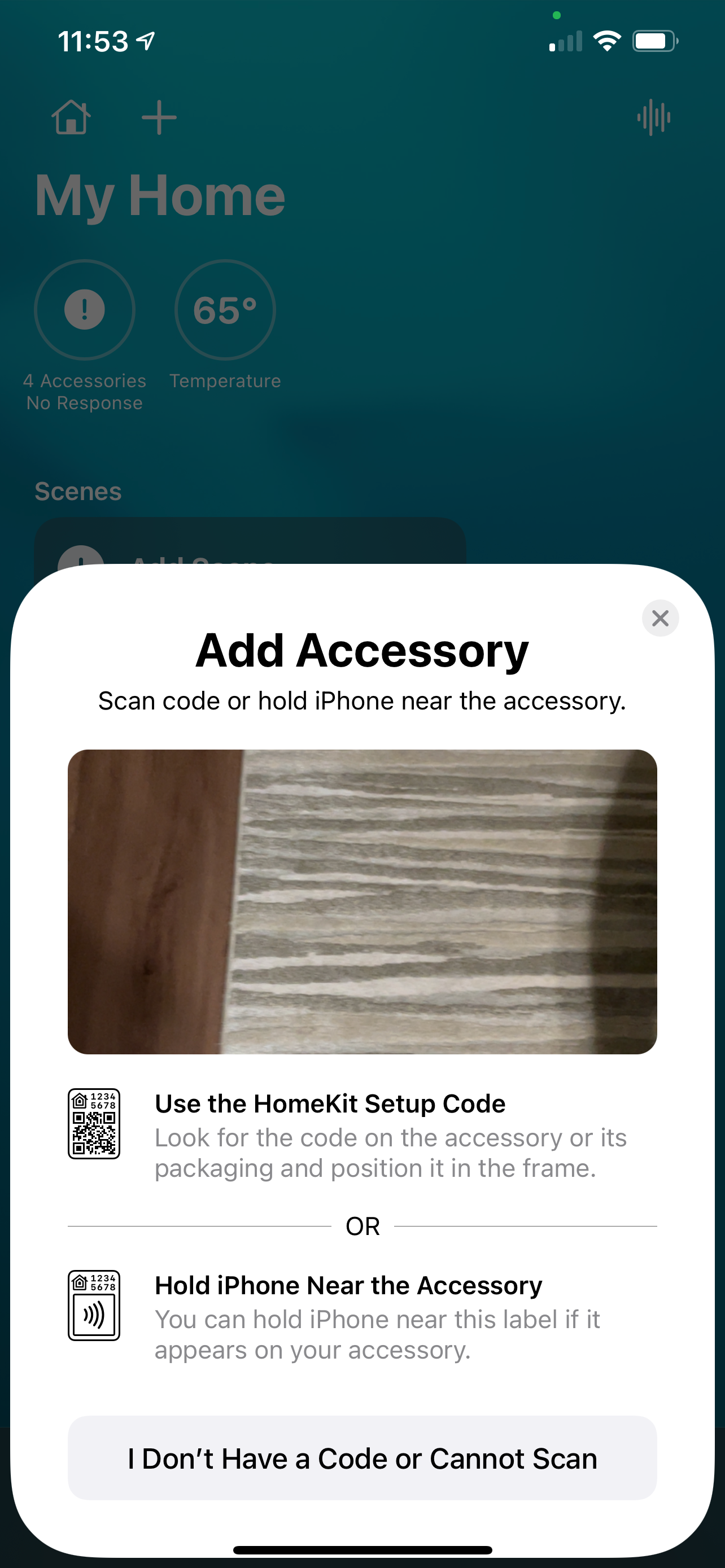
The Apple HomeKIt directs you to look for a similar identifier as shown in the picture below:

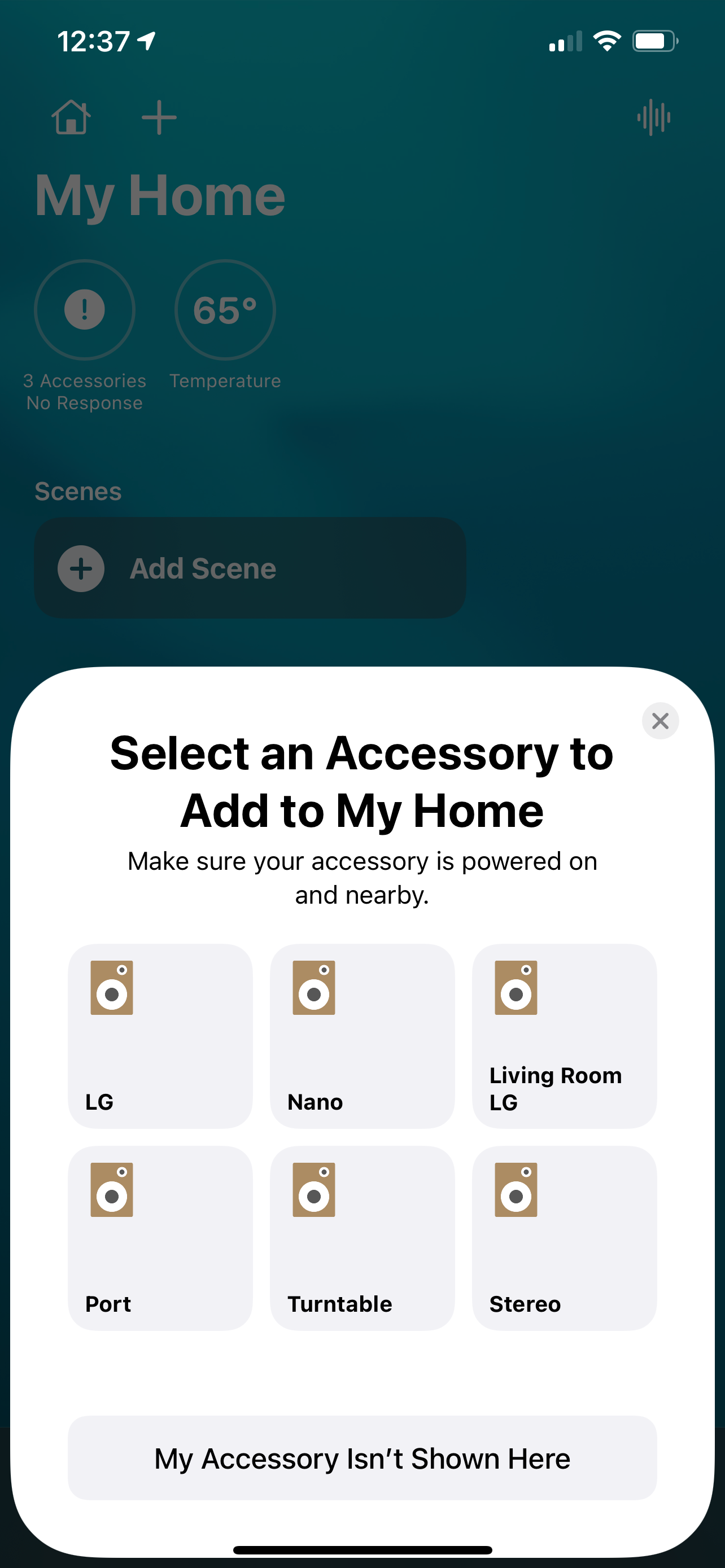
However, the HomeKit will recognize Sonos speakers and allow you to select them manually by selecting the I don’t Have a Code or Cannot Scan 

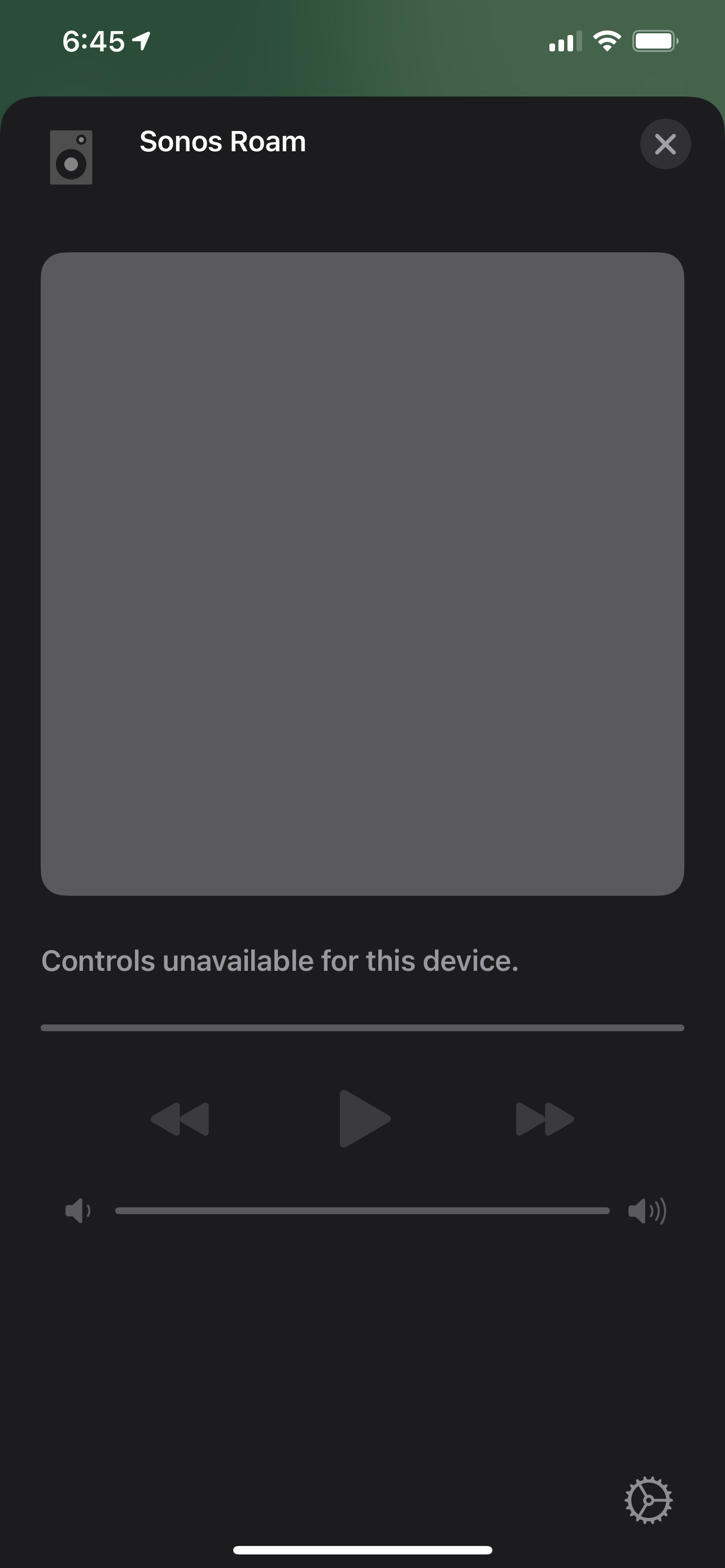
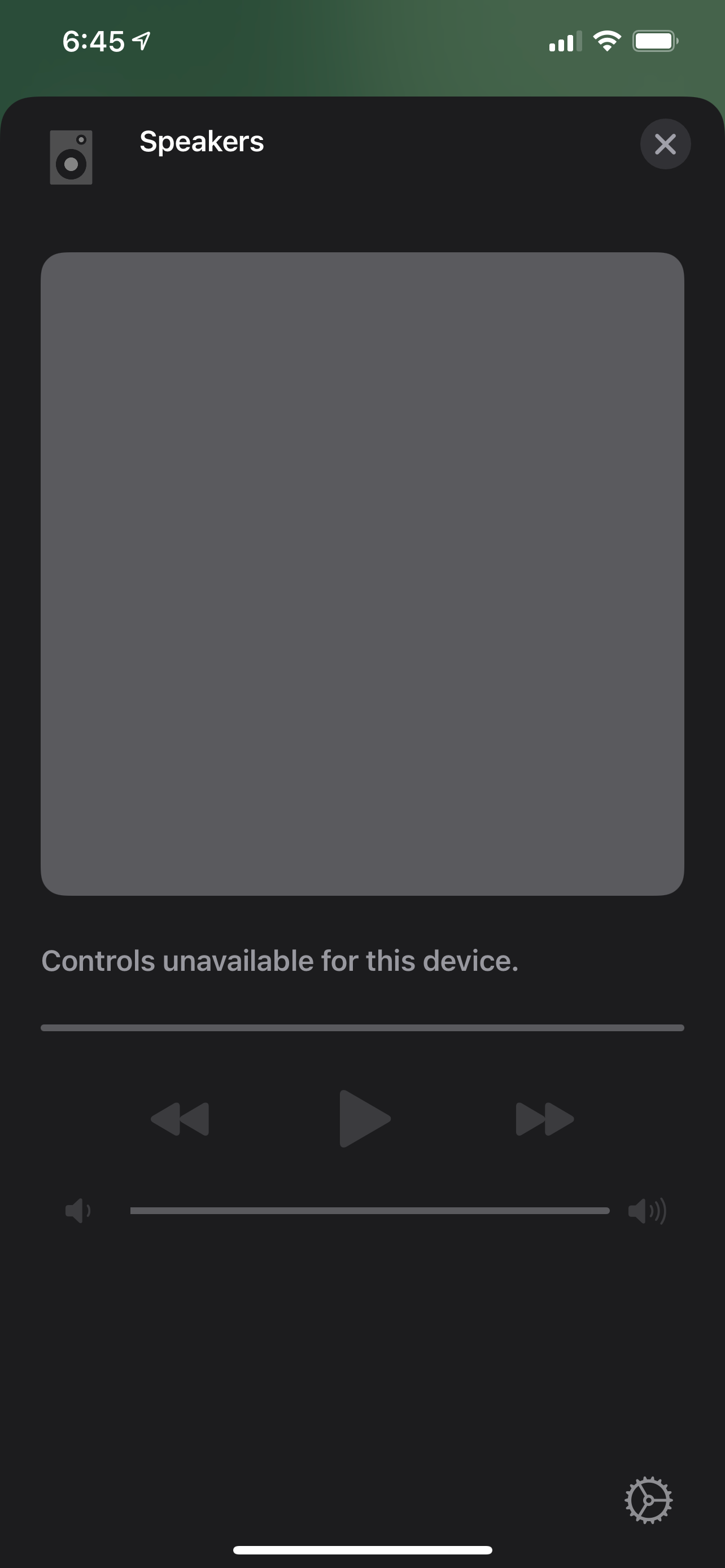
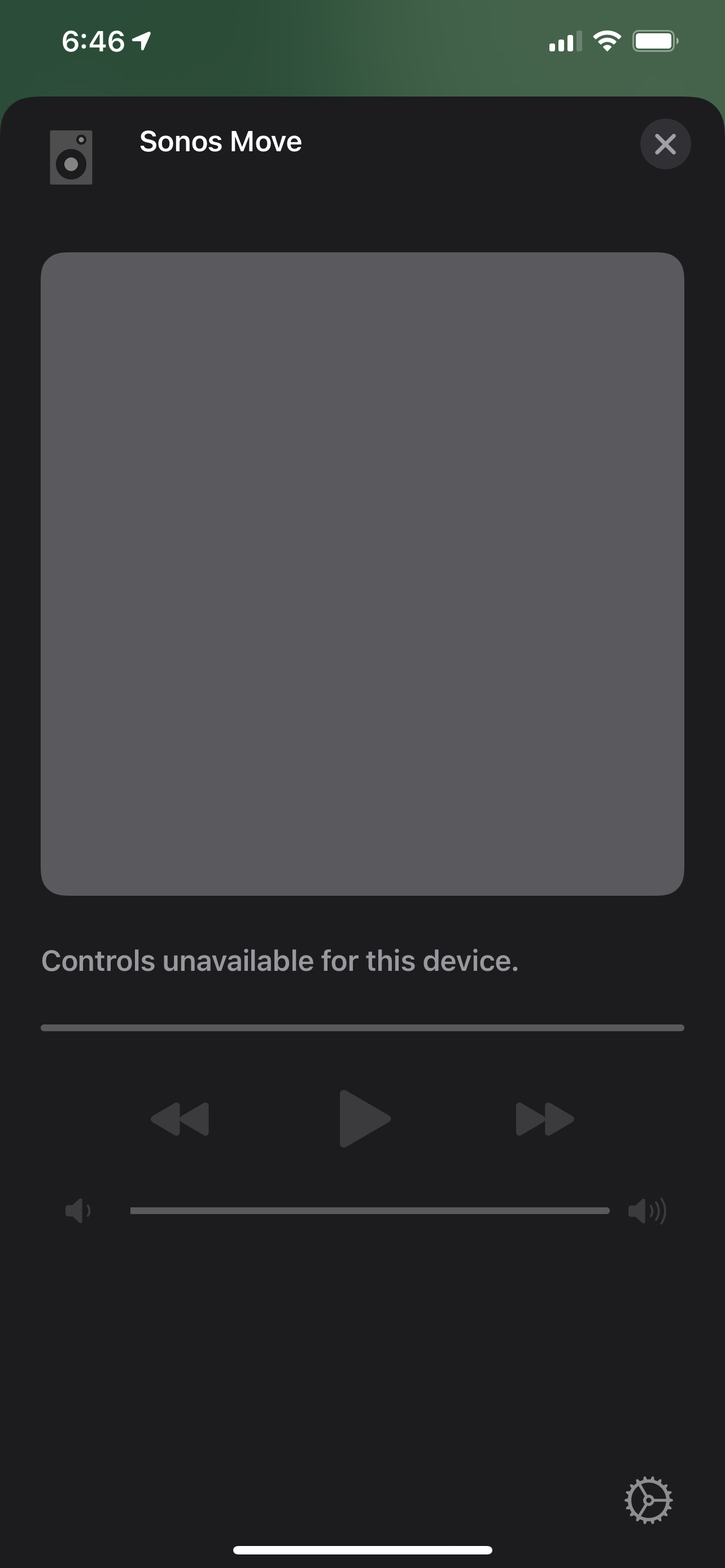
However after adding the Sonos product no controls are available as can be seen in the following photos:


7 replies

Lead Maestro
April 23, 2021

Have you tried rebooting your phone?

"Receive with simplicity everything that happens to you." - Rashi
AjTrek1
April 23, 2021

I was able to add the Roam and Move to the Home app but no controls were available. Will have research further and get back to the community.

Together Everyone Achieves More = T.E.A.M.
AjTrek1
AjTrek1Answer
April 25, 2021

Community and @James L. 

Here’s the best answer I can give regarding the Roam and any other Sonos speaker not being fully supported in the Apple HomeKit. 

Sonos products appear not to be Apple HomeKit certified as there is no HomeKit Identifier (little house) QR code to scan or number to enter as can be seen in photo below which is a Philips Hue Bridge:

The Apple HomeKIt directs you to look for a similar identifier as shown in the picture below:

However, the HomeKit will recognize Sonos speakers and allow you to select them manually by selecting the I don’t Have a Code or Cannot Scan 

However after adding the Sonos product no controls are available as can be seen in the following photos:


Together Everyone Achieves More = T.E.A.M.
Ken_Griffiths
April 25, 2021

Just to briefly add to @AjTrek1’s post above, the ‘limited’ speaker controls in Apple HomeKit do become available to control the Sonos speakers I believe when you begin Airplaying to the speaker. I’m not at my system at the moment to check that is the case, but I recall reading it somewhere🤔?

Ken_Griffiths
April 25, 2021

Also if a speaker, like Roam, doesn’t show up to add as a Home accessory, the best bet is to reboot the local router and bring both the speaker and the iOS mobile device with the Home App closer to the router and to each other and ensure both are on the same WiFi signal/local subnet.

AjTrek1
April 25, 2021

@Ken_Griffiths is correct the Apple HomeKit controls do became available during Airplay. Great catch Ken!

However, it’s kinda’ redundant IMO.  But then again I may not yet fully understand the benefit. So as it now stands to my understanding Sonos cannot NATIVELY be controlled via the Apple HomeKit.

I also tried streaming music to the speakers but HomeKit controls remained inert.  

Together Everyone Achieves More = T.E.A.M.
Ken_Griffiths
April 25, 2021

@Ken_Griffiths is correct the Apple HomeKit controls do became available during Airplay. Great catch Ken!

However, it’s kinda’ redundant IMO.  But then again I may not yet fully understand the benefit. So as it now stands to my understanding Sonos cannot NATIVELY be controlled via the Apple HomeKit.

I also tried streaming music to the speakers but HomeKit controls remained inert.  

Thanks for checking that @AjTrek1. I don’t use Apple HomeKit all that much either.👍