

Using a Turntable with Sonos
Moderator Note: Modified December 2024 to account for new products and changes to the latest mobile controller.
Thinking about getting a turntable setup with your Sonos system and wondering where to start? We've got you covered.
If you're looking for a quick overview before you dive into the details below, check out the info we have over on our blog.
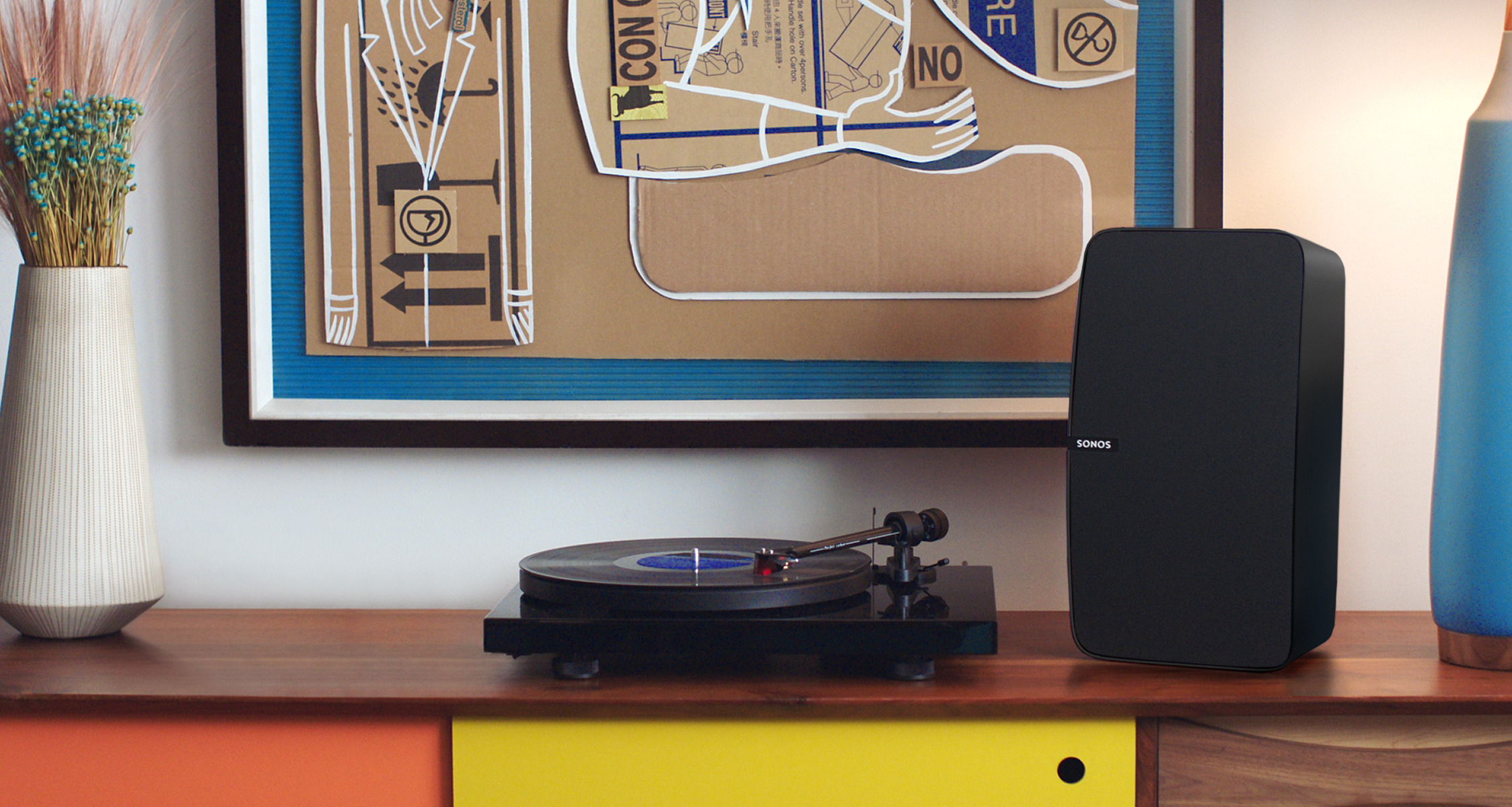
Before getting started, we need to ask a simple question— Does my turntable need a phono preamp?
Although some turntables have a built-in phono preamp, most of them don’t. Turntables output their signal at phono level, which is a low, quiet signal rated in millivolts. A phono preamp converts the audio output to line level, which is a louder signal rated in volts. If your turntable does not have a built-in phono preamp, you’ll need to place one between the turntable and Sonos player.
We don’t recommend any phono preamp in particular, but we’ve heard great things about the Music Hall Mini, U-Turn Pluto, and Bellari Rolls VP 29.
Your audio receiver may have a phono input, which means you can wire the turntable directly to the receiver. To pass the analog signal along to Sonos the receiver should have a Tape/CD Out, Rec Out, or Zone 2 Out. (Note: additional configuration may be required to trigger the audio output on the receiver)
Which Sonos player do I need?
There are three discontinued Sonos players that have a line-in port - the Connect, Connect:Amp, and Play:5, and there are 5 current players - the Sonos Amp, Sonos Port, Era 100, Era 300 and the Five. While all six can be used with a turntable, they each have a different application. The Connect and Port are perfect if you already have an amplifier and a set of third-party speakers that you don't want to part with. You'll want to use a Connect:Amp or the new Sonos Amp when you already have a pair of third-party speakers but lack an amplifier. Our Five and Play:5 are all-in-one speakers with the amplifier and speakers all housed in a compact, solid enclosure. Now, no matter which player you plan on using, you'll have the ability to send the music to all of the other Sonos speakers around your house and at the same time. We get it, just because your collection sits in one room, that doesn't mean you have to.
The portables Move, Move 2 and Roam and Roam 2 can both accept connections via Bluetooth technology, so if you have a Bluetooth enabled turntable you can wirelessly play your records to Sonos. Please note that only the Roam and Roam 2 can share that stream to other Sonos players on your system.
Arc Ultra, Era 100 and Era 300 also support Bluetooth playback.
For those just getting into vinyl or looking to upgrade, we now carry the Pro-Ject T1 Phono SB in our online store for the US. This is a great turntable that includes a built-in phono preamp so it can be used out of the box with a Sonos Amp, Sonos Port, Five, Play:5, Connect, or Connect:Amp right after the initial setup. We also have the newer Pro-Ject Debut Carbon Sonos Edition and some more options here.
To connect the Five to your turntable or phono preamp, you’ll need a 3.5mm male to RCA cable, which is more commonly referred to as an RCA y-cable. The y-cable will connect to the RCA Out on either the turntable with a built-in phono preamp (shown below) or the RCA Out of the standalone phono preamp. The 3.5mm end will then be connected to the Line-In port located on the back of the Five. Although they are not seen all that often, there are some phono preamps that include a 3.5mm out. In this scenario, you’ll want to use an aux cable, which is 3.5mm male to 3.5mm male.
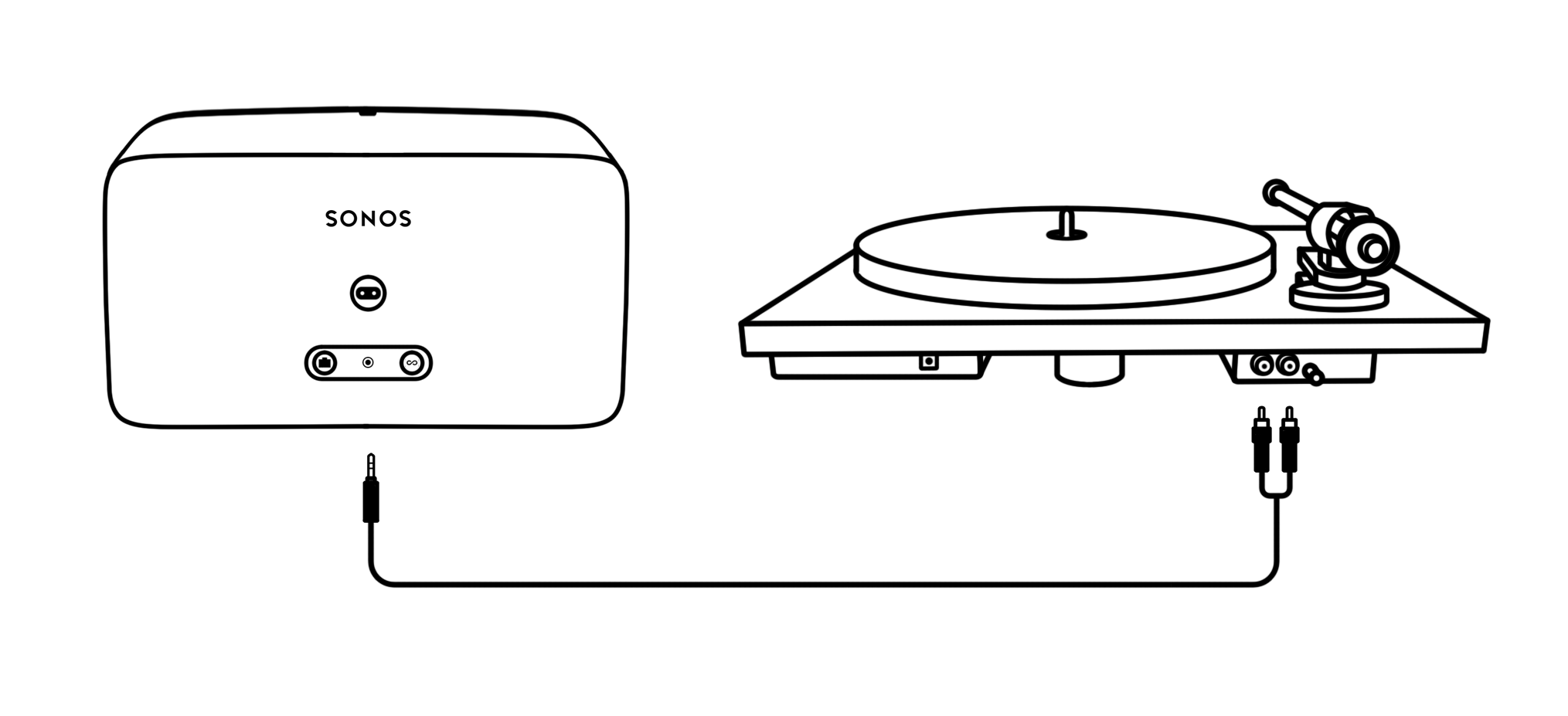
After the Five has been set up, you’ll want to make sure to tweak the line-in settings. Trust me, I know the excitement of getting a new turntable setup and the first thing you want to do is drop that needle but reviewing the details below will help save time and answer a lot of questions you may find yourself asking. These settings are available for all of the Sonos players with a Line-In connection.
To make these adjustments, we’re going to use the Sonos app on a mobile device and head to Settings > (Player name) > Line-In.
To start, you can set the Line-In Source Name. This is used to specify what kind of device is connected to the Line-In port. By default, there isn’t an option for a turntable, so I recommend setting a custom name. The source name is then what’s displayed when selecting Line-In as an option under Home Screen > Your Sources > Line- In.
The Line-In Source Level is extremely important, so make sure that if you’re skimming this thread just for info on settings, pay attention to this paragraph. There are two common reasons why music can be barely audible after getting a turntable setup with Sonos. One reason, the turntable doesn’t have a built-in phono preamp (covered above) and the other is because the line-in level is set too low. The line-in level is the voltage in which the signal is going to be detected and the higher it’s set; the louder audio will be. By default, Line-In is set to level two, which isn’t very loud for a turntable. Each class of audio equipment is different and therefore the output impedance will vary from device to device, so make sure to consult your product’s manual. Ideally, you’ll want to set the line-in level to match the output of your phono preamp according to the principle of gain staging. Since most phono preamps don’t have a very high output impedance, you should be able to set line-in all the way to ten if you don’t hear the audio clipping.
The line-in voltage levels are below:
2.2V - Level 1
2.0V - Level 2
1.8V - Level 3
1.6V - Level 4
1.4V - Level 5
1.2V - Level 6
1.1V - Level 7
1.0V - Level 8
0.8V - Level 9
0.6V - Level 10
These adjustments can be made under Settings > (Player name) > Line-In > Line-In Level.
The Autoplay Room setting, which is turned off by default, automatically triggers Line-In as the preferred source for audio playback in a designated room. This means that whether music is already playing or you’re just getting ready to kick back and sink into an album that, once the needle meets the groove, autoplay will take care of the rest. Additionally, when autoplay is enabled, the designated speaker will drop out of a group it may be part of unless Include Grouped Rooms is enabled.
While the autoplay feature is great, it won't be ideal if you’re dealing with a cartridge that is a bit noisy, there is trouble getting a solid ground connection, or if there are power fluctuations from the outlet being used. This can cause music to abruptly stop when streaming from an online music service or local source.
General Troubleshooting
Audio Dropouts
A simple but often-overlooked reason you may hear audio dropping or skipping is due to the turntable and speaker(s) being on the same surface. While it may be aesthetically pleasing or the only option in a tiny room, a turntable is designed to measure vibrations, so any other external vibrations may induce skipping or distort the music. Again, if keeping them on the same surface is the only option, you can use foam or other absorptive material under the turntable or speakers to help.
One of the main causes for audio dropping during playback is wireless interference. Before following the steps below, try to clean up the wireless in the area as much as possible.
Audio drops may also occur on larger systems when there are multiple rooms grouped together. When there is a large group with multiple speakers, there will be a greater strain on the wireless communication. To help mitigate that strain, there are two options:
- Adjust the audio delay. Using the Sonos App for iOS/Android Settings > (Player name) > Line-In > Audio Delay > from there you can increase the delay.
- Adjust the audio compression. Use compressed rather than uncompressed or auto as it will increase the buffer size to 2000ms. This is found in a slightly different location Settings > (Player name) > Line-In > Audio Compression
No Audio
Check the connections. I know this sounds silly, but we’ve all been there. Connecting an In to an Out or just plain forgetting a connection altogether.
Use a different device. After making sure all cables are connected and seated properly, grab a device that can be used with a y or aux cable. Can you hear sound now? If yes, then there may be a setting on the turntable or phono preamp that needs to be adjusted or checked.
Speaker Placement
The subject of speaker placement is a very expansive topic, so I'm not going to go into too much of the nitty-gritty, but I still believe it's important to cover some of the basics. These are some of the best practices to make sure you'll get a great soundstage and imaging. This will also change from one Sonos speaker to another, or if you're using your own speakers with a Sonos Amp.
- Make sure the speakers are away from the walls. Specific to Sonos, this will also help to reduce potential wireless signal loss.
- You've gotta keep'em separated. As a general rule of thumb, place the speakers as far away from each other as the distance they'll be from where you'll be listening.
- Keep them at ear level.