
Contributor I
Dec 24, 2020 2:44 PM UTC
Answered

Sonos Port

I have an just acquired Sonos Port and want to play music from my old separates system through an old PioneerA400 amp to Sonos Speakers and Music through the Sonos Port to my none intelligent speakers but am struggling with the set up to be honest can anyone help

 

This topic has been closed for further comments. You can use the search bar to find a similar topic, or create a new one by clicking Create Topic at the top of the page.
ratty
rattyAnswer
Dec 27, 2020 8:37 PM UTC

In the controller select whichever Sonos speaker(s) you want to listen to. Go to the Browse tab and select the Line-In from the Port.

You can also configure Line-In Autoplay in the Port’s room settings if you wish. This will automatically start Line-In play on the selected room when it detects an input signal.

4 replies

ratty
Dec 24, 2020 3:38 PM UTC

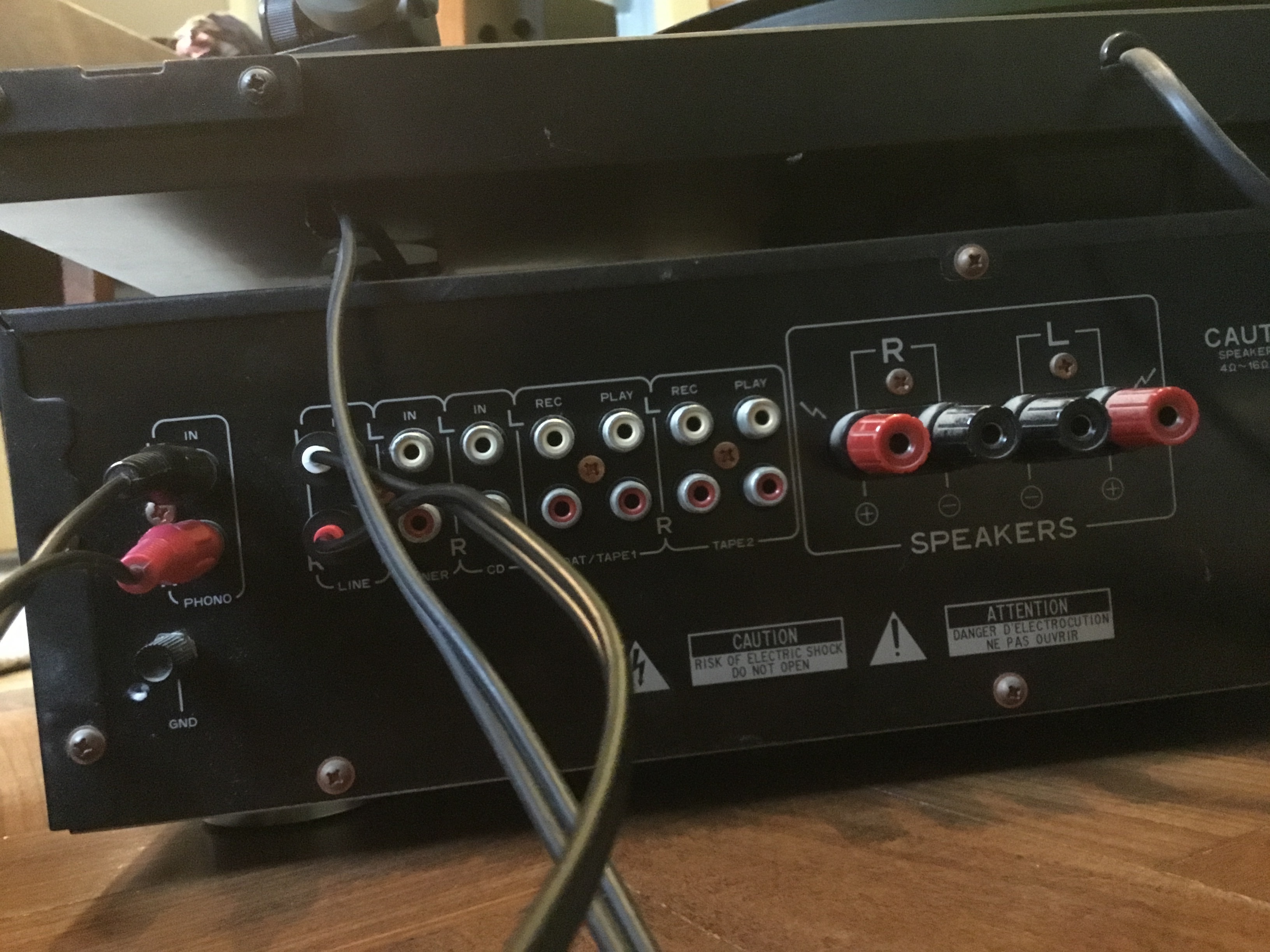
Treat the Port as if it were a cassette deck:

  • Yamaha Tape REC → Port Line-in
  • Port Line-Out → Yamaha Tape PLAY
Translate
JPW1851Author
Contributor I
Dec 27, 2020 8:16 PM UTC

Thanks ratty have purchased RCAcables and set up as photo but still no sound through my new one SLs how do I tell Port to talk to Sonos one or am I doing something else wrong thanks


Translate
ratty
rattyAnswer
Dec 27, 2020 8:37 PM UTC

In the controller select whichever Sonos speaker(s) you want to listen to. Go to the Browse tab and select the Line-In from the Port.

You can also configure Line-In Autoplay in the Port’s room settings if you wish. This will automatically start Line-In play on the selected room when it detects an input signal.

Translate
JPW1851Author
Contributor I
Dec 28, 2020 12:59 PM UTC

Thanks a lot Ratty result

Translate