
Ryan S
Retired Sonos Staff
October 2, 2017

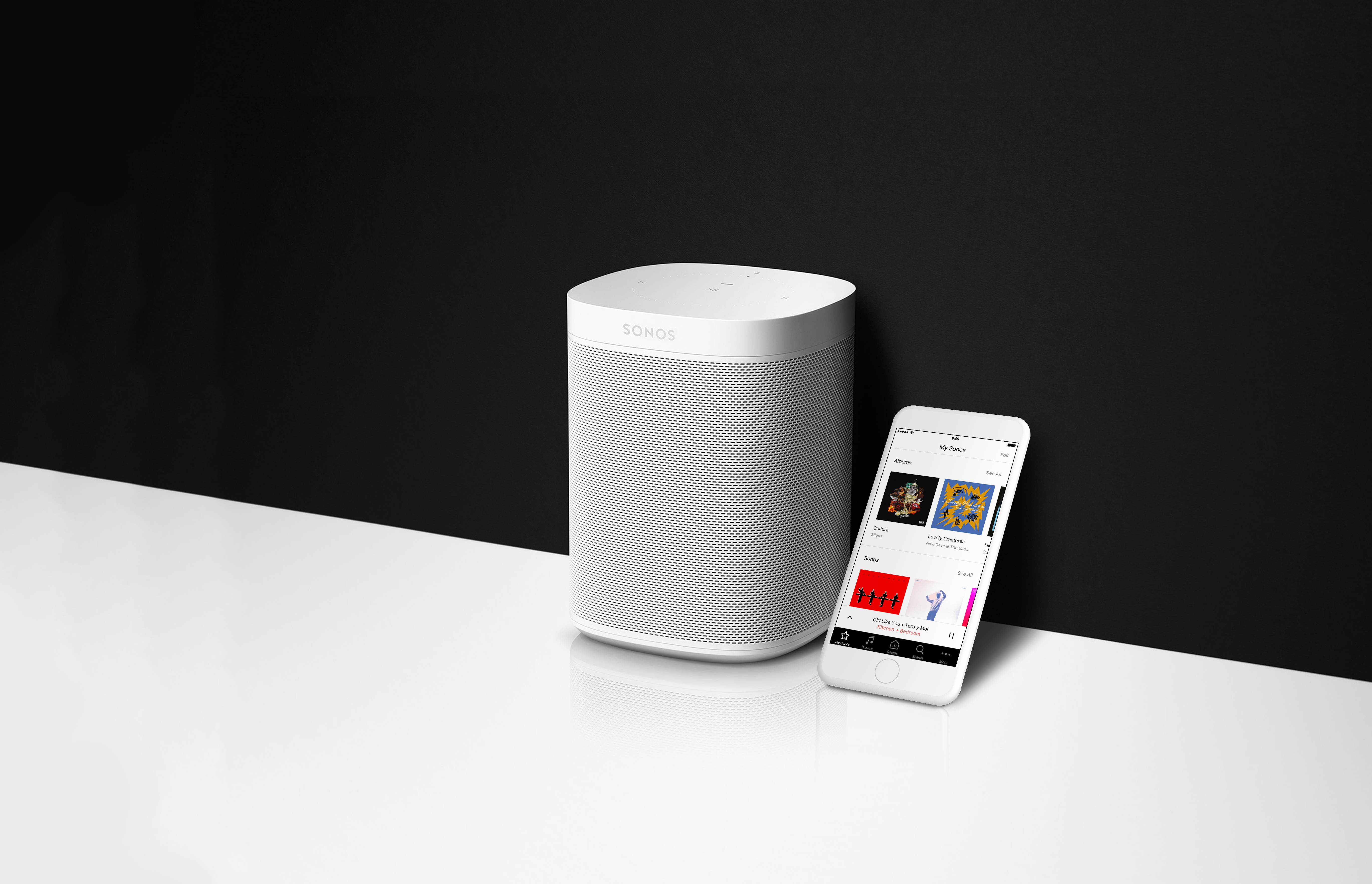
Getting Ready for Sonos One
  • October 2, 2017
  • 80 replies
  • 8779 views


If you’re as excited about the new Sonos One as we are, you’ll want to make sure you’re ready to go the moment you pick it up on the 24th. Here’s everything you need to know to be all prepped for the release of the Sonos One.

  1. On your mobile device, download the Amazon Alexa app from the Apple app store or Google Play. This app is going to be used to control some basic Alexa services, such as picking a default music service from the Alexa supported services.
  2. Create an Amazon account, if you don’t have one yet. Just click Sign In and Start here where it asks if you’re a new user.
  3. Update all your Sonos devices to version 8.0 by checking for updates inside the Sonos app.

That’s it! You’ll be ready to go the moment your Sonos One gets to your home. If you’d like to read more about Alexa and Sonos, check out this page on using other Alexa enabled devices with Sonos, and this one too on How Alexa Works With Sonos.
    This topic has been closed for further comments. You can use the search bar to find a similar topic, or create a new one by clicking Create Topic at the top of the page.

    80 replies

    jgatie
    October 13, 2017
    ok, i have all my apps on version 8 but it doesnt let me add my sonos 1 to the system

    Sonos One's are not supposed to be sold until Oct. 24. A couple stores let them leak out too soon, and Sonos told those folks the update to add those will not be released until the 24th.
    melvimbe
    October 13, 2017
    I agree. It seems to me that the cheapest and most logical entry point would be a single SONOS ONE in any new or existing system. At some point having ALL of there products fitted with microphones would allow a customer to determine the "best" location for this functionality to be accessed from. It seems to me that no one would actually REPLACE any of their existing components with it microphone enhanced unit, but rather to buy an Amazon product and integrate it into their existing system.


    A couple points on that. I don't think it makes a lot of sense to add mics to the CONNECT or CONNECT:AMP, since they don't even have their own speakers. They are much more designed to be out of the way. As for the other devices, I can see it as a possibility. The Sonos:One is supposed to be better than the P:1 so perhaps there wouldn't be much market for the P:3 with mics. I can see where it's a possibly for the P:5, but again, is there much of a market for that? Perhaps you don't add that till the product is do for a 'full rehaul' anyway.

    As far as the PLAYBAR or PLAYBASE, I don't know that you want your mic that close to your tv. And how do you want it reacting when it's currently playing the tv source? Personally, I would rather 'solve' that problem by talking to Alexa through the fire tv. Actually, I'm hoping Amazon creates a version of the firetv with both a mic and carmera built in so that your tv essentially becomes a giant version of the Echo Show. Since that isn't coming this year, I kinda doubt that's in the works.
    Danny
    dave77
    Headliner I
    October 15, 2017
    Ryan, will other Alexa commands work on the Sonos One without the Sonos skill, i'm not interested in Sonos voice control.
    Airgetlam
    October 16, 2017
    I wouldn't think so. Alexa commands rely on the Alexa cloud to process the commands. The processing power is not on the Sonos One, it's on Amazon's servers.
    Bruce
    October 16, 2017
    For anyone wanting Alexa but not Sonos voice control, the no brainer is buying the Amazon hardware that suits, staring from the Dot, with Dot+Alexa enabled Sonos offering both sets of features or only one set, as desired.
    dave77
    Headliner I
    October 16, 2017
    Ryan, will other Alexa commands work on the Sonos One without the Sonos skill, i'm not interested in Sonos voice control.

    To be clear, I currently have an Echo Dot in my living room, no Sonos. I was planning to get a Play:1 for the living room so was wondering whether the Sonos One could be used to replace the Dot.
    October 16, 2017
    The safe thing to do - assuming that you don't need to pair it with a play 1 already there - is to get a Sonos One.

    I am pretty sure that it will not replace the Dot in non Sonos voice control applications, and so the Dot will not be replaced for the many other things it does. But the One does not cost more than a play1, so why get a play 1?
    dave77
    Headliner I
    October 16, 2017
    Thanks, but can we let Ryan answer the question rather than clutter it up with speculation
    jgatie
    October 16, 2017
    The safe thing to do - assuming that you don't need to pair it with a play 1 already there - is to get a Sonos One.

    I am pretty sure that it will not replace the Dot in non Sonos voice control applications, and so the Dot will not be replaced for the many other things it does. But the One does not cost more than a play1, so why get a play 1?


    Not true. The vast majority of Alexa functions will work on the Sonos One. There are only a couple Echo specific applications, specifically the Drop In function, that will not work.
    October 16, 2017
    Right; as I also read on the Sonos One promotion materials.

    But then I also read this by Sonos as to how it works:

    "Your Amazon Alexa devices are listening for you to say the wake word, “Alexa”. When they hear that word, the microphones record what you say and send the audio to the Amazon Alexa cloud to be translated.

    That voice line turns into a string of text. The Amazon protocols determine if it’s meant for Amazon Alexa or for a Sonos player. If it’s for Sonos, that text is then sent directly, and securely, over to the Sonos cloud to be turned into a command using our own codes.

    Finally, the Sonos intended command goes down to the system."

    So how does this square with say, ordering Uber on Sonos One? Does that mean that for such and all other such cases, the Amazon Alexa cloud communicates responses directly to the Sonos One as well?