
Contributor I
February 21, 2024

Networking setup

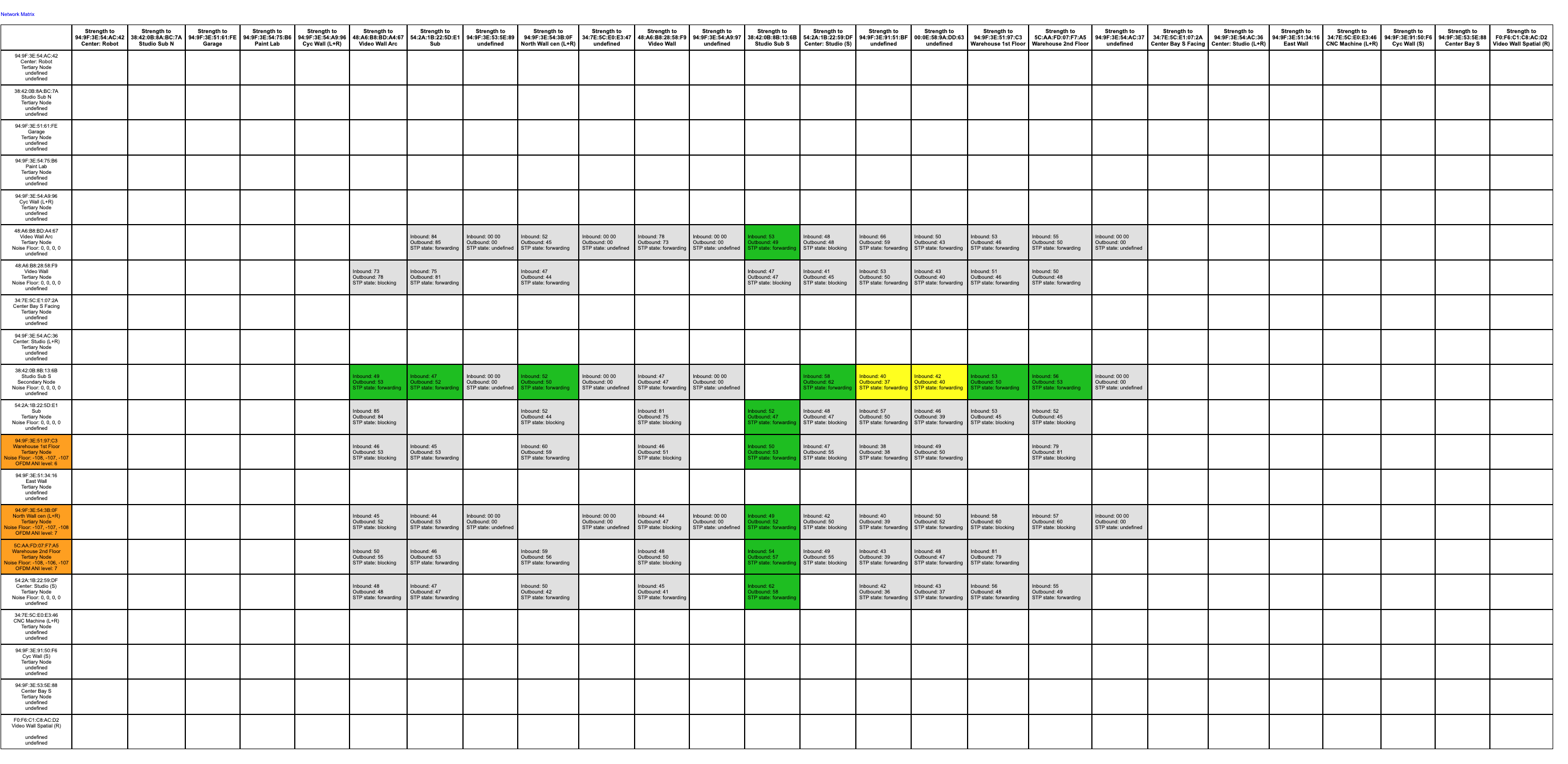
I’m working on a large system for a customer. 95% of the system is all in one large space. We have a mix of subs, Play:5, Fives, Era 300s, and and Arc. Everything that has a network jack is plugged into the network. The network itself is Comcast>Sophos>10 gig Netgear core>Unifi Switch > access points and remote switches. By remote switches I mean several 8-12 port switches throughout that are connected back to the Unifi switch. We are experiencing latency in using the app to pair zones, change music, navigate etc. Also, our players are randomly dropping offline. Here is the network map. Normally I only deal with Ports as sources so this one is a bit out of my usual expertise. 
 

This topic has been closed for further comments. You can use the search bar to find a similar topic, or create a new one by clicking Create Topic at the top of the page.

12 replies

Contributor I
February 23, 2024

They had to because so many people were installing them in commercial buildings that the licensing rights for performances of recordings in public spaces became too much of a problem for Sonos. Prior to this endeavor there were a few options, but not something the average business owner that bought some speakers at Best Buy and installed themselves would know about. And honestly, I’ve seen Sonos in more businesses than I see it in homes. It’s not super common in high end homes and amongst family and friends I don’t think I know anyone that has it. 

Stanley_4
Grand Maestro
February 23, 2024

For large spaces I’m a fan of using sound systems designed for them. Feeding them from a Port is an ideal solution for many.

Add a mixer between the port and amplification and you can add in a mike for PA use too.


I was going to say something about wimpy PoE speakers but looking at the newer specs I’m seeing 100 Watts per port. That would certainly do the job.