Contributor I
Oct 11, 2021 6:34 PM UTC
Answered

Play 5 no longer plays line in from Project record player and won't link to grouped sonos either

Unless I switch my play 5 gen 2 on and off at the plug it isn't recognising my record player and even when it does I can't then group it to my play 3 and move. The group would historically always Autoplay and play the grouped rooms. Nothing has changed, my settings are all correct but even after resetting the sonos tonight (when it then played but wouldn't group) when I then changed records the sonos wouldn't play again 

This topic has been closed for further comments. You can use the search bar to find a similar topic, or create a new one by clicking Create Topic at the top of the page.
AjTrek1
AjTrek1Answer
Oct 11, 2021 9:07 PM UTC

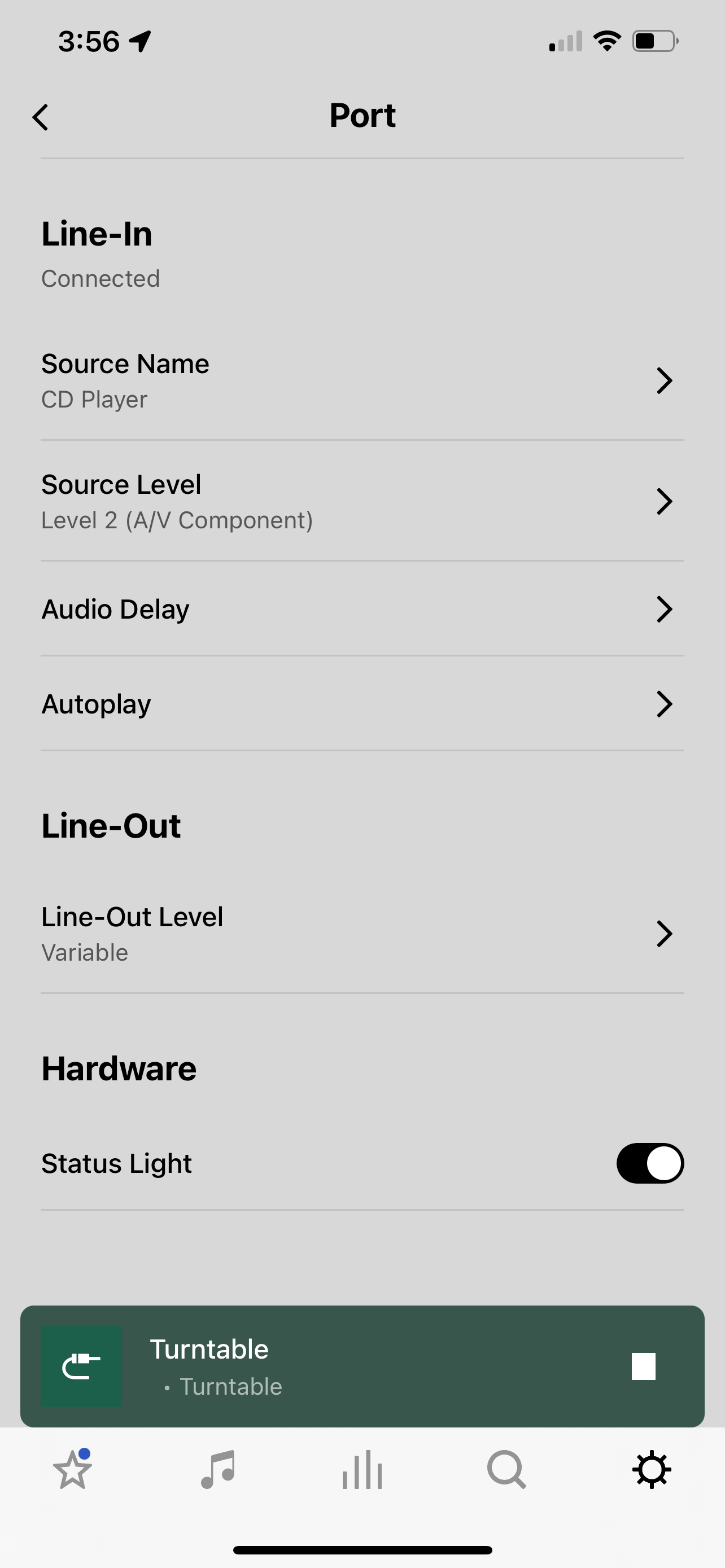
The pics shown are not for a turntable but for a Port connected to a CD player. The CD player represents the Play 5 and the Port represents the Turntable. Assuming the turntable is set correctly with outboard or onboard pre-amp the settings should be similar the only exception being I don’t have include grouped rooms selected.

Note: View the pics in reverse order.


Together Everyone Achieves More = T.E.A.M.

8 replies

Lead Maestro
Oct 11, 2021 6:36 PM UTC

Try unplugging the Play:5 and turntable from power for a couple of minutes and reboot your router and phone. You might also try using a different RCA to 3.5mm audio cable.

Translate
"Receive with simplicity everything that happens to you." - Rashi
Gareth LTAuthor
Contributor I
Oct 11, 2021 7:26 PM UTC

Hi, made no difference. Swapped the cables and the connector in to the play 5 last week too

Translate
Lead Maestro
Oct 11, 2021 7:49 PM UTC

Have you tried changing the Line-In Audio Compression setting to Compressed in the Sonos app? I would also try deleting and re-installing the Sonos app.

Translate
"Receive with simplicity everything that happens to you." - Rashi
Gareth LTAuthor
Contributor I
Oct 11, 2021 8:30 PM UTC

Tried both. Still no success 

Translate
Ken_Griffiths
Oct 11, 2021 8:59 PM UTC

Have you tried setting the audio-delay (buffer) feature to a higher value in the Play 5 room settings, perhaps try it at 2000ms?

Maybe also see what happens if you can go onto you switch the line-in "source name" to ‘Airplay Device’ as that may create a larger audio buffer too. See if that works for you.

Translate
AjTrek1
AjTrek1Answer
Oct 11, 2021 9:07 PM UTC

The pics shown are not for a turntable but for a Port connected to a CD player. The CD player represents the Play 5 and the Port represents the Turntable. Assuming the turntable is set correctly with outboard or onboard pre-amp the settings should be similar the only exception being I don’t have include grouped rooms selected.

Note: View the pics in reverse order.


Translate
Together Everyone Achieves More = T.E.A.M.
Gareth LTAuthor
Contributor I
Oct 11, 2021 9:25 PM UTC

Tried all of those and it seems to have worked and let me group again! Thank you all

Translate
Gareth LTAuthor
Contributor I
Dec 13, 2021 7:26 PM UTC

Hi all, my issue has returned and the above fixes don't work. Any new ideas? 

Translate