Multiple Sonos Boosts - Broadcast Storms / Network Loops
We’ve had problems for quite a long time now with our home network suffering from periodic broadcast storms (usually after an interruption to our main router), requiring powering off/on of multiple devices to resolve. With the help of my good wife we finally narrowed it down (with a packet capture) to our network setup and SonosNet causing a network / bridging loop.
We have a house that has been extended and modified over time, so WiFi (and SonosNet) reception across the entire house is poor in places (we previously suffered multiple drop-outs until we invested in 2 x Boost). We have a WiFi network (ASUS RT-AX88U and RT-AX92U routers, linked with AIMesh) which covers most of the core of the house, and use cables and unmanaged Netgear switches for our main home/office and our TV entertainment system, etc.
Our Sonos system is hard wired at five locations (2 x Sonos Boost, 1 x Play:1, 1 x Amp, 1 x Five), the rest connect via SonosNet (on Channel 11 which isn’t used on our home WiFi setup).
Following our discovery, I have disabled the WiFi on the Amp, Play:1, and Five that are also hard wired (which has improved things), but I can’t do the same for our 2 x Boost which are needed to reach speakers at the edges of our house that don’t have wired connections, nor great WiFi signals. The Sonos Boosts will almost certainly be able to reach each other as they are nearer the centre of the house. See attached diagram (blue is SonosNet on 2.4GHz Channel 11, red is disabled WiFi on device, green are cat 6/8 cables). One of the Boosts is connected by Powerline adaptors, but this seems to work ok except for the broadcast storms.
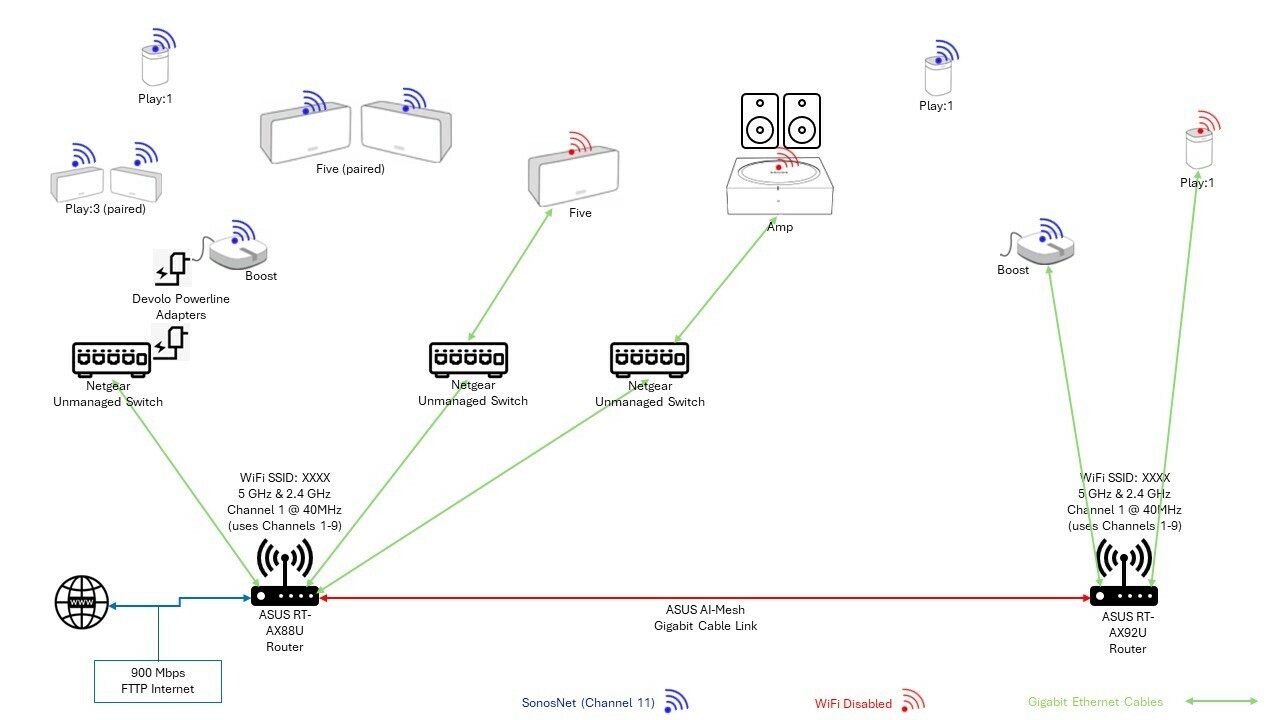
Our routers, ASUS RT-AX92U and RT-AX88U (linked with AI Mesh) don’t appear to have Spanning Tree Protocol (STP) enabled (I used SSH to log on and check), and I can’t find a way to permanently enable it via the GUI (only manually via SSH and command line which resets when the router reboots, which is usually when we get a broadcast storm).
I think we still have a potential loop via our LAN/WiFi and SonosNet because of the 2 x Boost which are needed to reach the east and west ends of our house respectively. I did think about connecting all of the Sonos back to a single unmanaged switch rather than via the routers, but can’t easily put in another cable to do this.
Have I missed something obvious? Does anyone have any suggestions on how we might easily change/improve our setup to prevent loops and broadcast storms without masses of cabling works or spending a lot of money replacing all of our network equipment.
Thank you
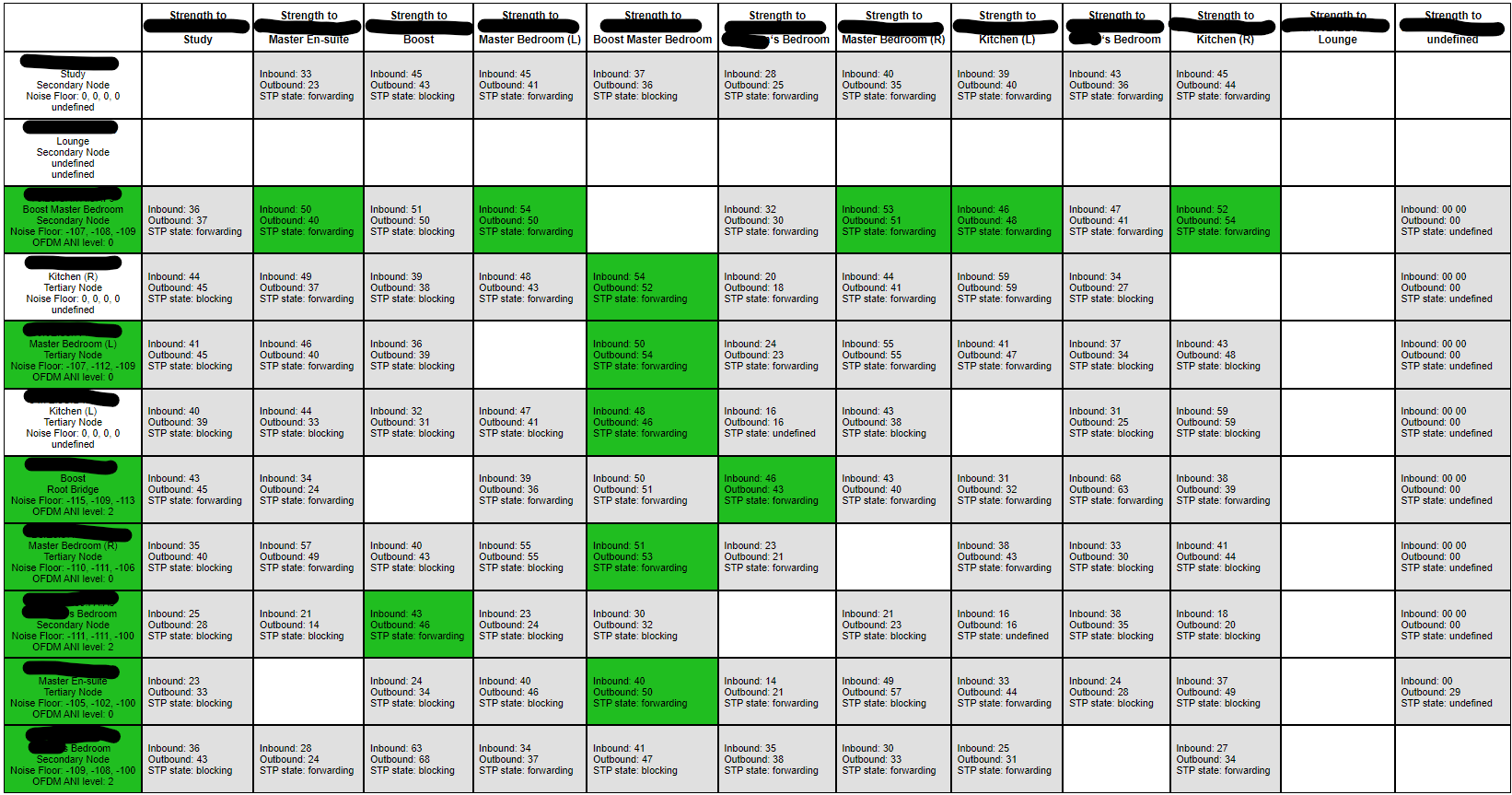
FYI: Sonos Support Network Matrix in case it helps: