
Trending Lyricist I
February 28, 2021

Fix for Sonos Play:5 with very low volume

Hello Forum,

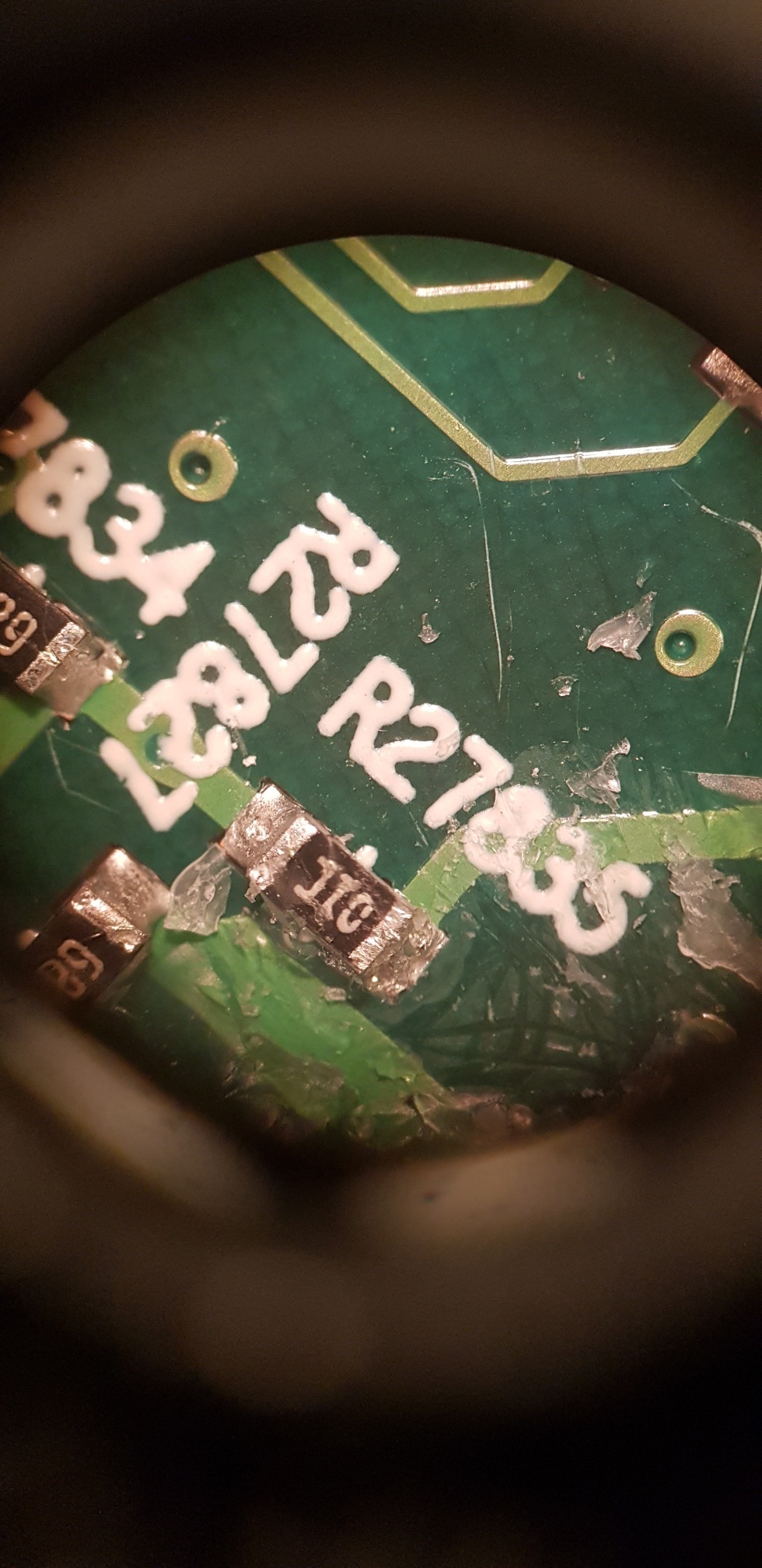
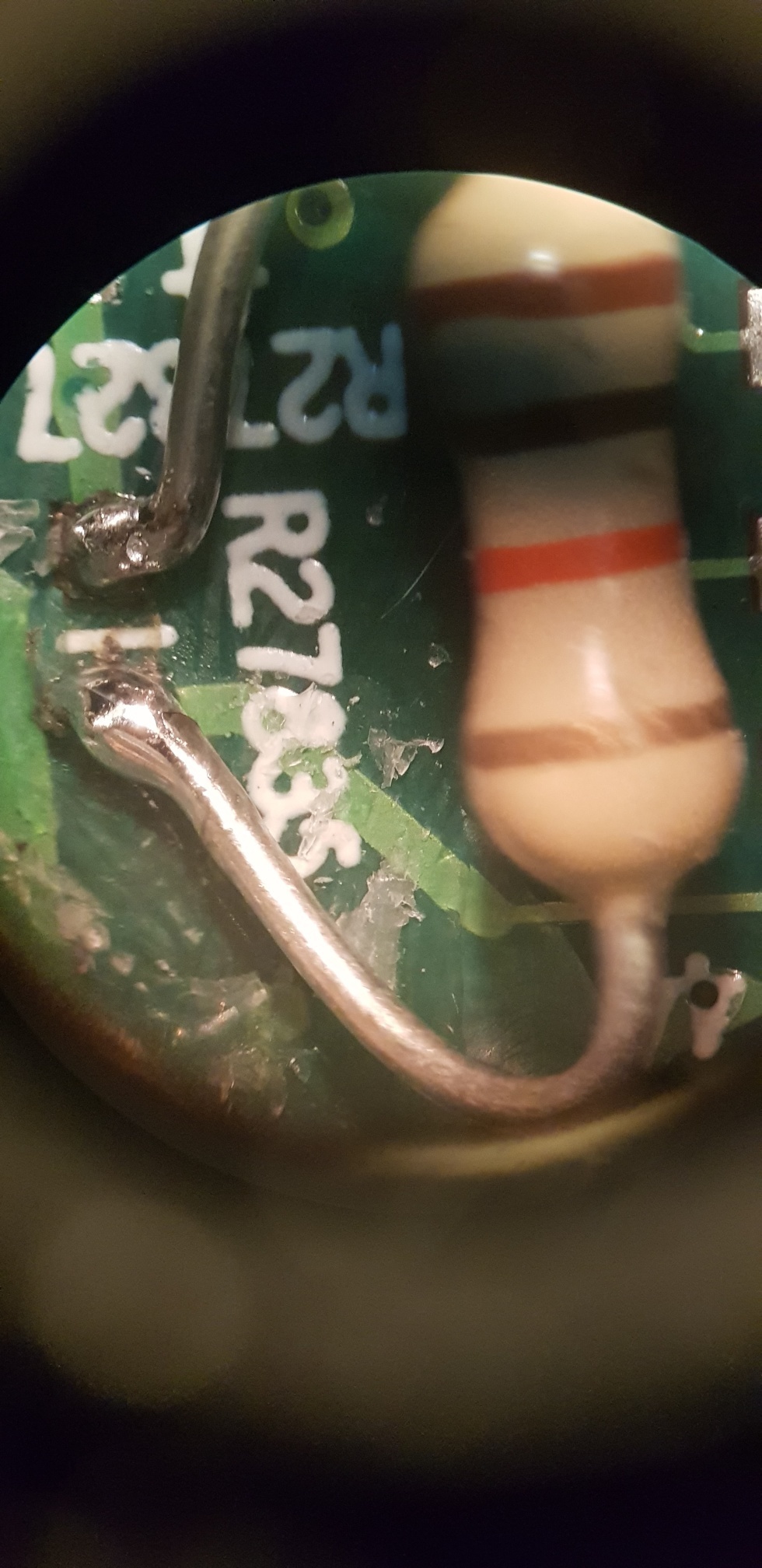
I just fixed a play 5 which was having very low sound at max volume settings. Scanning through the forum I see many other posts but no fix. The issue is not the amp but the fact that the 24V for the amp stage is not triggered when you select "play". There is a mosfet (Q27621) switching the 24V power to the amp stage. This mosfet could be dead or, like in my case, the signal feeding the gate of this mosfet not getting applied. There is a small circuitry near the mosfet, tracing this back leads to the large CPU board  connector. Just before reaching the connector there is a 10kOhm resistor (R27835) which was dead in my case. I replaced it by an "old fashion" one which can take some more power. I hope this will help some folks to give their Play 5 a 2nd life. Good luck!
 

This topic has been closed for further comments. You can use the search bar to find a similar topic, or create a new one by clicking Create Topic at the top of the page.

26 replies

Lyricist III
March 14, 2021

Hi, I do have a new problem now after fixing the Play5. The woofer driver runs hot, too hot to even touch it. It didn’t shutdown though, but I am worried too much current flowing thru the woofer. 

Trending Lyricist I
March 20, 2021

Hi, I do have a new problem now after fixing the Play5. The woofer driver runs hot, too hot to even touch it. It didn’t shutdown though, but I am worried too much current flowing thru the woofer. 

My experience is that the amplifier stages do get very hot. Quite a few Play 5's which I've seen have a brownish PCB colour around mosfets. Did you check the woofer resistance? 

Lyricist III
March 20, 2021

Hi, I do have a new problem now after fixing the Play5. The woofer driver runs hot, too hot to even touch it. It didn’t shutdown though, but I am worried too much current flowing thru the woofer. 

My experience is that the amplifier stages do get very hot. Quite a few Play 5's which I've seen have a brownish PCB colour around mosfets. Did you check the woofer resistance? 

Thks for sharing. The source of the heat is not from the PCB. That was my prime suspect too. After powering up and played some music, the woofer magnet heated up, along with its metal parts. Will check the woofer resistant. Is it 8ohm?

Lyricist III
March 27, 2021

I found the issue. Some of the components exploded. Q27507/Q27502/Q27509/Q27503. Any idea what are the markings?

Lyricist III
April 14, 2021

@Pietje Puk 

I checked every single 10k Ohm and 5k Ohm resistor yesterday and didn’t find any issues. I could have missed one, but I swear I checked the whole board.

Would you mind offering more detail on the next areas to check? I know you mentioned that a mosfet could be to blame, but is there any mosfet it’s more likely to be than another?

Outside of mosfets, what else should I be looking for?

Trending Lyricist I
April 14, 2021

@soobrex1 

Check mosfet Q27621. This is the mosfet that switches the 24V to the amp stage. Best to test with the unit powered up. You should be able to measure the gate voltage when you hit "play" on the App. Next you should find 24V on the amp stage main power line.

Good luck!

Lyricist III
April 14, 2021

@Pietje Puk

I’ve separated the main board from everything else - can I power up the board on its own? I’m guessing not, since the play button is connected to the smaller control board.

Here’s where I’m at:


Trending Lyricist I
April 15, 2021

@soobrex1 

In red the section which drives the mosfet (in blue) gate signal from the control board. In addition to the resistors there are also a few transistors you can check. You should be able to access these components with a multimeter with the entire unit cabled and powered up.

By the way, you never mentioned what your problem is. Can you hear a faint sound at max volume?

Lyricist III
April 15, 2021

@Pietje Puk 

Correct, I have very faint sound at max volume through line-in or S1 app. When I plug headphones into it, sound is normal volume.

The problem I’m having is that I’m not particularly familiar with testing electronics. I can follow directions, but can’t really figure it out on my own, so looking for help on not just what to test, but how. I did watch a YouTube video on how to test a mosfet, but it was desoldered from the PCB for the test.

Besides the red section that you’ve outlined, are there other sections of the PCB you feel like could also contribute to this problem?

BTW thanks for this thread and your help thus far.

Trending Lyricist I
April 15, 2021

@soobrex1 

That makes things much harder. I suggest you put it all back together and leave the speakers out but connected. 

Assuming you have a multimeter you need to measure each pin on the mosfet, black lead of the multimeter to gnd and measure with red lead measure each of the pins with setting VDC on your multimeter. Measure with music playing from the S1 App. Post the readings on a picture on this forum