
Enthusiast II
May 9, 2024 4:31 PM UTC

App crashes when trying to add new speaker
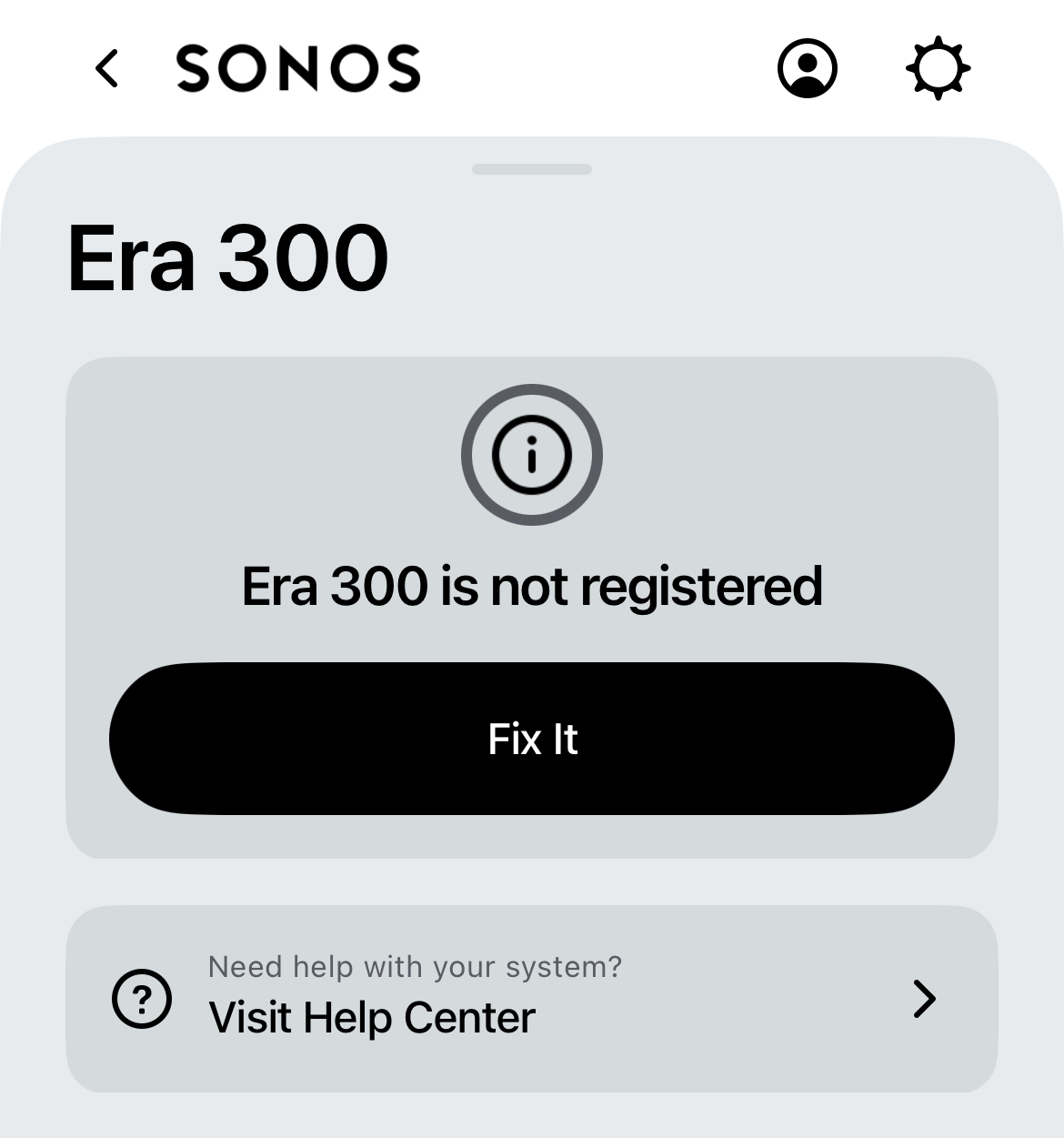
I have a bunch of Sonos speakers already working merrily. I’m trying to add one more era 300. The app recognises the new speaker, connects it to my network, then the app crashes.

I can see the speaker in my system but I can’t use it, and it is asking me to register it. When I do that the app crashes again. I have factory reset the speaker several times. I have removed the Sonos app and reinstalled it. I have tried this from three different iOS devices and the app crashes on all of them.

Sonos support told me to post something on here as they didn’t have a clue.

Can anyone help? 


This topic has been closed for further comments. You can use the search bar to find a similar topic, or create a new one by clicking Create Topic at the top of the page.

8 replies

Lyricist I
May 9, 2024 11:14 PM UTC

I have the same issue - tried a bunch of times. Are you using the updated app - iam and wondering if thats the issue 

Translate
Lyricist I
May 10, 2024 12:59 AM UTC

Same issue trying to add the One SL. 

Translate
Airgetlam
May 10, 2024 1:08 AM UTC

I’d call Sonos Support directly to discuss it.

Translate
Bruce
Lyricist I
May 10, 2024 2:11 AM UTC

Same issue here, on the new app. Can see the product, added to the system, but can’t be used as labelled as unregistered. Trying to “Fix it” crashes the app.

Translate
Lyricist I
May 10, 2024 2:42 AM UTC

Same issue - started on the old app. I was able to add it once, then it kept disconnecting. Tried resetting today in the new app and I get the same problems other describe. App crashes, Fix it does nothing. frustrating. 

Translate
Contributor I
May 10, 2024 2:48 AM UTC

Using the new app and new amp and sub. Both get stuck with the register fix it.  App must have an issue. 

Translate
Enthusiast II
May 10, 2024 6:17 AM UTC

See my other post for a workaround for this 

Translate
Enthusiast II
May 10, 2024 6:18 AM UTC


Translate