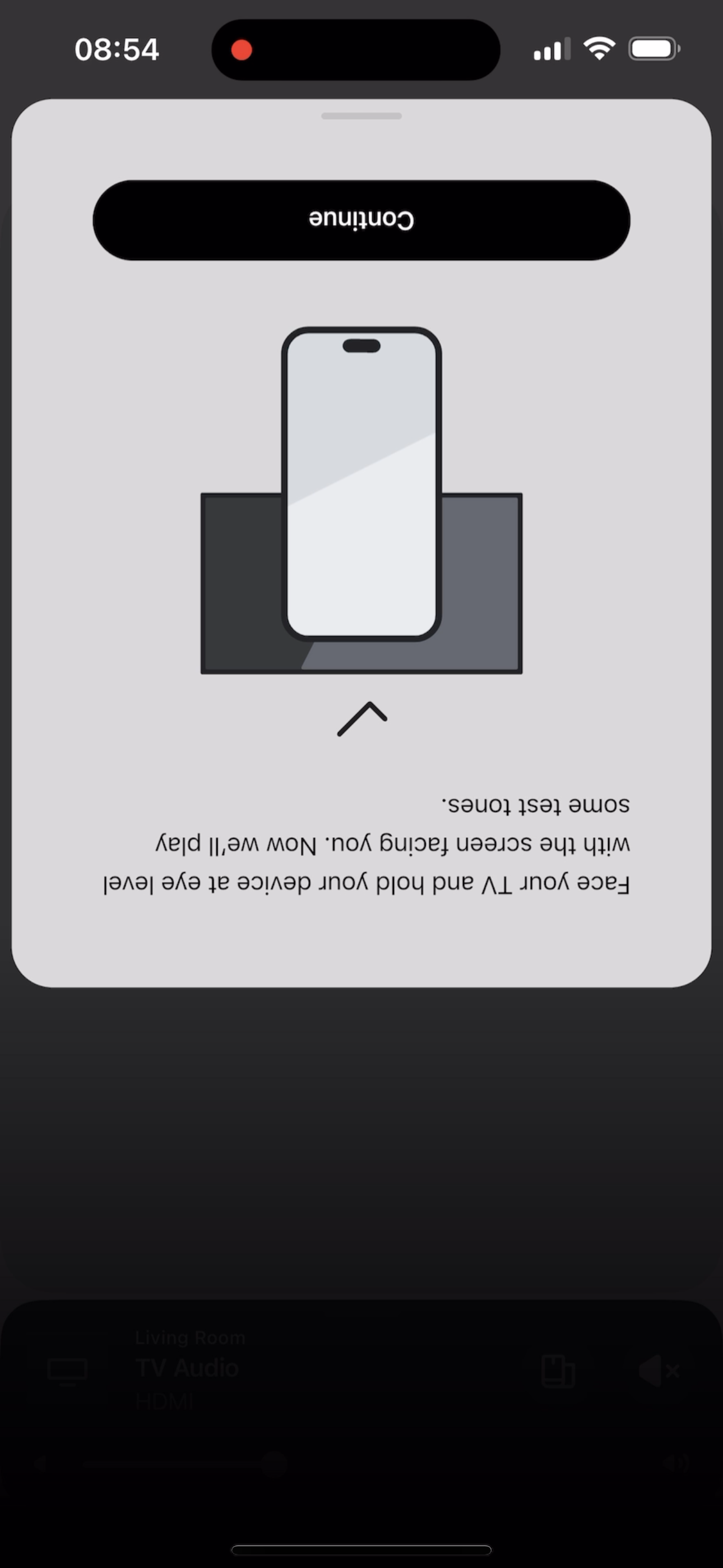
I tried to TruePlay Arc / Sub / Ones but the tuning is simply stuck on “Continue” step.
I’ve updated to the latest version 80.00.04.
@Corry P do u guys are aware of this?
This topic has been closed for further comments. You can use the search bar to find a similar topic, or create a new one by clicking Create Topic at the top of the page.
Not if you are using an iOS device, no. If rebooting the phone does not help, I’d encourage you to get in touch with our technical support team who have tools at their disposal that will allow them to give you advice specific to your Sonos system and what it reports.
I hope this helps.
Thanks Cory, it seems that reboot of iPhone helped and TruePlay now works!
Same problem here. I’ve tried again after an iPhone reboot but the error is the same. Also tried contacting Technical Support but no agents available unfortunately.
For info, I’m trying TruePlay in a room with an Arc, Sub and 2 x ERA300 speakers.
Same problem here. I’ve tried again after an iPhone reboot but the error is the same. Also tried contacting Technical Support but no agents available unfortunately.
For info, I’m trying TruePlay in a room with an Arc, Sub and 2 x ERA300 speakers.
Thank you
Maybe try to re-install the app and reboot or reset/remove all speakers and pair them all again. I know its a hustle, but it seems that the new update “broke” many things.
Same issue here. Button at test tone message just does nothing. Soft locks the app, have to close it entirely to use it again. Resetting phone and reinstalling app hasn’t worked . I’ll try resetting the whole system, but not feeling confident.
Doesn’t work for me either. I tried with an iPhone and an iPad with the same result. Eager to utilize the Trueplay because if it doesn’t give me the desired results, I’m returning the Arc for something else. I’ve only had it a few days and I’m completely unimpressed with the sound. Seems flat, lacks bass and just seems hollow. Thus far, it is far from a superior, robust audio experience. It’s mounted on the wall and in a room with a lot of flat surfaces and no carpet. Those might be contributing factors, but still…..
My arc had its microphone disabled for some reason and when enabled I was able to get past the “continue” screen and started to tune but was not able to complete it as it was getting stuck at the final stage.
Contacted tech support. After an hour plus of trying to isolate problem we had no luck. Could not even remove my sub nor my era 300 surrounds to test using the arc alone. Was told to give it a couple of days and call back.
My arc had its microphone disabled for some reason and when enabled I was able to get past the “continue” screen and started to tune but was not able to complete it as it was getting stuck at the final stage.
issue still persists unfortunately
My microphone Shows off as well. How do you enable it.
Same issue here. I’m also trying TruePlay in a room with an Arc, Sub and 2 x ERA300 speakers.
I have restarted the Arc and my iPhone which enabled me to go past the first session, but then it got stuck at the final stage. It completed the full circle while waving & moving through the room and then it got stuck.
My arc had its microphone disabled for some reason and when enabled I was able to get past the “continue” screen and started to tune but was not able to complete it as it was getting stuck at the final stage.
issue still persists unfortunately
My microphone Shows off as well. How do you enable it.
You have to physically enable it on the arc where there’s a microphone symbol and you have to simply tap on it and you will see a white status light when it’s enabled.