
Answered

Can't disconnect from Sonos AirPlay

  • January 8, 2023
  • 1 reply
  • 479 views

Hi everybody,

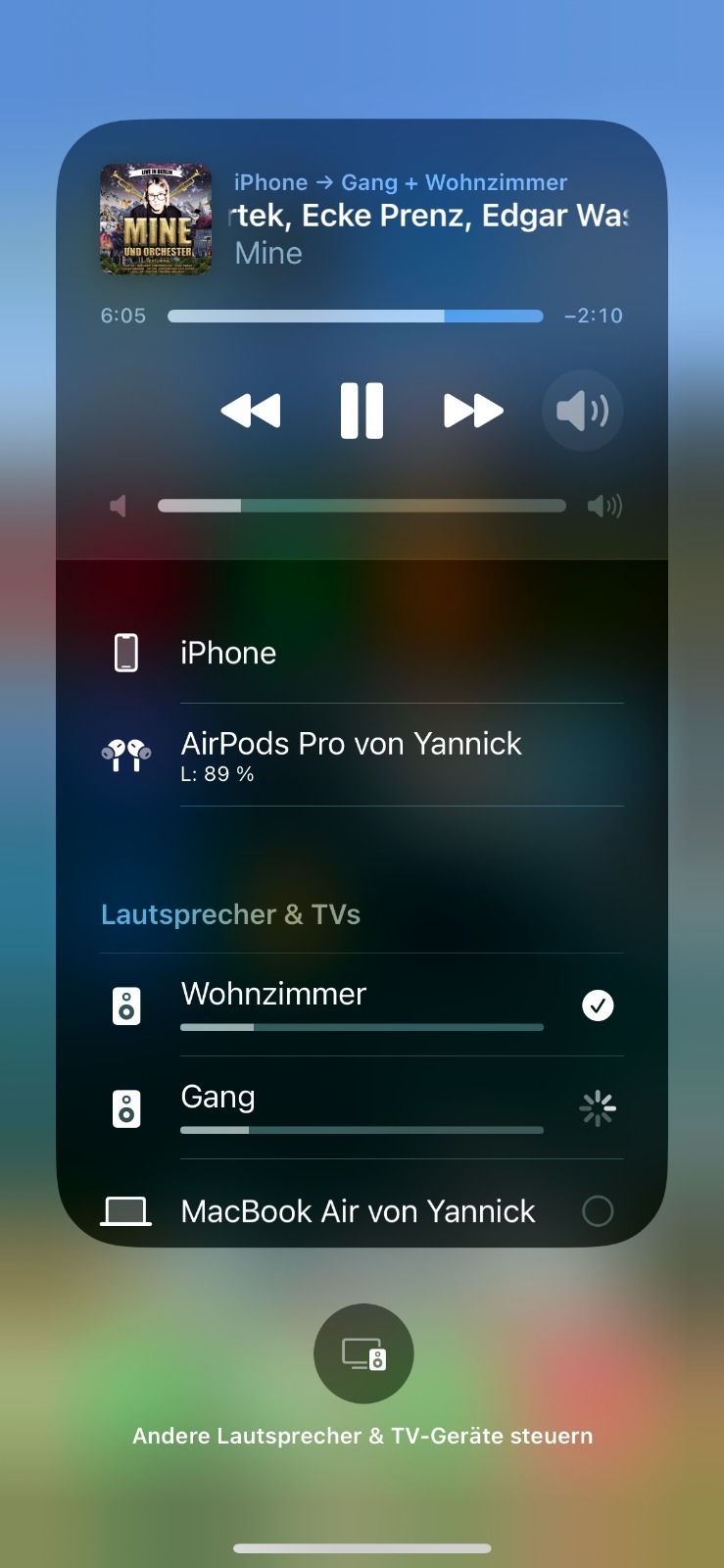
so I just got 3 Sonos One speakers last week and overall im quite happy, but one major issue is that AirPlay doesn’t work as its supposed to. Connecting via AirPlay works well in most cases, but disconnecting from one or more rooms/speakers is not possible. It just keeps playing, loads for a long time (see screenshot) and then nothing happens. The only fix I found is to restart my iPhone (13 Pro). Never had to restart it before, now I’m constantly turning it on and off.

Does anybody else have the same issue? Any tips on a fix?

Thanks for the help!


Best answer by Airgetlam

Since your ‘fix’ is to restart the Apple device, and not the Sonos devices, I’d suggest to start by asking Apple why this is necessary. 

However, I’d encourage you to connect to a single Sonos device using AirPlay 2, then use the Sonos controller to ‘group’ other rooms/speakers, which should reduce the bandwidth needed on your iPhone to send the signal. 

This topic has been closed for further comments. You can use the search bar to find a similar topic, or create a new one by clicking Create Topic at the top of the page.

1 reply

Airgetlam
  • Answer
  • January 8, 2023

Since your ‘fix’ is to restart the Apple device, and not the Sonos devices, I’d suggest to start by asking Apple why this is necessary. 

However, I’d encourage you to connect to a single Sonos device using AirPlay 2, then use the Sonos controller to ‘group’ other rooms/speakers, which should reduce the bandwidth needed on your iPhone to send the signal.