Windows 10 compatibility?

  • July 29, 2015
  • 29 replies
  • 9156 views

Forum|alt.badge.img
Is the Sonos controller Windows app compatible with Windows 10?
This topic has been closed for further comments. You can use the search bar to find a similar topic, or create a new one by clicking Create Topic at the top of the page.


29 replies

Josh D
Forum|alt.badge.img+16
  • Virtuoso
  • July 29, 2015
Yes, It is compatible with Windows 10.

Chris
Forum|alt.badge.img+22
  • Lead Maestro
  • July 29, 2015
Now what we are all waiting for today is hopefully a metro app announcement

  • Lyricist I
  • July 29, 2015
Now what we are all waiting for today is hopefully a metro app announcement
Actually a universal app, many birds one stone 🙂 even if it does mean people will have to wait it would be great to know it's there and ready for when phones and Xbox go to 10

  • Lyricist II
  • July 29, 2015
C'mon universal Win10 app!

Sonos, please leave your old ways and get out in front of this one for once.

Ryan S
Forum|alt.badge.img+26
  • Retired Sonos Staff
  • July 29, 2015
Just confirming for everyone that the latest version of the Sonos Controller for PC (Sonos version 5.4) is fully compatible with Windows 10. Your music shares will continue to work, though you might need to set up sharing permissions again following the operating system update. If anything comes up please let us know, we'd be happy to assist.

We don't have any update regarding Windows Mobile or a Windows 10 universal app currently. If there's anything new to share we'll be sure to let everyone know.

  • Lyricist II
  • September 5, 2015
Hope you guys make one. Windows 10 adoption is skyrocketing.

  • Lyricist I
  • September 10, 2015
Universal Windows 10 app please. You will target what is rapidly becoming the largest ecosystem out there- phone + tablet + laptops + desktops + Xbox One. Windows 10 has 81 million installs in the first month. Universal apps are already being released that work all the way down to phone.

  • Lyricist I
  • September 27, 2015
Please a W10 Universal App. Otherwise i can't by a Sonos Eco System. The first which build an ecosystem Audio which also deploy windows universal app will be mine. If the Experience and functionality is good. And i think 100 Mio PC's and some Tablets and Phone should be enough. Also some Milions of Xbox and other coming device should be enough devices for developing. in the Next few weeks (end of october) all device categories should receive windows 10

Put it out


Put it out!

  • October 27, 2015
Are you on fire or something?

  • Lyricist I
  • November 19, 2015
If Sonos are interested in their customers, they will make a win 10 universal app very soon. I don't understand the strategy for not telling anything. Ofcourse Sonos know what they are planning to do. Silence is the worst frustration! Silence from Sonos is reason enough for not recommending Sonos to friends. Come on Sonos! You know better.

bockersjv
Forum|alt.badge.img+21
  • Local Superstar
  • November 23, 2015
Maybe they are waiting for Trueplay and Windows 10 mobile? Or Christmas?

  • Lyricist I
  • November 26, 2015
Definitely a windows 10 universal app. Should be easy to do. Microsoft has released tools to port iOS apps to Windows 10 as a universal app - would be great to run on my surface pro and on my new Microsoft 950 XL phone. Would be easy to port the iOS Sonos app to Windows 10!

Devs - check out the iOS to Windows 10 universal porting tools. PLEASE!

https://msdn.microsoft.com/en-us/library/windows/apps/mt238321.aspx

Forum|alt.badge.img+1
  • Contributor III
  • December 8, 2015
anyone had issues with running the Sonos Desktop on Windows 10. It installs and then when it runs there are no graphics/buttons on the prompt windows to setup your system. If you use the mouse you can actually cancel the window by clicking around but the buttons/graphics are not visible. This is running 6.0.1

thanks in advance

bockersjv
Forum|alt.badge.img+21
  • Local Superstar
  • December 8, 2015
Mine runs fine, albeit with some issues when I re-size the window.

  • Contributor III
  • December 17, 2015
C'mon Sonos. Awesome hardware but the support for Windows phone / Windows is just not where a should be. As many have said on this thread, and in other forums, a universal app will not only work for all the Windows phone users out there, but also open up a whole new world of possibilities with X-Box etc.

  • Contributor I
  • December 31, 2015
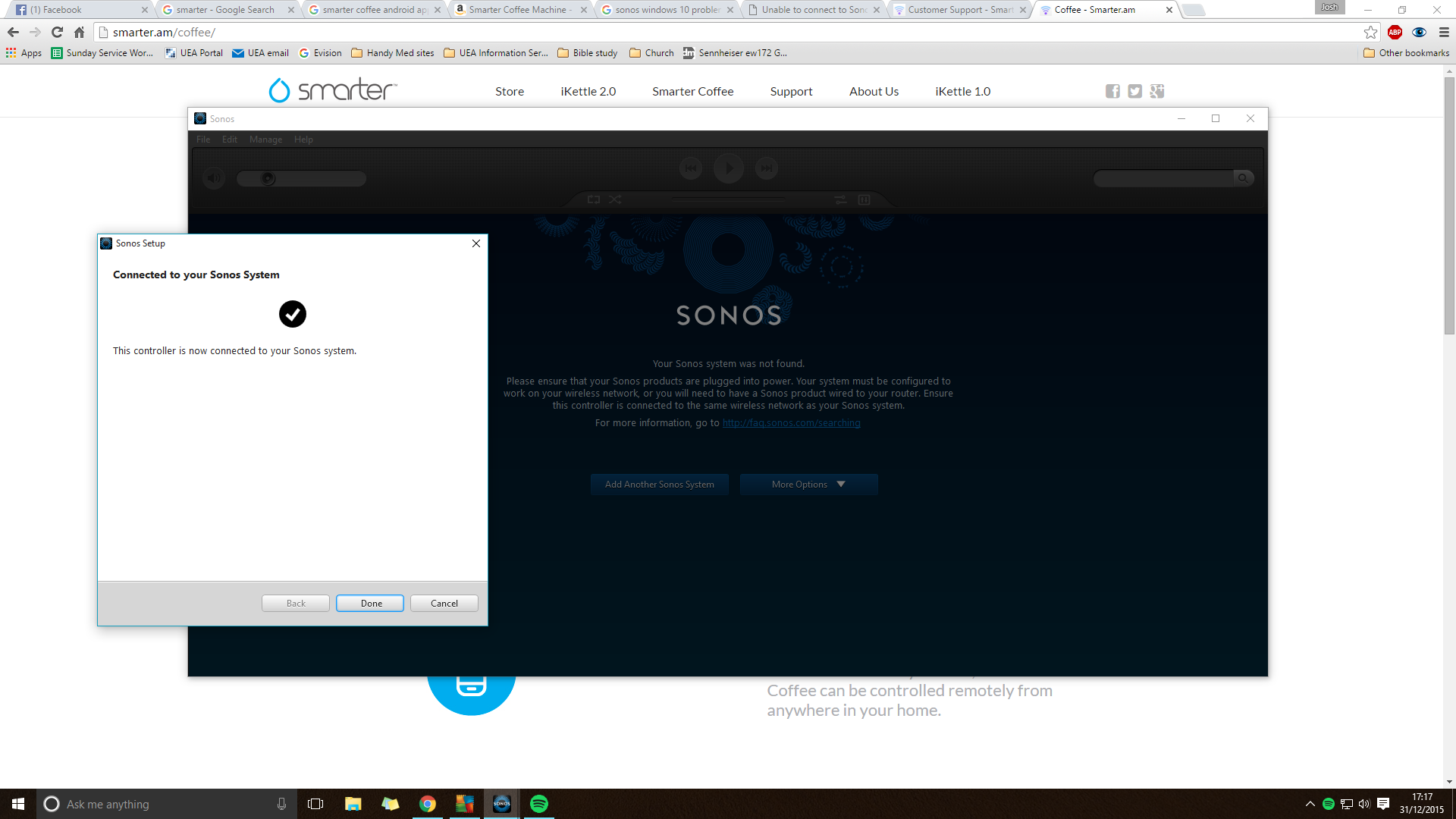
I'm also having trouble with windows 10. Its a fresh download, never used desktop control before as my new pair of play 1's in stereo were a present from my lovely wife for Christmas!!
The speakers work fine from my phone, however though the windows 10 desktop app connects, the actual app doesn't respond!


It recognises I have 2 speakers,


but I can't play or control them from my PC. A software issue me thinks. I've given the app all the correct permissions in AVG and windows firewall (even tried disabling both temporarily), running as administrator.

An unofficial windows 10 free app called "ftscontroller" is able to communicate to the speakers from my PC (though VERY limited funcitonality) therefore I have a feeling its a problem with the app iteself... unless its working for other people?

  • Lyricist I
  • January 24, 2016
It is a mixed bag. I have Windows 10 on 2 laptops and the Sonos app worked fine. However, I bought a new HP laptop in December, loaded Windows 10, then the Sonos controller. It loaded fine but each time I tried to use it gave an error message. (Checked firewall to allow the app; didn't help.) After 3 times un- and re-installing, I finally uninstalled Windows 10, reinstalled Sonos app, works fine. I'm considering reinstalling Windows 10 (since I hate 😎 but concerned about the Sonos app working. Anyone else have this experience?

  • Lyricist III
  • January 25, 2016
I have Windows 10 Pro and a 64 bit HP computer (less than 3 years old). The Sonos App is working fine on my Android LG Vista phone. I have 2 play 3's and a boost. The desktop app will not open most of the time. It starts to open and then a windows message pops up. I finally got my WD My Cloud NAS working with Windows 10 and I am wondering if something is going on between the two that I've missed, maybe an improper share or something. The phone App and the NAS are working beautifully whether the computer is on or off. Sometimes if I restart the computer it comes back. I did a restart of the NAS Modem yesterday to get it working properly. I, also, did a restart of my modem yesterday which is on the list as compatible. Between the cable, router and My Cloud, it is difficult to get all working well at the same time. I am not sure where the NAS fits in on the order of a hard reset. I will keep tinkering with it. I think it might be related to the WD My Cloud. I am only using it as backup and to stream music.

  • Lyricist III
  • January 25, 2016
Well, my issue is solved. I decided since Windows 10 has crashed more than once that perhaps my Sonos Controller was corrupt. I uninstalled and reinstalled and it did not work. HOWEVER, I restarted the computer and then it worked. Don't forget to do that last step. Everything was set up just like nothing had happened.

Ryan S
Forum|alt.badge.img+26
  • Retired Sonos Staff
  • January 25, 2016
Well, my issue is solved. I decided since Windows 10 has crashed more than once that perhaps my Sonos Controller was corrupt. I uninstalled and reinstalled and it did not work. HOWEVER, I restarted the computer and then it worked. Don't forget to do that last step. Everything was set up just like nothing had happened.

Glad that worked for you Plover! Let us know if anything else comes up.

Windows 10 universal app please? I rely on a 3rd party app Phonos! You are obviously a small company, too small to make apps or milking the money out of the company.....?

jgatie
  • March 17, 2016
Windows 10 universal app please? I rely on a 3rd party app Phonos! You are obviously a small company, too small to make apps or milking the money out of the company.....?

A billion dollars in sales is not small. What is small is the market for Windows apps.

Forum|alt.badge.img
For now a good (free) alternative is this third party universal Windows 10 app:

http://bit.ly/21Fm93z (direct link to windows store to download the app)

controlav
Forum|alt.badge.img+24
  • Lead Maestro
  • May 13, 2018
Yeah, a "free" app, with ads and in-app purchases.