Answer

Sonos does not play Pandora stations

  • June 13, 2021
  • 7 replies
  • 244 views

Forum|alt.badge.img

Folks,

Sonos plays my Pandora albums (so it does connect to Pandora and can fetch music from it) but does not play my Pandora stations.
It says “No music selected”.
However, on the PC controller, under the speakers I selected it shows the name of the station I am trying to play.

Anyone seen this?

Best answer by controlav

Status page (link at the top of every page on this forum) says Pandora is having trouble https://status.sonos.com/?utm_source=ENsonoscommunity

This topic has been closed for further comments. You can use the search bar to find a similar topic, or create a new one by clicking Create Topic at the top of the page.

7 replies

Deinonych
Forum|alt.badge.img+1
  • Trending Lyricist I
  • June 13, 2021

Yes, this is happening on my system as well.  I noticed Pandora stopping intermittently last night (every couple of hours or so).  Now it won’t work at all.  Other services (Amazon Music, Apple Music etc.) seem to be working normally.


controlav
Forum|alt.badge.img+24
  • Lead Maestro
  • Answer
  • June 13, 2021

Status page (link at the top of every page on this forum) says Pandora is having trouble https://status.sonos.com/?utm_source=ENsonoscommunity


Deinonych
Forum|alt.badge.img+1
  • Trending Lyricist I
  • June 13, 2021

Pandora is working again on my system.


Forum|alt.badge.img
  • Author
  • Trending Lyricist I
  • June 14, 2021

Thanks @controlav and @Deinonych.

It is working for me too, 

The obvious question is: why isn’t there a link to the service status page directly from the controller?
Next time a service is not working, I’d love to know if that is a problem of my setup or not w/o wasting time trying this and that and the other.

Or maybe the link is there already and I do not know where to find it?


James L.
Forum|alt.badge.img+17
  • Retired Community Staff
  • June 14, 2021

Thanks @controlav and @Deinonych.

It is working for me too, 

The obvious question is: why isn’t there a link to the service status page directly from the controller?
Next time a service is not working, I’d love to know if that is a problem of my setup or not w/o wasting time trying this and that and the other.

Or maybe the link is there already and I do not know where to find it?

Hi @George Parr,


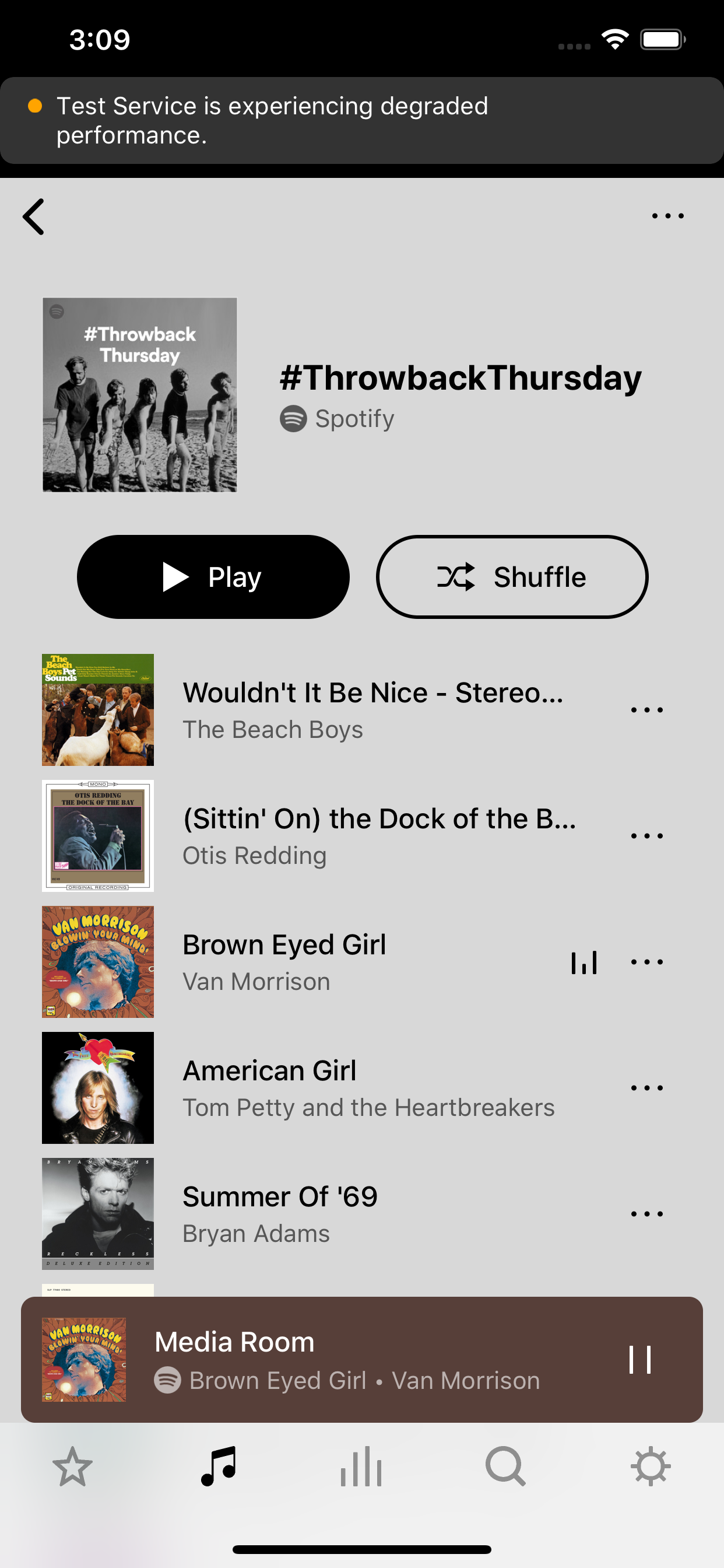
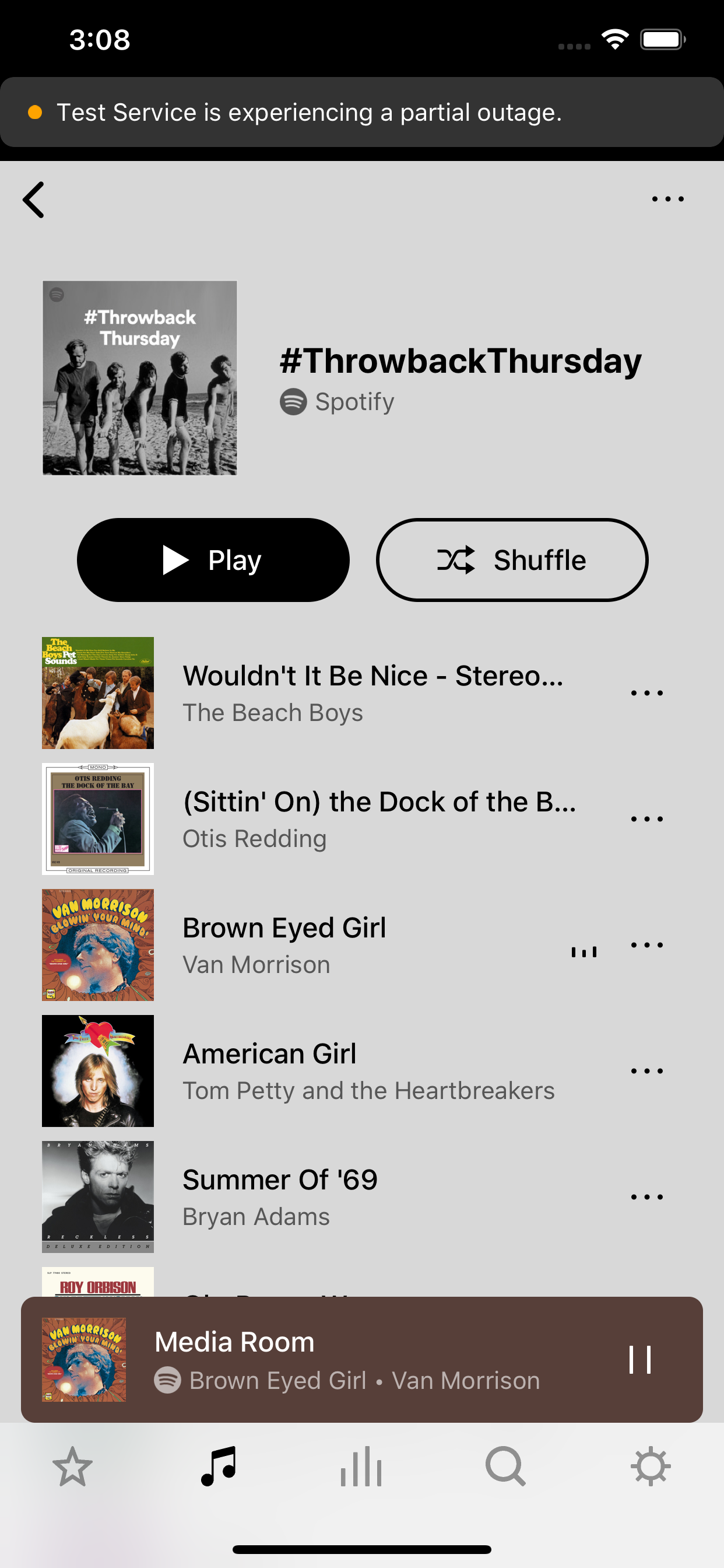
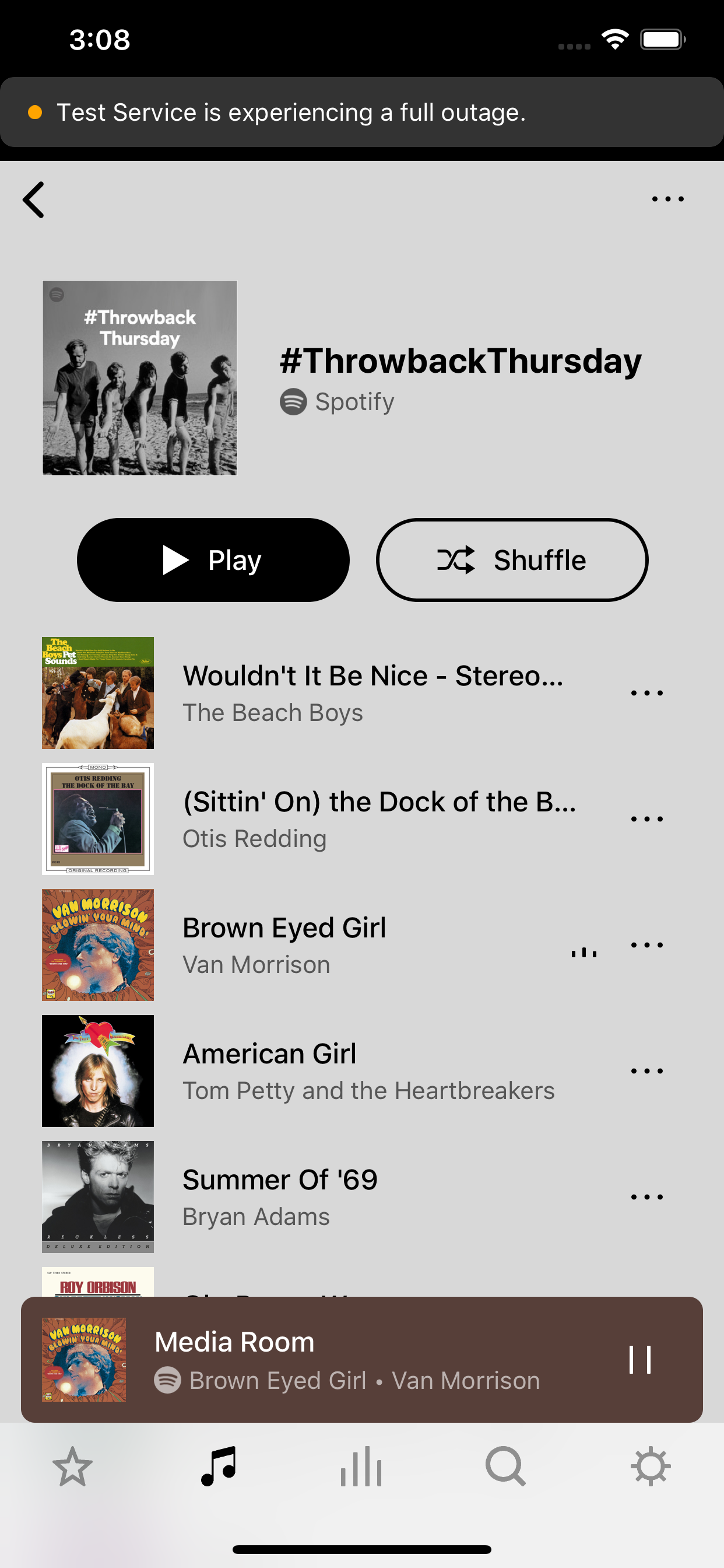
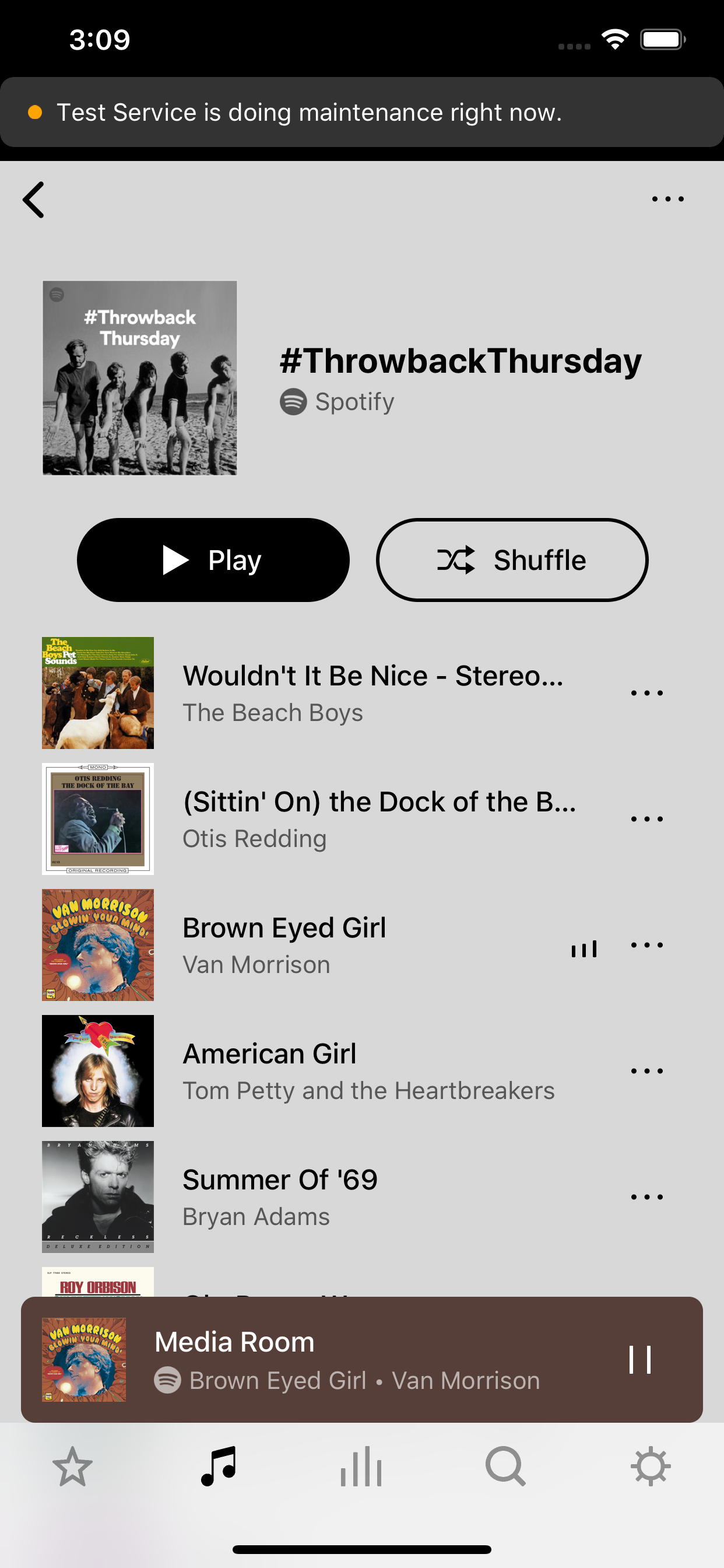
While there is no direct link to that page, we do have in-app outage notifications that directly pulls information from status.sonos.com when you run into an issue such as a playback failure or failure to browse. Did you not receive any banner at the top of the screen when running into this issue while the outage was active? If not, please let me know, and I’ll feed this back to our engineers.


Forum|alt.badge.img
  • Author
  • Trending Lyricist I
  • June 14, 2021

Hey @James L. 

Unfortunately no. The controller just sat there, no notifications, nor anything else.
On the PC the controller said “unable to play the selected item” (or something like that), but on the phone (Android) it just said “no music selected”.


James L.
Forum|alt.badge.img+17
  • Retired Community Staff
  • June 15, 2021

Hey @James L. 

Unfortunately no. The controller just sat there, no notifications, nor anything else.
On the PC the controller said “unable to play the selected item” (or something like that), but on the phone (Android) it just said “no music selected”.


Got it, thanks.

Just for future information, I’ll attach some images below that show an example of what these notifications look like. Please note, that you’ll only see them on the mobile apps and only when there is a corresponding message on status.sonos.com.