
Answered

Alexa stopped working on my Sonos Beam

  • November 11, 2019
  • 4 replies
  • 520 views

Recently with no changes from my side, Alexa stopped working and says it can't communicate if I try to call it. The Mic is definitely on and the Sonos system is working fine otherwise.

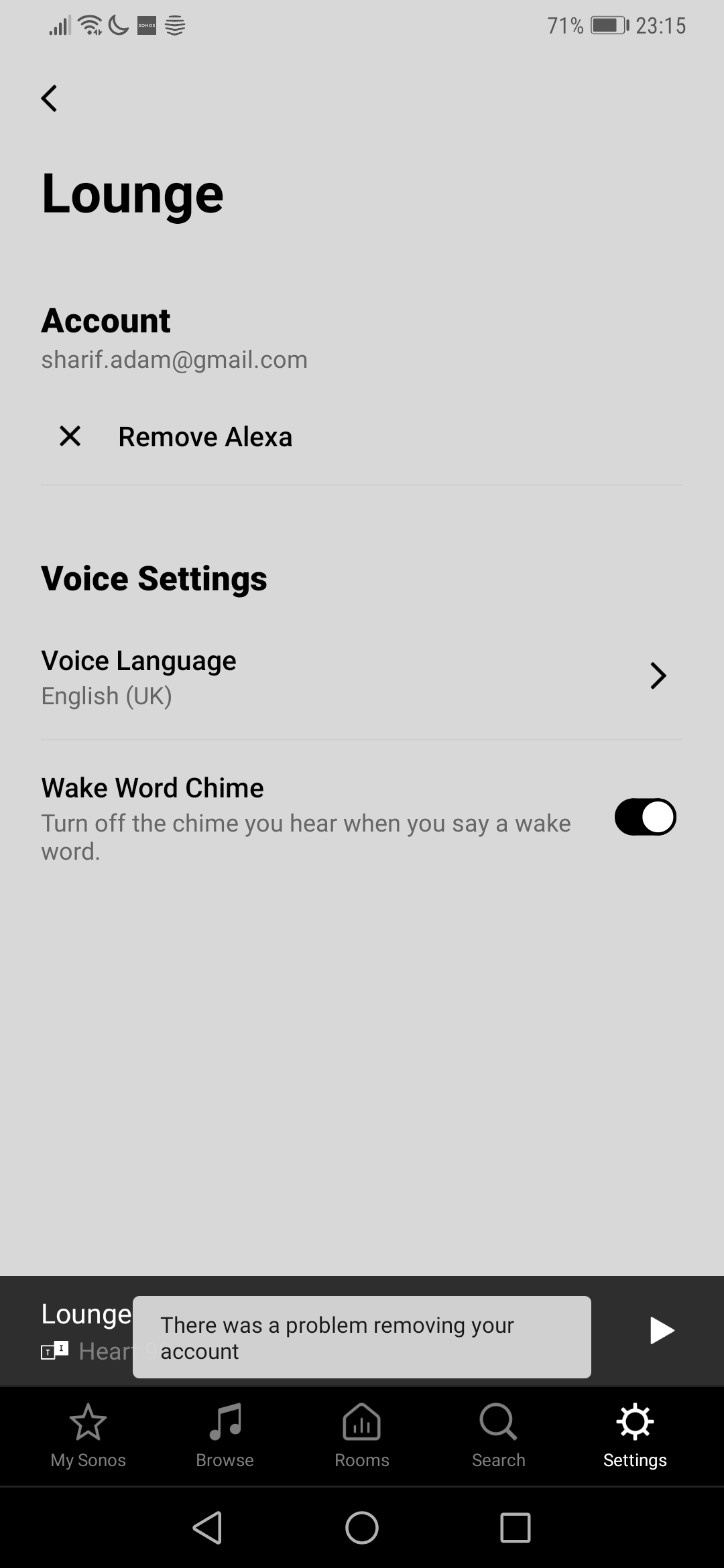
I already restarted my Beam, and I removed the device and skill via Alexa app, but now if I try to de-register Alexa via the Sonos app I get an error "there was a problem removing your account".

Connectivity (i.e.wifi and internet) are fine, does anyone know how I can resolve this?


Best answer by Ken_Griffiths

Hi Ken,

Apologies I had a mistake in my original message (now corrected), I already removed the skill and device from my Alexa app


Thanks,

Adam

Try powering off/on the speaker and fully close and reopen the Sonos app and then try again to remove Alexa from the device.

This topic has been closed for further comments. You can use the search bar to find a similar topic, or create a new one by clicking Create Topic at the top of the page.

4 replies

Ken_Griffiths

Perhaps try removing and reinstalling the Sonos Skill in your Amazon Alexa App.


  • Author
  • Contributor I
  • November 11, 2019

Hi Ken,

Apologies I had a mistake in my original message (now corrected), I already removed the skill and device from my Alexa app


Thanks,

Adam


Ken_Griffiths

Hi Ken,

Apologies I had a mistake in my original message (now corrected), I already removed the skill and device from my Alexa app


Thanks,

Adam

Try powering off/on the speaker and fully close and reopen the Sonos app and then try again to remove Alexa from the device.


  • Author
  • Contributor I
  • November 17, 2019

Thanks @Ken_Griffiths that fixed it! Not sure why the first restart didn’t do it, but the good thing is it’s working now :slight_smile:
