

Tutorial
Send a private message

Want to send a message to another user?
If you are in a thread with them, click on their profile name, then click “send message”:
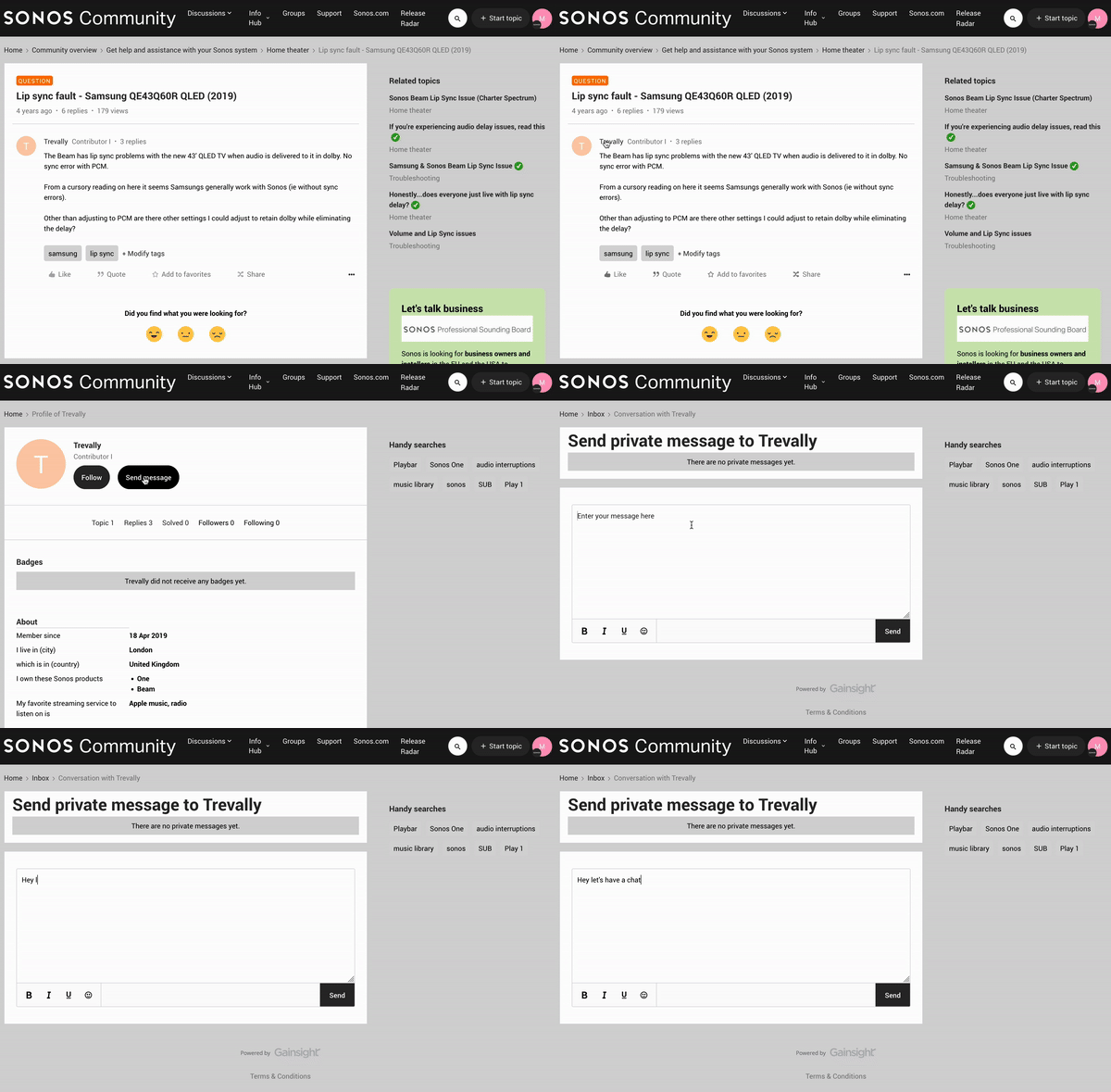
Write your message, and click send.
When they reply, you will receive an email and also see a number next to your profile when you are logged in:

The number represents how many messages you have waiting to be read in your inbox.
If you don’t want to receive private messages from other users, you have to customize your profile settings.