Queue Management in the Mobile App and/or Web Player

  • April 18, 2026
  • 30 replies
  • 175 views

Forum|alt.badge.img

As I understand it, once OSX no longer supports Intel apps, there will be no desktop app for Mac.  The desktop app has persistent access to the queue regardless of what content is currently being played.  The mobile app and the web player only have access to the queue if one is playing tracks from your music library.  In the case of the mobile app, the queue icon isn’t even present.  In the case of the web player, the icon is present but is greyed out/non-functional.


I recognize that playing a local music library is probably only done by a minority of Sonos users but that community is not exactly zero either so if the desktop app is going to be discontinued, it would behoove Sonos to provide similar capabilities in one way or another.  Given that the queue icon isn’t even presented in the mobile app, perhaps the simplest thing to do would be to fix it in the web player.


Further, the desktop app allowed one to select multiple tracks for deletion from the queue with a single action.  The mobile app and the web player can only delete a track at a time.  The reason I care is that I submit a large playlist to the queue and then prune it as I listen because if you don’t *and* th3e system reboots, it forgets it’s place in the queue and starts playing from the beginning again resulting in re-playing tracks that have already been played.  If I’ve listened to many tracks before I try to prune them, one by one is going to get tedious so it would be good to have a multiple delete option in the desktop alternative.  Given the richer interface of a web browser on a computer, the likely candidate it would be the web app for this function.


Saving the queue is also suboptimal in both the mobile app and the web player.  In the mobile app, one can name the playlist to be saved but unlike the desktop app, one cannot see the names of playlists already saved so it’s harder to update an existing playlist and/or avoid a collision.  The web player can’t save the queue at all.


I hope other folks will chime in on wanting this functionality.  


Charles.

30 replies

Airgetlam
  • April 18, 2026

Local music, stored on a Mac, is still accessible from the web controller, run from any supported browser, or a mobile device. Just because there is no ‘native OS’ controller doesn’t mean you’re losing access to the music data stored on your Mac. 


  • April 19, 2026

The queue is available in both the mobile app and the web app. It is available with my local music library and the streaming services that I subscribe to (Apple Music and Qobuz). Is there a specific streaming service that you use where it is not available? I’m not really understanding the problem you are seeing.


Forum|alt.badge.img
  • Author
  • Trending Lyricist I
  • April 19, 2026

Yes, local music is available from both the mobile app and the web app.  I’m talking about accessing the queue into which local music goes while it’s being played.


The desktop app *always* has access to the queue of local music most recently played.  If you play some other source (say, Sirius or Spotify, the queue persists and is still accessible.  You can return to the queue albeit the system forgets its place in the queue and you restart at the top of the queue rather than at the last track played.  Which why my further comments were about the ability to edit the queue.


In the mobile app, the queue icon is not present when playing other sources.  It is only presented if you’re playing local music.  When you return to playing  local music after playing some other source, you cannot return to the previously played queue as you can in the desktop app.  You end up having to select something new which in turn overwrites the queue.


In the web app, the local music queue icon is present when playing other sources but is greyed out/non-functional.  Again, one would have to select new local music which in turn would overwrite the current queue.


The desktop functionality allows you to use the current local music queue as a temporary playlist.  The reason I care about resuming the queue is that as I listen to a playlist from my collection, I want to resume where I left off.  If I select the same playlist that I put in the queue again, even in shuffle mode, there will be a tendency to repeat tracks.  By resuming the existing queue, one can listen to  local music to exhaustion with no repeat providing one deletes the tracks that have already been played before you leave the queue to play some other source.  It would be nice if the queue automatically remembered the last track played but not even the desktop app does that.  It always resumes at the top of the queue.


  • April 19, 2026

I understand now what you are saying. It must be dependent on the sources your playing from. I’m just not seeing it. For the services I use, the queue (mobile or web app) is always available and is a queue of what is playing. Not a queue for just the local music library. If I’m playing an album from, say Apply Music, the queue is populated with the songs from apple music. It is available and can be edited in the mobile and web apps. The queue can contain songs from any service I use and local music.

When I use AirPlay, the queue icon is not available. But when I stop AirPlay, the previous queue is still there.

So it must depend on sources I don’t have/use. I can see that using the queue like you do, that would be a real pain.


Forum|alt.badge.img
  • Author
  • Trending Lyricist I
  • April 19, 2026

I don’t have Apple so I didn’t realize it populated the local Sonos queue.  I tried playing an album with Spotify but it made only a trivial queue entry.  It did *not* replace the queue of local music so while they show the queue icon, that icon does *not* access the queue of local music.  The queue I care about is only instantiated with local music.  That is, files I’m playing from a local computer disk not a streaming service.  So your experience with Apple Music doesn’t apply to the phenomena that I’m trying to address.  In my case, I’m playing files that are stored on a NAS.


  • April 19, 2026

The thing is, it’s not a “local” sonos queue. It’s just the queue of all the songs added to it. No matter where they come from. I mostly play from the library on my NAS as well. But i can add songs to the queue from all my services. That’s why I’m saying it must be dependent on the services your using. I don’t use Spotify or Sirius. So it would appear that they don’t add songs to your queue like other services do.


MoPac
Forum|alt.badge.img+19
  • Headliner III
  • April 19, 2026

iPhone 15.  Sonos app latest software.

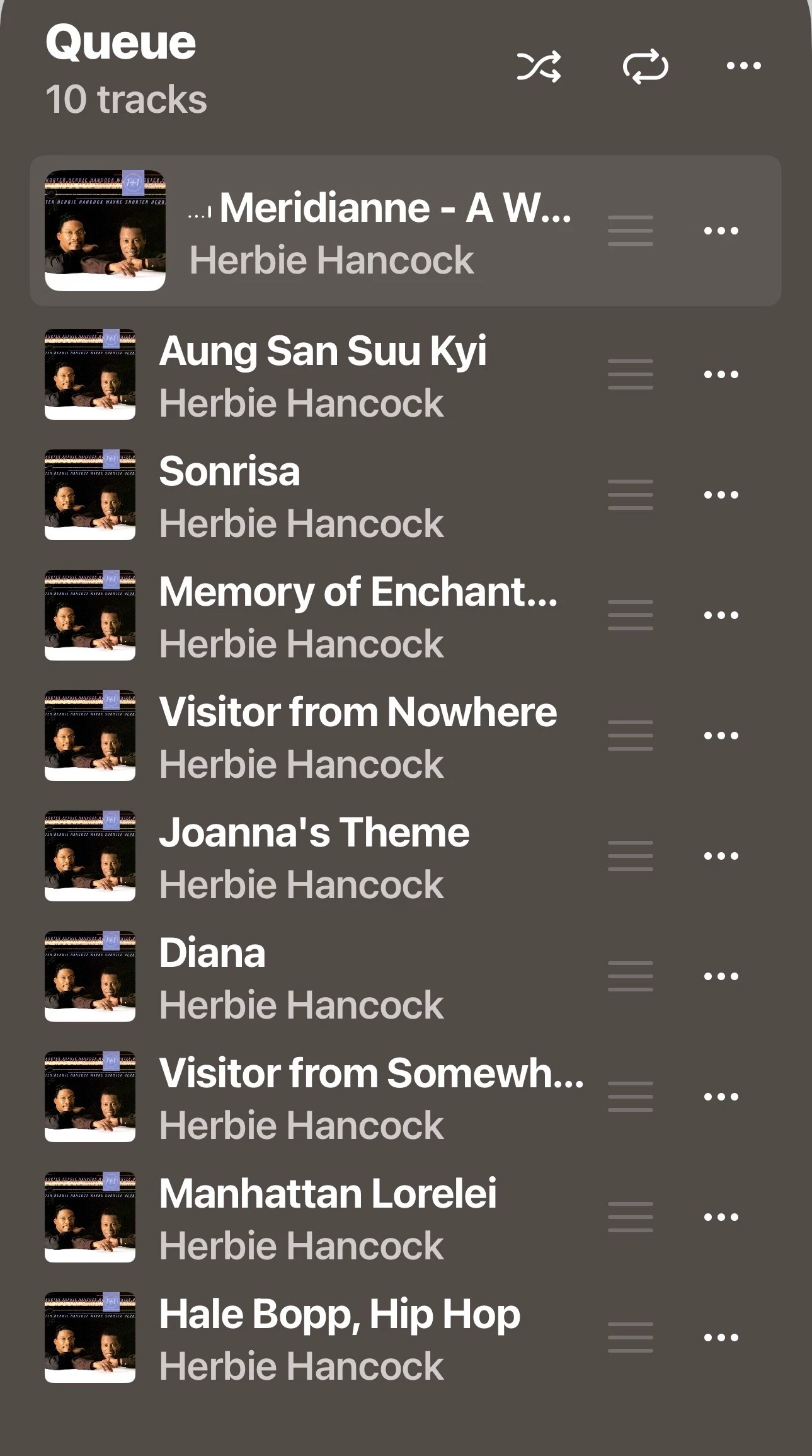
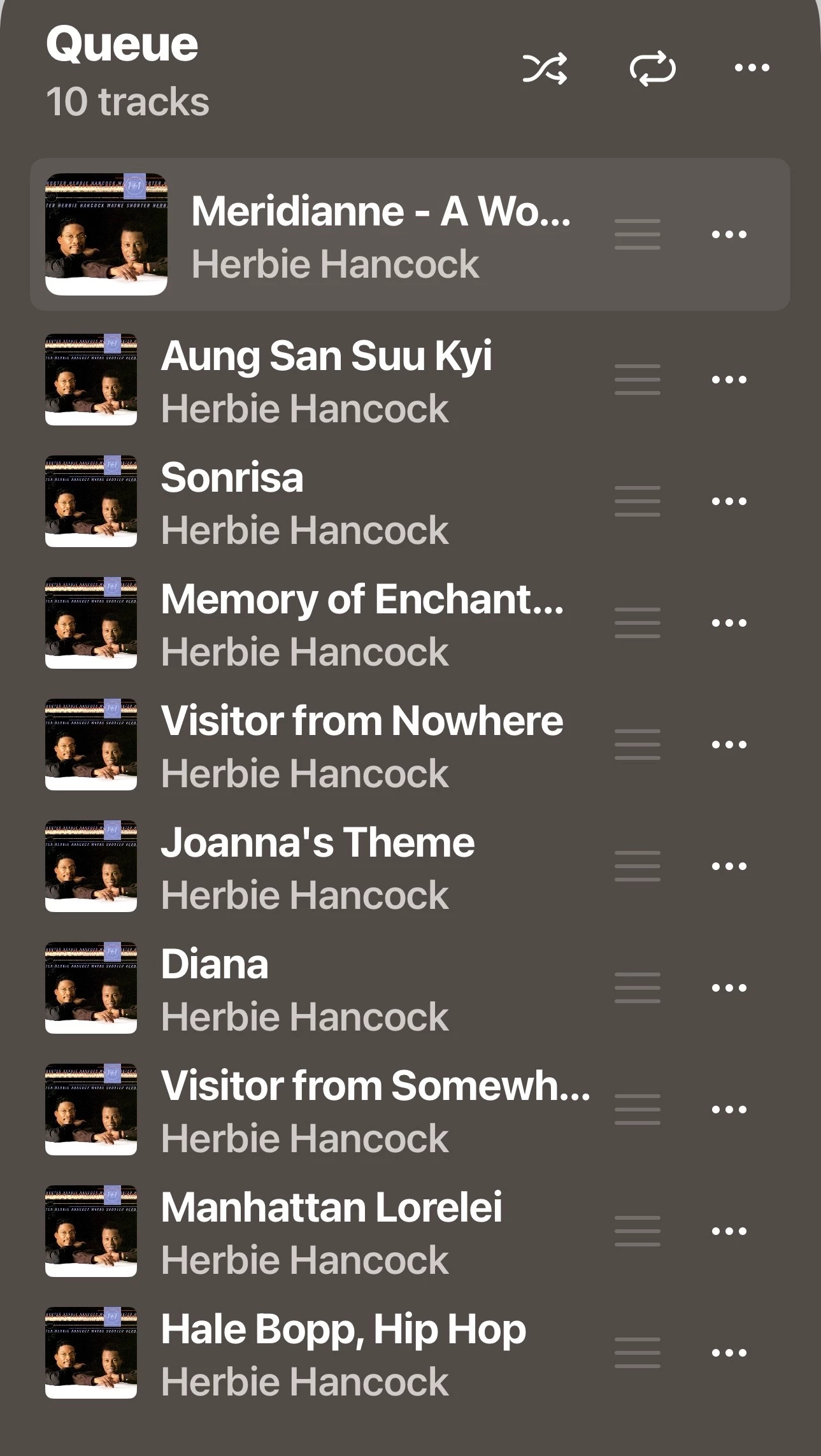
I was able to choose an album from my local library which is stored on a NAS.  That album showed in the queue ( 1st screenshot. )

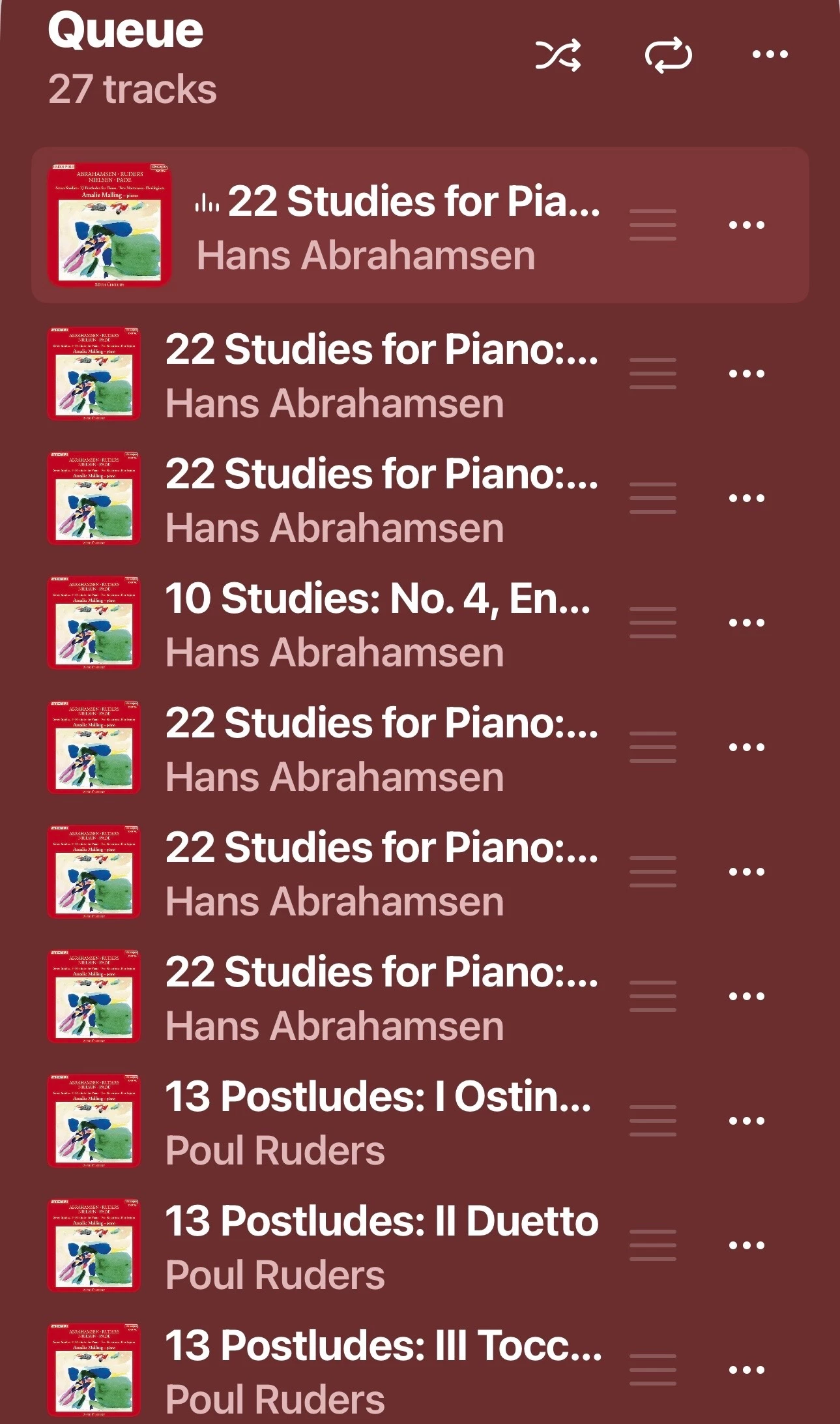
I was also able to choose an album from the Spotify service integrated in the Sonos app.  That album also showed in the queue ( 2nd screenshot).

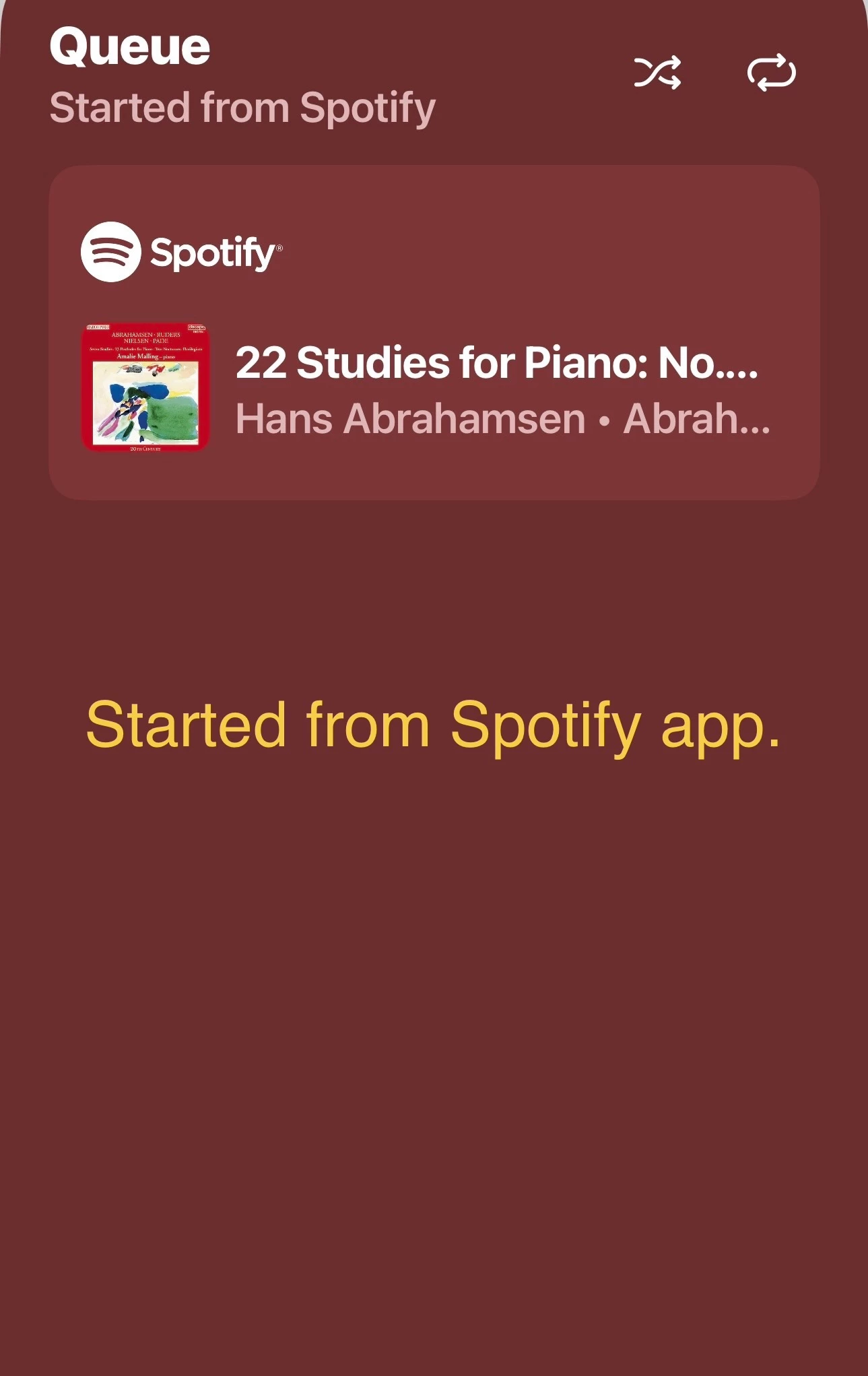
When the same Spotify album was started from the Spotify app the queue does not show the individual tracks ( 3rd screenshot).


  • April 19, 2026

That would be Spotify connect when using the Spotify app?

Here’s another thread about this: Access queue after playing Sirius

The queue icon does now show when the queue is empty. I think that was a recent fix when they re-added the ability to clear the queue and save as playlist.


MoPac
Forum|alt.badge.img+19
  • Headliner III
  • April 19, 2026

That would be Spotify connect when using the Spotify app?

Here’s another thread about this: Access queue after playing Sirius

The queue icon does now show when the queue is empty. I think that was a recent fix when they re-added the ability to clear the queue and save as playlist.

Yes.  The last screenshot.


Forum|alt.badge.img
  • Author
  • Trending Lyricist I
  • April 19, 2026

I tried to replicate MoPac’s experience with a Spotify album launched from the Sonos app.  For me at least, I only get the result they were getting with the Spotify app:  there is a “queue” but it is a trivial and not a list of tracks.  It does not get added to the queue that contains my local NAS sourced tracks.  Also, despite having launched the album from the Sonos app, as you can see, it says the album was started from Spotify so that’s odd too.


Forum|alt.badge.img
  • Author
  • Trending Lyricist I
  • April 19, 2026

So here’s an odd thought:  MoPac and/or kdowling, do your installations include OSX and/or PC with the desktop app?  Is it possible that the existence of a desk top installation changes the behavior?


MoPac
Forum|alt.badge.img+19
  • Headliner III
  • April 19, 2026

So here’s an odd thought:  MoPac and/or kdowling, do your installations include OSX and/or PC with the desktop app?  Is it possible that the existence of a desk top installation changes the behavior?

I have the Windows 10 desktop app.  Usually use it to index my library after adding music.  Probably because the computer is where the new music is added.  Don’t have any Sonos devices in the computer room so I rarely use it to play music.


  • April 19, 2026

So here’s an odd thought:  MoPac and/or kdowling, do your installations include OSX and/or PC with the desktop app?  Is it possible that the existence of a desk top installation changes the behavior?

I have the Sonos desktop controller on macOS. I don’t use it very often.


Forum|alt.badge.img
  • Author
  • Trending Lyricist I
  • April 19, 2026

Well I thought that was a long shot.  So I don’t have a clue why you folks are able to add tracks from services to that queue.  In my experience, only tracks from my local music library go there.  Since your services interact with that queue *and* the queue link accesses the combined queue, you’re not seeing the problem that I am:  if I’m playing from a service, the queue populated with local tracks is inaccessible from the mobile *and* web apps.  If I want to resume using the queue of local tracks after using a streaming service, I have to use the desktop app which of course means my life gets much worse when Rosetta2 support ends.


Oh yeah, after asking about whether you had desktop or not, it occurs to me that maybe the type of speakers might be relevant.  My system is a One SL, a Roam, and a Port.


  • April 19, 2026

Is your system and mobile apps all updated to the latest versions?

Look in Settings → General Settings → About Your System for the App Build version.

Scroll down to your devices to see what system Version: is running on each device.

Check for system updates under Settings → General Settings → System Updates → Check for Updates.

What version mobile app? On what phone/OS version?


Forum|alt.badge.img
  • Author
  • Trending Lyricist I
  • April 19, 2026

Is your system and mobile apps all updated to the latest versions?

Look in Settings → General Settings → About Your System for the App Build version.

Scroll down to your devices to see what system Version: is running on each device.

Check for system updates under Settings → General Settings → System Updates → Check for Updates.

What version mobile app? On what phone/OS version?

Mobile app claims to be up to date:  84.00.34-release+20260331.8f3a5d46a


Phone is iPhone SE 3.  IOS and MacOS are 26.4.1. 


  • April 19, 2026

Those are definitely the latest. What about the version of the system on the devices? You have to scroll down to each device “Version:”

I don’t know what else to suggest, other than Sonos Support. Since I don’t have Spotify, I can’t say what you might be doing different than MoPac to not be able to add spotify songs to the queue.


Forum|alt.badge.img
  • Author
  • Trending Lyricist I
  • April 19, 2026

Those are definitely the latest. What about the version of the system on the devices? You have to scroll down to each device “Version:”

I don’t know what else to suggest. Since I don’t have Spotify, I can’t say what you might be doing different than MoPac to not be able to add spotify songs to the queue.

All three Sonos devices are running Version: 18.3 (build 94.1-76070)


One SL Hardware Version: 1.28.1.6-1.2

Port Hardware Version: 1.29.1.7-1.2

Roam Hardware Version: 1.33.1.8-1.10


I have a free Spotify account so that might make it  work differently.  I’m thinking of firing up my free month of Apple Music to see if *that* behaves for me as it does for you.

BTW, thanks for engaging in all this head scratching.


Forum|alt.badge.img
  • Author
  • Trending Lyricist I
  • April 19, 2026

I asked Google AI if one could add tracks from streaming services to the Sonos queue.  It said:


Yes, tracks from supported streaming services (Spotify, Apple Music, Amazon Music, etc.) can be added to the Sonos queue. Within the Sonos app, you can select songs, albums, or playlists from these services and choose options like "Play Next," "Add to End of Queue," or "Replace Queue" to manage playback. 


Key Details on Using the Queue

  • Method: Tap the three-dot menu (...) next to a track or album, then select your preferred queue option.
  • Services: Works with paid subscriptions for services like Spotify, Apple Music, and Amazon Music.
  • Radio Exception: The queue function generally does not work with live radio services.


In searching the links it referenced for this answer, I couldn’t definitively find where it got the information that the functionality only worked with *paid* subscriptions but based on the difference between MoPac’s experience and mine with Spotify, that would seem to be true.  To further test this theory, I fired up my free month of Apple Music and it could in fact add tracks to the queue.


Given that the main streaming service I routinely use is SiriusXM which, as the Google answer points out and my experience bears out, does *not* interact with the queue, I still have a problem going forward with queue management once the desktop app goes away.


Thanks again folks for engaging.


jgatie
  • April 19, 2026

Why would anyone expect a radio station based service like SiriusXM would utilize the queue?  It's like a jukebox VS the radio.  One lets you control the content, the other presents content chosen by the station providers.


Forum|alt.badge.img
  • Author
  • Trending Lyricist I
  • April 19, 2026

Why would anyone expect a radio station based service like SiriusXM would utilize the queue?  It's like a jukebox VS the radio.  One lets you control the content, the other presents content chosen by the station providers.

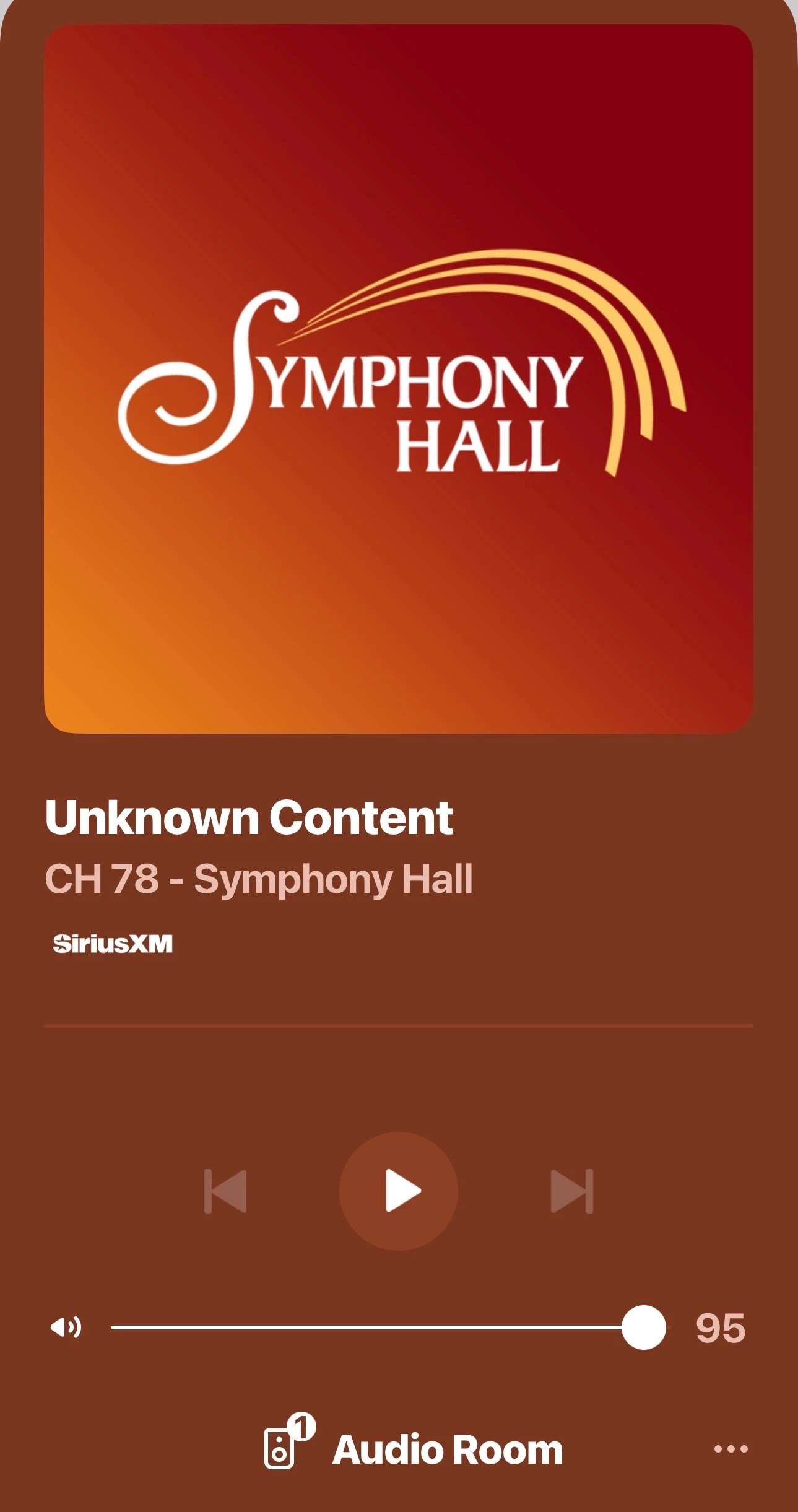
It’s not that I expect a radio station to use the queue.  A radio station is just one example of a service/source that doesn't use the queue.  I want to be able to access the queue after playing a service/source that doesn’t use the queue.  In the desktop app, that is possible:  you can *always* resume the queue regardless of what service/source is currently playing.  That is not true for the mobile or web apps.  If you’re using those interfaces and playing a service/source that doesn’t use the queue, it is not possible to resume using the queue.  When playing a non queue using service/source, the button to access the queue simply isn’t presented in the case of the mobile app.  In the case of the web app, it’s there but greyed out/non-functional.


Forum|alt.badge.img+1
  • Lyricist III
  • April 19, 2026

Why would anyone expect a radio station based service like SiriusXM would utilize the queue?  It's like a jukebox VS the radio.  One lets you control the content, the other presents content chosen by the station providers.

It’s not that I expect a radio station to use the queue.  A radio station is just one example of a service/source that doesn't use the queue.  I want to be able to access the queue after playing a service/source that doesn’t use the queue.  In the desktop app, that is possible:  you can *always* resume the queue regardless of what service/source is currently playing.  That is not true for the mobile or web apps.  If you’re using those interfaces and playing a service/source that doesn’t use the queue, it is not possible to resume using the queue.  When playing a non queue using service/source, the button to access the queue simply isn’t presented in the case of the mobile app.  In the case of the web app, it’s there but greyed out/non-functional.

Being able to resume the queue after playing a radio stream is sorely missed. This was possible in the previous app and I hold out hope that this is returned, even after 2 years. As an aside, third party mobile apps are also able to do this, just an FYI. 


MoPac
Forum|alt.badge.img+19
  • Headliner III
  • April 20, 2026

I’m confused.  I just played a radio station.  After stopping radio play I played an album from my local library which loaded in the queue just fine.

Sonos app on iPhone 15.  Sonos device was a Port.

EDIT:  I see now you are referring to Sonos retaining a queue after playing something like a radio station and then starting where you left off in the queue.  Never tried that.  Guess I’ll have to fiddle with it on the PC app.


Forum|alt.badge.img
  • Author
  • Trending Lyricist I
  • April 20, 2026

I’m confused.  I just played a radio station.  After stopping radio play I played an album from my local library which loaded in the queue just fine.

Sonos app on iPhone 15.  Sonos device was a Port.


Yup.  No problem with loading fresh stuff into the queue, you’re right.  What I want to do is to *resume* the already loaded queue.  That is to say, the queue as it was *before* I listened to the radio station.  I have this really long playlist from my music library that I want to listen to all the way to the end despite the fact that I’ve taken a break from it by listening to a radio station.  If I do as you did in your test and reload that playlist, I’d be starting all over again which would result in re-playing songs from the list I’ve already listened to.


Forum|alt.badge.img
  • Author
  • Trending Lyricist I
  • April 20, 2026

I’m confused.  I just played a radio station.  After stopping radio play I played an album from my local library which loaded in the queue just fine.

Sonos app on iPhone 15.  Sonos device was a Port.

EDIT:  I see now you are referring to Sonos retaining a queue after playing something like a radio station and then starting where you left off in the queue.  Never tried that.  Guess I’ll have to fiddle with it on the PC app.


Yup.  You got it.  Now even with the desktop app, it’s still not great.  Before I go off and listen to the radio station, I have to prune the songs I’ve already listened to ‘cuz when you go play something else and come back to it, the queue loses it’s place.  With out pruning, once again you have the problem I’m trying to avoid:  replaying songs I’ve already played.