Question

connecting sub 4 to arc ultra

  • May 23, 2026
  • 19 replies
  • 150 views

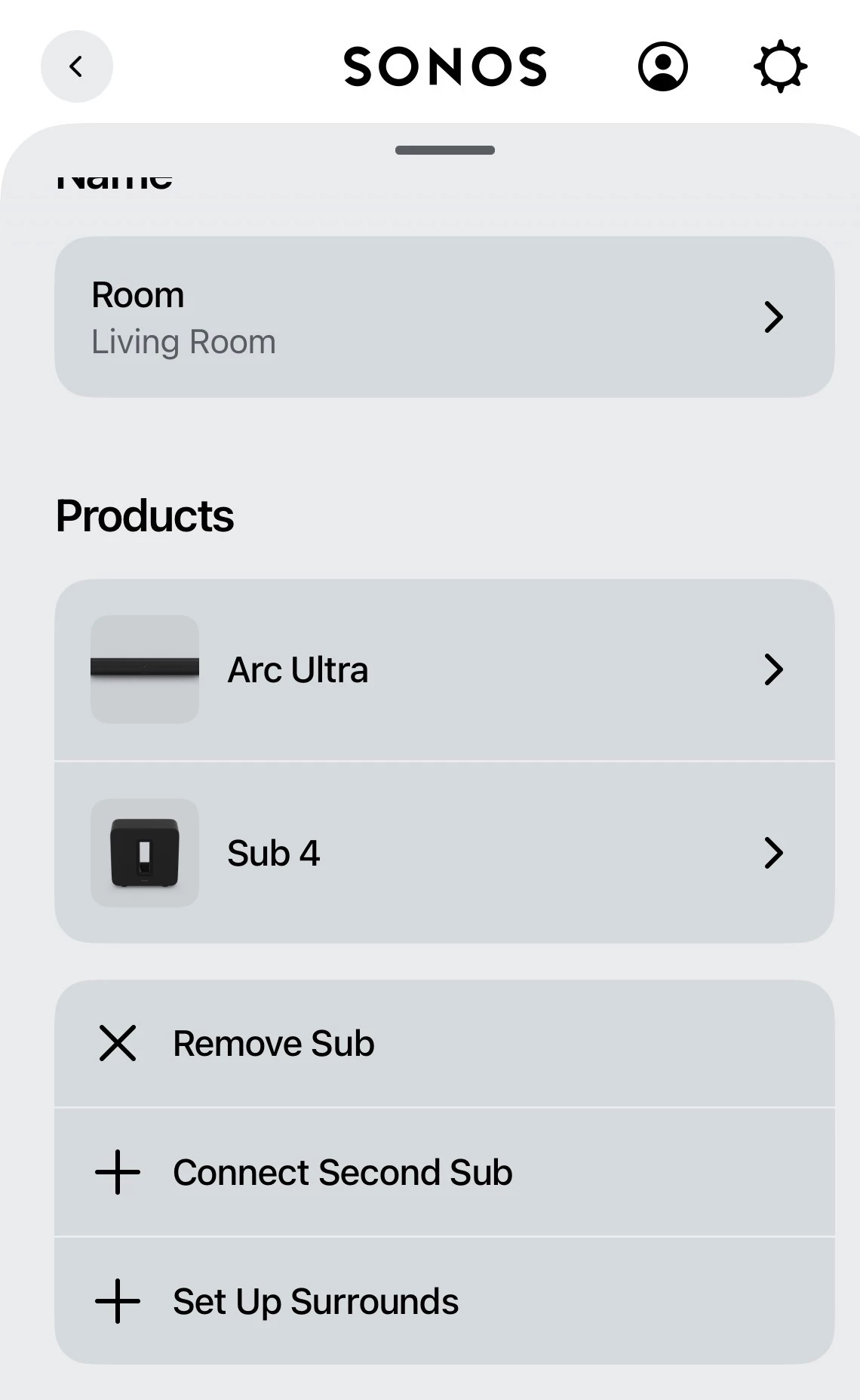
I’m unable to get my new Sonos sub 4 to connect to my new arc ultra. Have followed instructions, done heaps of factory resets. I can see it in the app, but just get a slow green flashing light or an orange light. Spent hours this afternoon trying to get it to work. Tried the help chat bot but it keeps going around in circles. Can’t find anything on line, most keep saying how easy it is. Do I take it back to my place of purchase and ask for a new one? 

19 replies

Stanley_4
  • Grand Maestro
  • May 23, 2026

It may be a failed unit but often it is an incompatible setting in your local setup. Talking to a live support person is usually the best option. 


Forum|alt.badge.img+18
  • Prodigy II
  • May 23, 2026

Is your Arc Ultra fully set up and working first?
 

Is the Arc perhaps connected to the router by Ethernet with WiFi turned off in the Arc settings..?


  • Author
  • Contributor I
  • May 23, 2026

Thanks for responding…the arc is working and is on wifi. I’m unable to get Ethernet to the Sonos equipment. They are both on the same network. The Sonos app sees the bass 4 and they are connected onto my living room group it’s just not playing. I was wondering if there was something in the settings of the router that maybe stopping it. It’s about 4 years old. 


Forum|alt.badge.img+18
  • Prodigy II
  • May 23, 2026

Sorry, just to check - when you say you followed the instructions, you did go to the Arc Ultra’s settings and select Add Sub? Rather than trying to group them.


  • Author
  • Contributor I
  • May 23, 2026

I set up the arc then did the added the bass. In the set up it the. Asked me to group them. So the set up works but then it does not play and I get the slow flashing green light 


Forum|alt.badge.img+18
  • Prodigy II
  • May 23, 2026

When you go into the Arc Ultra settings and select “Add Sub”, it should go though a process that bonds the Sub to the Arc Ultra. There should be no grouping involved as the Arc and Sub will become automatically linked, and shouldn’t appear as separate speakers.


  • Author
  • Contributor I
  • May 23, 2026

Sorry, I use the wrong word instead of grouping I should’ve used the word bond. I go through the whole process and everything looks right except I get no sound out of my bass 4. And just a solid Orange light on the bass. But I don’t get any errors while going through the process. And it looks fine in the app, but it’s just not working


Forum|alt.badge.img+18
  • Prodigy II
  • May 23, 2026

Hmm. Looks right.

Sonos’ support pages say: “A Sub with a solid orange light can indicate the Sub has been added to the system, but not currently bonded to another speaker.”

…but it looks like it is bonded.

Are your speakers up to date? It should run a firmware update when you set up the speakers but go to Settings - General Settings - System Updates, and check if there any updates due. Not sure what else to suggest…


Forum|alt.badge.img+18
  • Prodigy II
  • May 23, 2026

Also - you could try turning your speakers and router off at the wall. Give it a couple of minutes then turn the router back on and let it fully reboot. Then turn the Arc Ultra back on. Let it go fully to white light. Then turn on the Sub. This will give the speakers a new IP address which could help…


  • Author
  • Contributor I
  • May 23, 2026

Thanks for trying…I checked and all systems are up to date. It’s very frustrating 


Airgetlam
  • May 23, 2026

I’d also make sure the content being sent to the Arc Ultra is at least 5.1 (not stereo). You’d be unlikely to hear or feel the Sub if it was not a 5.1 signal. 

That means YouTube tests aren’t valid. The vast majority of those are reset by YouTube to stereo, so as not to use too much bandwidth. I usually recommend a movie channel or a DVD/Bluray player for testing purposes, and checking in the controller to be certain the Arc is receiving the appropriate non-stereo signal, which can most easily be found by checking ‘about my Sonos system’ in the controller, while the Arc is receiving a signal. There are some (few, but they seem to exist) TVs that modify the signal to stereo.

Conversely, you could call Sonos Support to discuss it.

When you speak directly to the Support staff, they have tools at their disposal that will allow them to give you advice specific to your network and Sonos system.


Stanley_4
  • Grand Maestro
  • May 23, 2026

Sometimes the router and Sonos get confused on addressing and the power cycle everything helps.

It could also be the router getting upset about the connection and blocking it. Not familiar with that issue, look for MAC or ARP protection or spoofing settings. It has been discussed here so a search may help.


Airgetlam
  • May 23, 2026

Just to flesh out what ​@Rhonny is saying, the Sub, being ‘bonded’ to the Arc Ultra, is directly connected to it. It does receive a proxied IP address from the router, but connects directly (when bonded) to the Arc Ultra, using a 5 GHz channel…so it might be worth checking for random wifi interference , and making sure the Sub isn’t too far from the Arc Ultra. 


Stanley_4
  • Grand Maestro
  • May 23, 2026

Trying the search, the AI responses are actually useful to my surprise.

https://en.community.sonos.com/search?q=arp%20spoofing


What ARP spoofing means for Sonos

Some routers/firewalls detect MAC addresses appearing on different interfaces or changing and treat that as ARP spoofing, which can block or interfere with Sonos network traffic.

Sonos products that proxy traffic for bonded satellite speakers or subs (for example, surrounds bonded to a soundbar) can present the same IP with different MAC addresses as they proxy traffic, which may trigger ARP-protection features.

Symptoms caused by ARP-protection

Wireless Sonos devices failing to obtain DHCP addresses even though the DHCP server offers one.

Sonos speakers or surrounds repeatedly disconnecting or becoming unreachable on Wi‑Fi or after TV off periods.

Software updates for bonded satellites or subs failing while the devices remain bonded.

Mesh/wireless systems or firewalls that perform multicast/ARP optimizations breaking Sonos backhaul behavior.

Common root causes seen in deployments

Routers/firewalls with anti-ARP spoofing, ARP-move detection, or MAC‑floating protections enabled.

DHCP reservations made against pre-bonding MAC addresses so the IP/MAC mapping changes after bonding.

Mesh APs or smart switches and VLAN/soft‑switch configurations that prevent MAC traffic from being forwarded between wired and wireless segments.

Practical mitigations reported to work

Disable or whitelist Sonos devices in the router/firewall ARP‑spoofing or ARP protection settings.

Remove static DHCP reservations for soundbars, subs, or satellite speakers that will be bonded, to avoid conflicts when MAC addresses are proxied.

Remove ARP entries associated with bonded speakers if the router has an ARP cache or spoofing trap.

Avoid router features that block MAC addresses from "floating" between wireless and wired segments, or create a network configuration where Sonos wired and wireless devices are on the same LAN/soft switch so Sonos backhaul traffic is not treated as spoofing.

Notes and considerations

This behavior is commonly reported with a variety of vendors’ routers and mesh systems; check whether ARP/anti‑spoofing features are enabled in network equipment.

In complex VLAN/mesh setups, the Sonos backhaul (SonosNet/proxying) may conflict with network optimizations and require network configuration changes.

Note: The documentation provides partial information on this topic.


Forum|alt.badge.img+18
  • Local Superstar
  • May 24, 2026

Trying the search, the AI responses are actually useful to my surprise.

...

Remove static DHCP reservations for soundbars, subs, or satellite speakers that will be bonded, to avoid conflicts when MAC addresses are proxied.

😀(I’m sure your previous responses were to reserve IP addresses when similar questions asked?)


 Do I take it back to my place of purchase and ask for a new one? 

No.

I was wondering if there was something in the settings of the router that maybe stopping it. It’s about 4 years old. 

Describe you network hardware, there will be a small configuration change required, to allow your Sub to bond to the Arc Ultra.


Forum|alt.badge.img+7
  • Prodigy I
  • May 24, 2026

ARP spoofing could well be playing a part, just ensure the Sub and Ultra are not being blocked by this on your router...

ARP simply:

Spoofing refers to one or more MAC address attempting to map to the same IP address (ie. One device is attempting to spoof another). It is a common hacking practice which is why firewalls in routers tend to be sensitive to it.

How this effects Sonos:

When surround speakers are bonded to the Arc they communicate (for updates ect.) through the Arc (and its IP address) but still identify by thier MAC address. Therefore the situation is that 2 or more MAC addresses appear to be using the same IP address…

This is why a routers ARP anti-spoofing measures will block the Sub's MAC address. Removing or whitelisting the Arc and the Sub from the routers ARP list will remove this as a possibility. 

Another symptom of this is bonded speakers failing to update without first rescinding the bond…


Stanley_4
  • Grand Maestro
  • May 24, 2026

😀(I’m sure your previous responses were to reserve IP addresses when similar questions asked?)


As I keep saying, reserving IPs is not the answer to every issue.

It is the answer to a specific class of issues which Sonos has acknowledged. 

I don't have any of the ARP spoofing issues here, if I did I'd be in serious trouble as the reserved IPs appear to be necessary with my router and mix of Sonos products.

With no direct access to the internal Sonos data I can't see a productive path to further research for me here.

I do have the ARP related fixes and assigned IP issues noted in my Sonos notes in case my situation changes.


AjTrek1
  • May 24, 2026

There’s obviously a network issue. My first thought is that you have separate SSID’s for 2.4GZ and 5Ghz.

However, I’m going to proceed that there’s something wrong in how you are setting up the sub. We’ll check your network later if need be.

The instructions I’m going to give will go against normal procedure as I’m going to have you Factory Reset the sub. Then you must follow my instructions as they are given by the numbers…no exception.

  1. Remove the sub from the Arc Ultra via the app. The process can take up to 5 minutes.
  2. Factory Reset the sub. You’ll get an orange/white flashing LED that will eventually turn green. DO NOT Factory Reset the Arc Ultra.
  3. Make sure the Arc Ultra shows a Network Connection and Enable Wi-Fi is checked in the app under Status
  4. Test that you can stream music to the Arc Ultra. If so proceed to next step. If not STOP and get back to us.
  5. Assuming you are able to stream music to the Arc Ultra….add the sub to your Sonos via the app under “Add Speaker or Component”. Once added the app will prompt you to select a room for the Sub. 
  6. Select the room for the Arc Ultra and follow prompts to add sub
  7. Once added test the sub for audio. It may require lightly touching the driver cone to feel for vibration if the music source is lite on low-end
  8. If still no audio to sub report back as there is more investigation required.

MoPac
Forum|alt.badge.img+19
  • Headliner III
  • May 24, 2026

For step 7 try John Williams: Cello Concerto: III. scherzo, Yo Yo Ma ( Dolby Atmos ).  If you don’t get some serious bass it ain’t workin’.