Question

buffering

  • May 22, 2026
  • 18 replies
  • 93 views

I have had a Sonos system since 2019.  Started with two One SL speakers and a bridge to connect a Denon receiver and Polk Audio speakers.  Over the years I’ve abandoned the bridge because it was neither reliable or easy to use.  I’ve added two more One SL’s, a Move, a Move 2, a One, and a Play, so now 8 speakers. 
I stream music off Apple Music.  In the past that was reliable and enjoyable.  A couple years ago Sonos updated their App and I went through several months of buffering issues.    Eventually, after several hours with phone support, we connected an Ethernet cable to one SL speaker and things sorted out.  
About a month ago, my system decided buffering was preferable to playing music.  Sonos Tech support said delete the Ethernet cable and reboot speakers and mesh network.  I did, the buffering persisted. Deco support said their X55 system supports 2.4 and 5 GHz broadband.  They walked me through setting up a network that is only on 2.4 GHz and connecting all the Sonos speakers to that.  I had to add my iPhone to that network so I could control the Sonos system. The buffering persisted.  Currently it cannot play one song without buffering and I am ready to trash all these useless speakers.  
I have a Deco X55 3 node mesh system that supplies my internet.  I stream all my television through various services, YouTube TV, Disney, Paramount+, and several others, occasionally simultaneously on two Smart TVs.   
The issue has to be with Sonos.  
I have tried deleting and including the Ethernet cable,  powering down all 8 speakers and all three mesh nodes, bringing up the mesh system and verifying it is working properly, then starting the speakers several times.  Nothing works.  

Is there a way to find out if Sonos recently updated?  
Does anyone know a solution to this issue?  

18 replies

Airgetlam

Not really, they don’t publish much on their update notes, either for the controller, or the firmware on the speakers, in terms of detail. Release notes are here for the controller, and here for firmware. Note that the dates in these links are US (month/day/year).

Honestly, I’d try a bunch of things that you’ve already tried, as each ‘change’ of the controller, the router’s system, or the speaker’s firmware could potentially bring issues.

In the likely order I’d try:

  1. Check for updates. Both from Sonos (in the controller) and from TP-Link for the Deco router(s) 
  2. Reset the network, by unplugging/powering off (for battery powered speakers) all devices…anything that says Sonos on it, including BRIDGEs or BOOSTs. Reboot the TP-Link Deco devices, wait two minutes, then plug in (or power up for battery powered) all Sonos devices. Wait two more minutes, then test. Note: if this ‘works’, if you can, assign reserved IP addresses to all Sonos. 
  3. Remove the Internet cable from the Sonos. You want the Sonos on your network, not trying both your network and SonosNet where available. It will reduce bandwidth potential conflict.
  4. Finally, I would recommend that you submit a system diagnostic within 10 minutes of experiencing this problem, and call Sonos Support to discuss it. Don’t post the resulting diagnostic number here.

    There may be information included in the diagnostic that will help Sonos pinpoint the issue and help you find a solution. And you may get a more seasoned representative than your initial interactions.

    When you speak directly to the Support staff, they have tools at their disposal that will allow them to give you advice specific to your network and Sonos system.


  • Author
  • Contributor I
  • May 22, 2026

Thanks for the response.  
I deleted the Ethernet cable.  
I have rebooted the speakers and the mesh network multiple times. 
I have tried submitting a diagnostic several times over the past few weeks, and will try again, but that has not been helpful so far.  

I decided to try Sonos Radio.  That had no buffering, but way too many ads, and it is a non starter for me to buy premium hardware only to listen to ads.  Yeah, I could buy the ad free Sonos Radio option, but why would I want to add another revenue stream to them just to get what should be a free service through my self built playlists on Apple.  (3500 songs & growing).  


I will not abandon Apple Music b/c all my devices are IOS, and Bluetooth to my vehicles and Sonos Bluetooth capable speakers on my boat all work flawlessly.  

 I tried Amazon Music.  That’s been running for about 90 minutes now with no buffering.  Does Bezos own some share of Sonos? Again I lose access to playlists I have built over time I don’t want to lose.  Where else can I get John Lithgow and Bebe Neuworth singing Baby It’s Cold Outside?  
 

so, now I narrowed it down to some conflict between Sonos & Apple.  Any other suggestions? 


Stanley_4
  • Grand Maestro
  • May 23, 2026

Just to see, try powering down the two additional mesh nodes and see if the Sonos situation improves.

Are you set to 20 mHz channel width on 2.4 gHz, on 5 gHz 20, 40 or 80 all seem to work well here.

Check your three 2.4 gHz channels and use the one with the lowest utilization. Same for the 5 gHz channels. 


AjTrek1
  • May 23, 2026

If only with Apple Music I suggest:

  1. Sign out of Apple Music
  2. Delete Apple Music from Sonos
  3. Update Sonos app if needed
  4. Sign into Apple Music
  5. Add Apple Music to Sonos
  6. Test for buffering

Also, I’m not a fan of Band steering such as locking Sonos to one band. Sonos can operate on 2.4Ghz and 5Ghz. Speakers will switch bands as needed to maintain a communication as WiFi signals go strong and weak throughout the day. Sonos will attach to the strongest signal without missing a beat. Especially so in a mesh network which is the reason to have a mesh.

Also, I recommend using the same SSID for both bands.

Additionally, turn off Airtime Fairness.

In my opinion ISP’s don’t know “jack” about Sonos. Sonos is not a simple WiFi capable device as they are constantly talking between the router and themselves. ISP’s think only of a single device needing a connection not constantly sending and receiving packets to maintain a sync for music.


  • Author
  • Contributor I
  • May 23, 2026

Thank you for these suggestions.  
I did look into the Sonos update stuff.  I am up to date on updates, running 85.00.31.  
Stanley, each time I have tried rebooting, I have powered down 3 nodes and 8 speakers to no avail.  
AjTrek1, I haven’t deleted the Apple Music app, then reinstalled it.   I will try that tomorrow.  Past my bedtime now.  Thanks for the idea, I will let you know how I make out,  if I do that, will I have to delete & reinstall on all of my IOS devices?  Likely yes, I guess.  
 

again, thank you all.  


Stanley_4
  • Grand Maestro
  • May 23, 2026

Stanley, each time I have tried rebooting, I have powered down 3 nodes and 8 speakers to no avail.  

Powering down all three nodes leaves you with no Wi-Fi, powering down only two leaves your Wi-Fi available but without the complications of the mesh.

Leave your Sonos powered up, leave the main hub powered up, power down the remaining two mesh units, try using the Sonos.


106rallye
Forum|alt.badge.img+18

Just a small correction for future reference. Since the Sonos Bridge or its successor the Boost are network components, you probably owned a Connect, that indeed ‘connects’ non-Sonos hardware to the Sonos ecosystem.


  • Author
  • Contributor I
  • May 23, 2026

Thank you again.  
The first node on my mesh network is physically under the other two.  It’s in the basement because that’s where my internet feed comes in.  We don’t have a router, we are in a Fiber area, an Ethernet cable comes in directly to the first node.  
I tried playing a playlist I have on Apple to those two SL speakers, they are also in the basement.  I powered down the secondary nodes on the main floor and grouped just the two SL speakers in the basement to test.  
it’s tried a half dozen sings so far, every one skipped. Some in the first line, others further into the song. When it skips, I sometimes see ‘Cannot play XXX it is not encoded correctly’. XXX= song name.  The songs named as improperly encoded played fine before this fiasco started.  It’s been going on long enough for me to remember some songs that were ‘improper’ played and skipped later.  
I switched to Amazon Music and it plays fine.  


  • Author
  • Contributor I
  • May 23, 2026

106ralley.  You are right, I had a connect.  It has been offline since before this issue started.  I had hoped it would make a couple of the Sonos speakers unnecessary, but that didn’t work.  Deciding to delete the connect lead to buying the two versions of Move. 


Stanley_4
  • Grand Maestro
  • May 23, 2026

With Amazon working and Apple not it sounds like the local network isn't the issue, more likely the connection to Apple.

Get the issue, submit a diagnostic and note the number, call in and talk to support to have them look at the diagnostic that has data we users can't see.


Airgetlam

I don’t understand the comment of ’we don’t have a router’. What is generating IPs and directing traffic to all these devices? Even Fiber connections connect to a router. 


Stanley_4
  • Grand Maestro
  • May 23, 2026

They make life difficult by calling it something else, it is still a router.

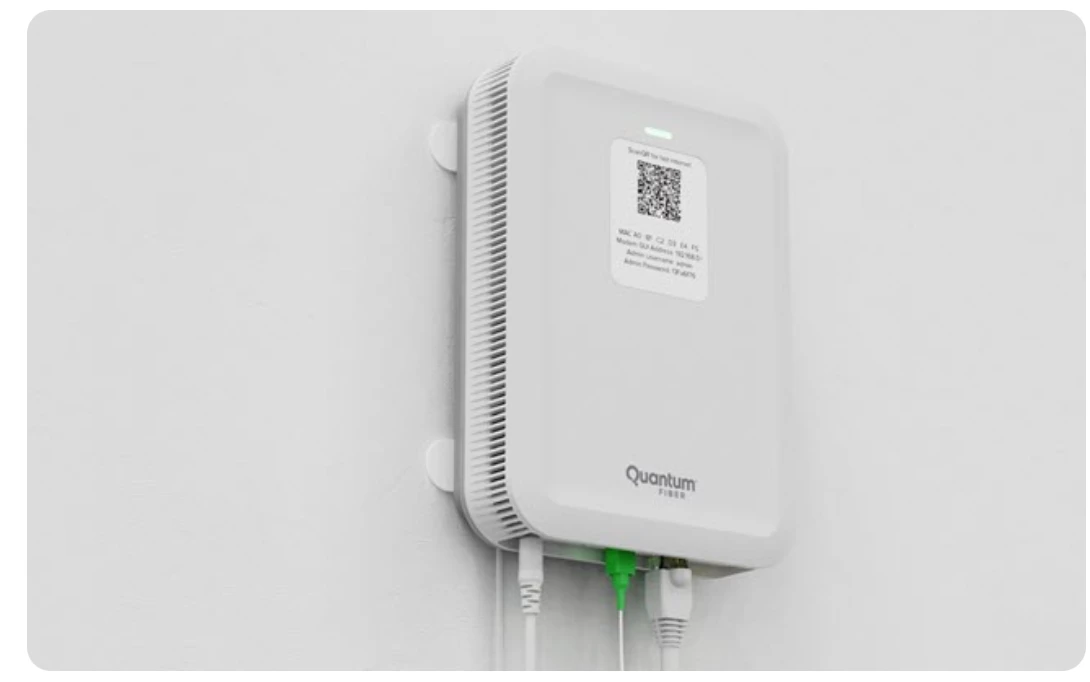
https://www.quantumfiber.com/support/equipment/user-guides/c5500xk-smartnid.html

Yep, it is a router and not a very good one, not easy to set to transparent mode so you can use a good one.


  • May 23, 2026

Here’s what I would do to try to narrow it down:

Turn off / unplug all your sonos devices. That includes powering off your portable devices (Move, Move2, Play etc). Then power on one device (not a portable), such as your One, using an ethernet cable to the first device where your fiber comes in (normally called the router). Now test streaming from Apple Music using the Apple Music service in the Sonos app.


AjTrek1
  • May 23, 2026

OK Guys….

The device in the link provided above is not a router. It is a Fiber Optic Modem. However, I’m curious as to how it was determined that the device in the link is what the OP has? Anyway my guess (as it’s similar to my Fiber Optic Modem by GFiber fka Google) is as follows:

  • Green cable is incoming from ISP (940GB)
  • White Ethernet on the right connects to a router
  • White cable on the left is power


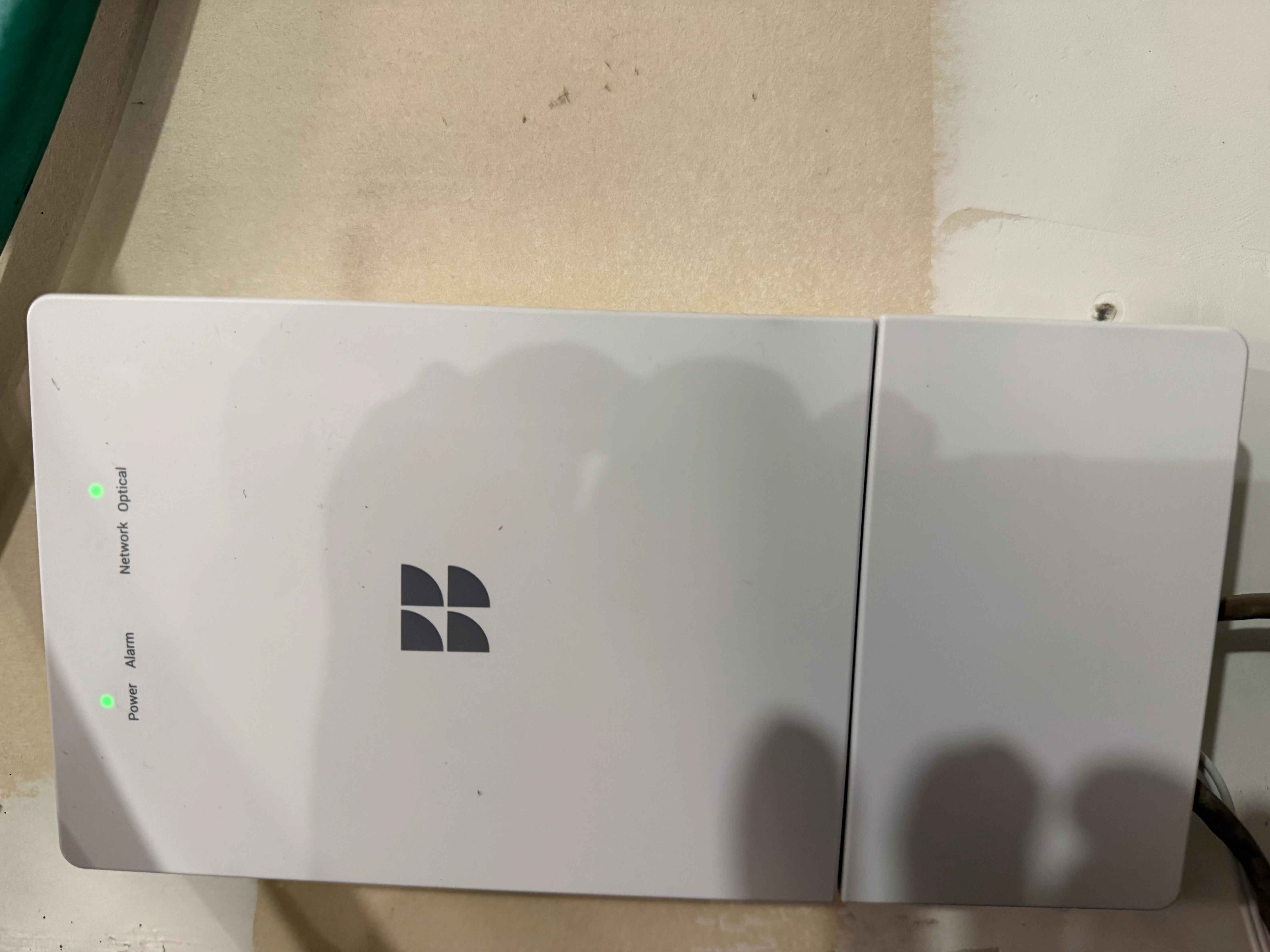
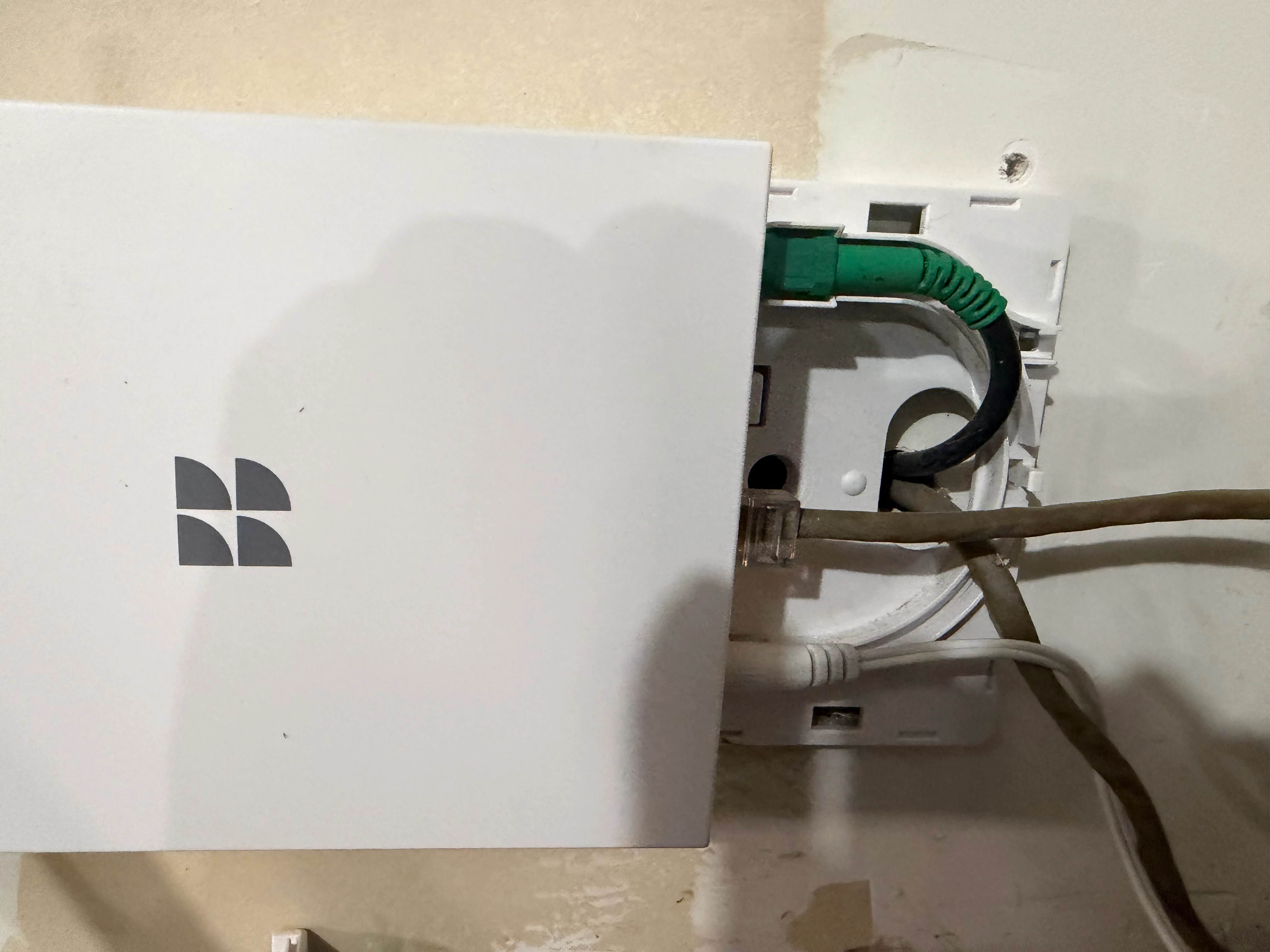
Here are pictures of my Fiber Optic Modem provided by GFiber (Google) that’s located in my garage:


The next picture shows the same connections as the one in the link:

  • Green is incoming from GFiber (3GB)
  • Brownish Ethernet connects to my router
  • White (bottom) is power


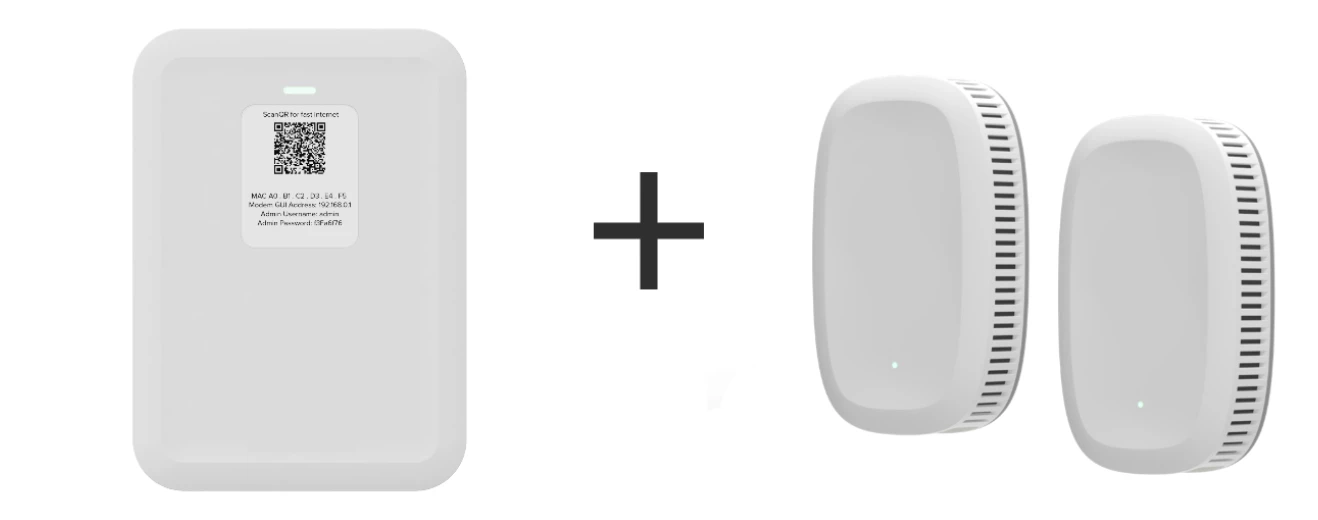
The device in the link promotes a propritary 360 WiFi which is merely two pods connected to the modem as shown (or one can use their own router);


All said the OP’s Deco X55 comprises three nodes connected to their Fiber Optic modem instead of the pods shown above; if that’s the case. One of the Deco’s is designated as the router.

Why the OP stated they don’t have a router is a mystery 🤔. That means the OP doesn’t fully understand their network components.


  • May 23, 2026

So does the OP have a LAN ethernet connection that is on a router and not on an Access Point? That is what I was getting at. Plug the One ethernet into a LAN port on a router.


Forum|alt.badge.img+7
  • Prodigy I
  • May 23, 2026

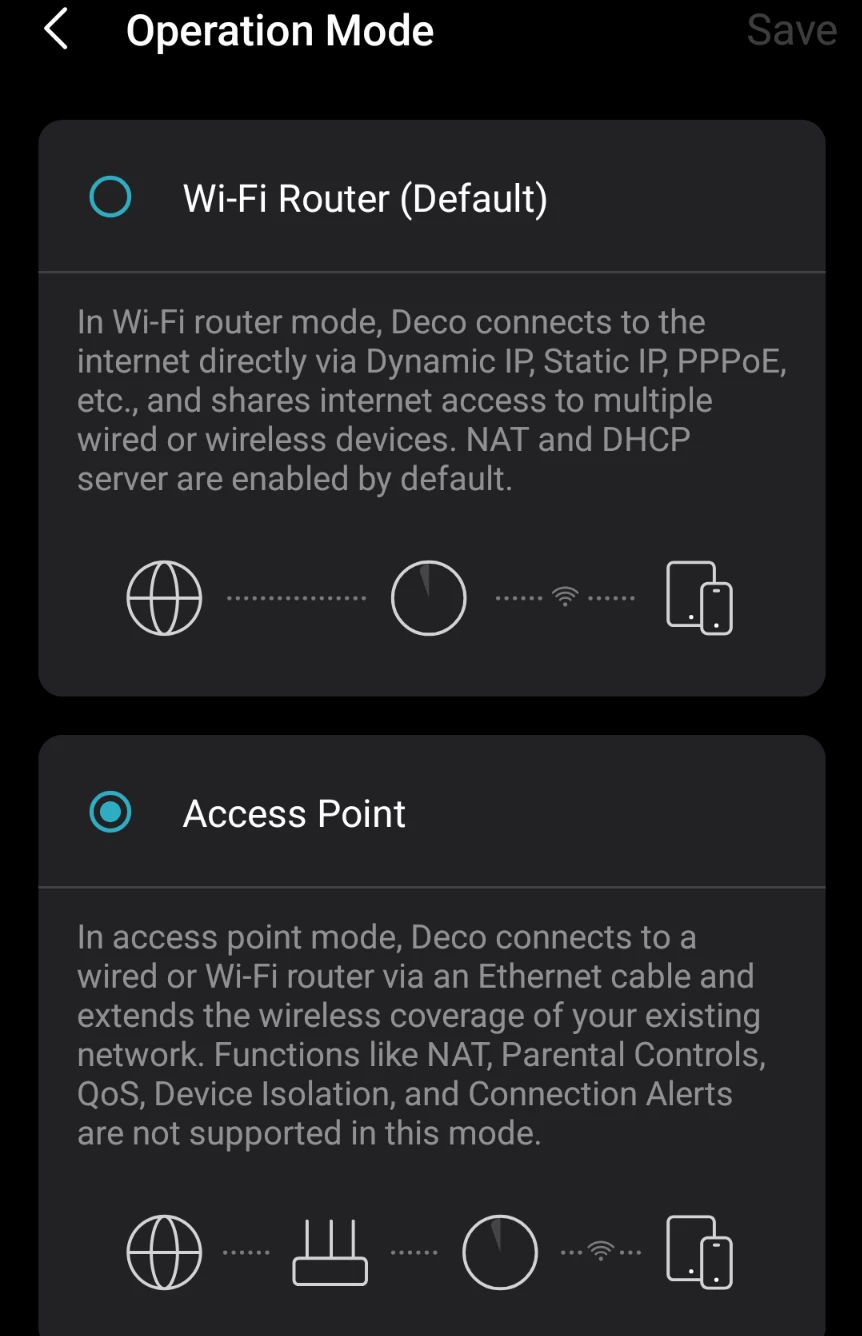
Deco x55 can act as a full router... It is selectable but presumably the OP is utilising this otherwise nothing would be working!

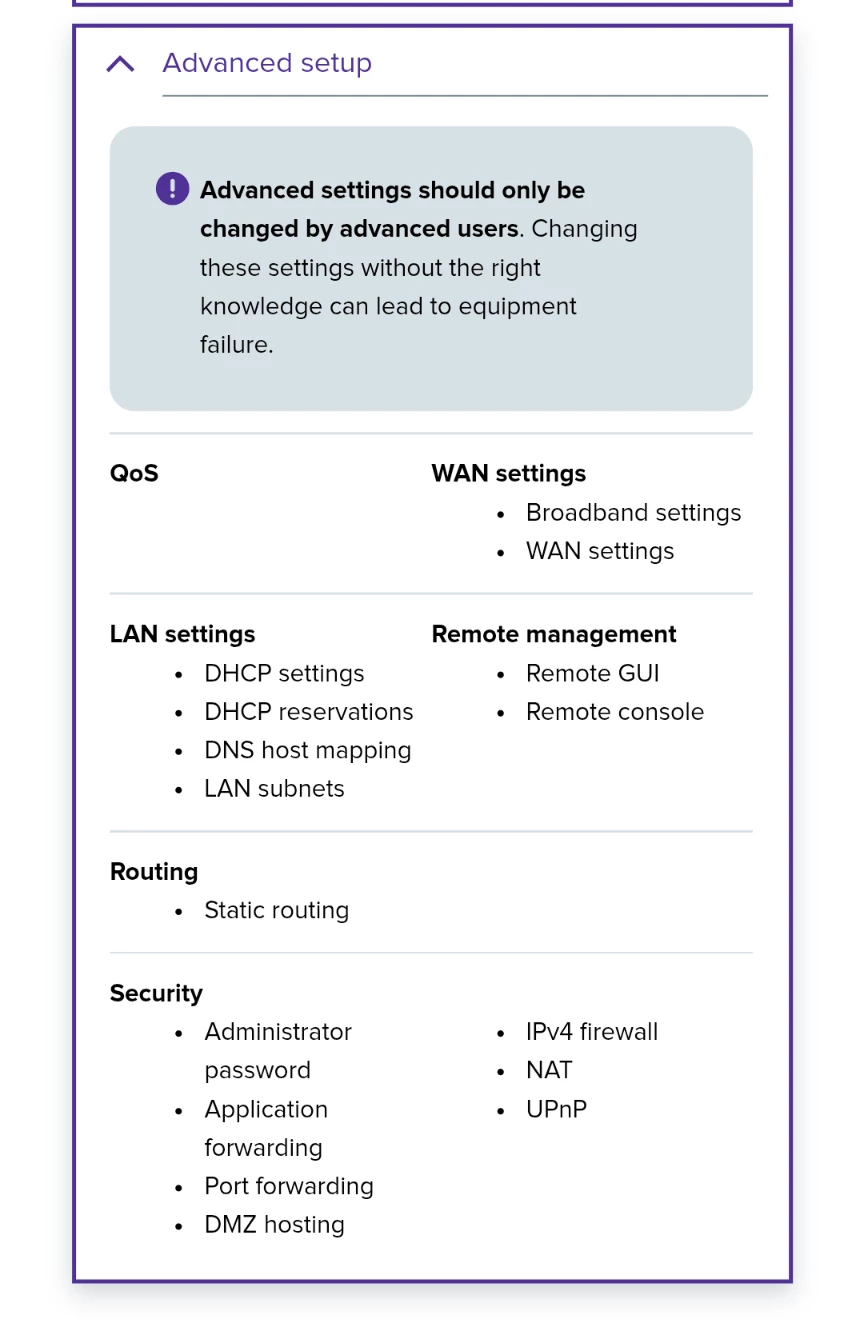
However the modem referenced above also has advanced settings suggesting router capabilities: 

If OP is running 2 DHCP instances or has conflicting settings between Deco and modem units then this could be the issue...  


Stanley_4
  • Grand Maestro
  • May 23, 2026

My link was just an example of how the ISPs avoid saying router.

It usually takes a bit of research to understand just what is in an ISP provided box. I have seen setups installed with two active routers and double NAT on the second plus two Wi-Fi LANs, sometimes with the same SSID. Seen many other problematic installs where skills were lacking and defaults blindly accepted.

It would be nice if installers were well trained and allowed time to do a proper job. Nice if they had an accurate, written, description of the install to pass on too.


  • May 23, 2026

So I had to look up the Deco x55 too lol. It has 3 ports. It auto senses the WAN port and the other two are LAN. On the one acting as the router, probably your basement/first node (which should be the one that has a cable going to the fiber modem), plug the Sonos One into one of the other ethernet ports.